Previous Tab
Switch back to the previously active tab using the keyboard.
As of June 2026, Previous Tab has 20,000 users and a 4.78/5 rating from 143 reviews in the Functionality & UI category.
Usersno change0%
20.0K
20,000
Ratingno change0%
4.78
143 reviews
Reviewsno change0%
143
Version
1.2.0
Manifest V3
History
1 snapshotsTracking since Apr 23, 2026.
View as table
| Date | Users | Rating | Reviews | Version |
|---|---|---|---|---|
| Apr 23, 2026 | 20.0K | 4.78 | 143 | 1.2.0 |
| Now | 20.0K | 4.78 | 143 | 1.2.0 |
Permissions & access
- Permissions
- None declared
- Host access
- None declared
Screenshots

About
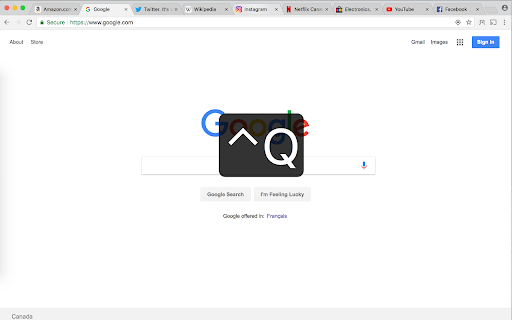
Switch to the previously active tab (last tab) by pressing Ctrl+Q, or clicking the Previous Tab icon.

You can change the keyboard shortcut by visiting chrome://extensions/shortcuts .

Chrome does not allow any extensions to use Ctrl+Tab or Ctrl+` as keyboard shortcuts.

The supported keys are Alt, Ctrl, Cmd along with:
A-Z, 0-9, Comma, Period, Home, End, PageUp, PageDown, Space, Insert, Delete, Arrow keys (Up, Down, Left, Right) and the Media Keys (MediaNextTrack, MediaPlayPause, MediaPrevTrack, MediaStop).

Donations are appreciated at donate.previoustab.com
Technical
- Version
- 1.2.0
- Manifest
- V3
- Size
- 470KiB
- Min Chrome
- 88
- Languages
- 1
- Featured
- Yes
Metadata
- ID
- bjaniflnlhhofabpoamhnobeonjcjjpl
- Developer ID
- ucf3c4105e023cc90472a03ee9a730ac6
- Developer Email
- [email protected]
- Created
- Dec 27, 2017
- Last Updated (Store)
- Jul 11, 2024
- Last Scraped
- Jun 7, 2026
- Website
- —
- Support URL
- —
- Privacy Policy
- —
Similar extensions
Alternatives to Previous Tab, ranked by description similarity.

Last Tab Switcher
Switch back to the last viewed tab using a hotkey.
7

Tab Switcher
A Chrome extension that allows users to switch between their most recently used tabs.
175
★ 5.0

Select Previous Tab
Adds a keyboard shortcut to select the previously viewed tab.
41
★ 5.0

Shortcut Tab Switcher
Shortcut Tab Switcher: tab switcher for handy switching with customizable keyboard hotkeys. Instant switching! 🚀
1.0K
★ 4.7

New Adjacent Tab
Opens a new tab to the right or left of the current one.
10.0K
★ 4.4

Tab Toggle
Toggle between the two most recent tabs using keyboard shortcut.
33
★ 5.0

Tab Switcher
Switch tabs like Cmd+Tab with visual previews and MRU order. Also adds a keyboard shortcut to copy the current URL.
—

Tab Flipper
Switch to NEXT or PREVIOUS tab using CTRL+LEFT/RIGHT or custom shortcut
6
★ 5.0
Data sourced from the Chrome Web Store · last verified Jun 7, 2026.