
AI Summarizer
ChatGPT-3.5 powered tool to summarize any website you are at
As of May 2026, AI Summarizer has 792 users and a 2.00/5 rating from 4 reviews in the Workflow & Planning category.
Usersdown 3.2 percent−3.2%
792
792
Ratingno change0%
2.00
4 reviews
Reviewsno change0%
4
Version
0.0.0.1
Manifest V3
History
3 snapshotsTracking since Apr 1, 2026.
View as table
| Date | Users | Rating | Reviews | Version |
|---|---|---|---|---|
| Apr 1, 2026 | 818 | 2.00 | 4 | 0.0.0.1 |
| Apr 29, 2026 | 825 | 2.00 | 4 | 0.0.0.1 |
| May 27, 2026 | 814 | 2.00 | 4 | 0.0.0.1 |
| Now | 792 | 2.00 | 4 | 0.0.0.1 |
Permissions & access
- Permissions
- storageactiveTabscripting
- Host access
- None declared
Screenshots

About
Summarize any page you are at with the help of ChatGPT-3.5! All with a free and open source project :)

Click on the extension's icon, define how you want the summary done and start summarizing.

You can use a free demo API Key that allows several queries. If you'd like to do many more queries, please provide your own ChatGPT Key (for free), by simply clicking "Add tokens" and inserting your API Key. It's very easy to get from the openai website.

*FEATURES*

- Summarize only the selected text
If you have any selected text, the extension will work only on that fragment. Ideal if you don't need the entire page and you don't want to use too many API tokens.

- Set the summary length
You can set it in words or in characters. As of now it's not 100% accurate (it may be some words/characters off), but it'll try its best to adjust to the required length. If you want the summary in bullet points (read below), the length limiter won't work, as it requires a different query engineering that is not ready yet.

- Set keywords
You can ask the AI to focus on specific topics when summarizing. If you are reading, for example, someone's biography, you can make it focus in the political career of that someone. Simply introduce a keyword in the keywords field and press enter or click "Add".

- Summarize en bullet points
You can summarize the page in a regular text format or in bullet points.

- Use your own FREE API Key
You can click at the top side "Add tokens (free)" and then you'll be able to introduce your own API Key from chatGPT. It only requires you to set an account with openai and then you can create a free key. The key is limited but allows quite a broad number of requests.

OPEN SOURCE AND DATA PRIVACY

This project is only "semi" open source because some files could pose security concerns and allow exploits of the public API Key.

There are actually not many files hidden so the code is perfectly understandable without them.

- About privacy:
This extension DOES NOT use your data in any way.

It doesn't even have access to it. The only data it uses is your API Key, if you voluntarily decide to introduce it. And its use is only for its intended purpose, nothing else. You can actually verify by yourself everything stated here, by reading the code and by inspecting the extension's network (you'll see that the only request done is to chatGPT).

DISCLAIMER

This extension is currently in its first release so it may have unexpected bugs that still require some work on. Please, feel free to contribute to this repository if there's anything you believe it could be improved.

GITHUB REPOSITORY
https://github.com/xfontr/chat-gpt-ai-summarizer
Technical
- Version
- 0.0.0.1
- Manifest
- V3
- Size
- 30.05KiB
- Min Chrome
- 88
- Languages
- 1
- Featured
- No
Metadata
- ID
- bhpbalbjambphcgchfpdohafcbdjkgno
- Developer ID
- u7952aa3fdcb6634ac10d0a7fc7e5a45a
- Developer Email
- [email protected]
- Created
- Apr 17, 2023
- Last Updated (Store)
- Apr 17, 2023
- Last Scraped
- May 27, 2026
- Website
- —
- Support URL
- —
- Privacy Policy
- —
Similar extensions
Alternatives to AI Summarizer, ranked by description similarity.
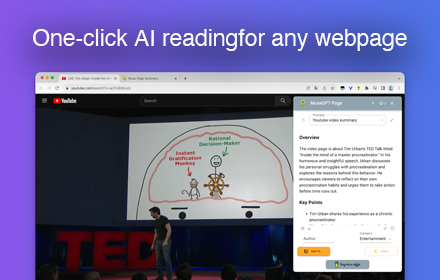
Muse GPT Page
Muse GPT Page
166
★ 5.0

SummaryGPT
Summarize webpages using OpenAI's API
17

Gimme Summary - Get summary using ChatGPT AI
Summarize articles on the web using ChatGPT AI
10.0K
★ 3.0

GPT Summarizer
Summarize a text selection with Chat-GPT
12
InstantGPT - ChatGPT Powered Assistant
Access ChatGPT instantly! Summarize articles with one click.
InstantGPT is a chrome extension that utilizes the power of OpenAI's…
1.0K
★ 3.4

AI Page & Youtube Summaries using ChatGPT
AI summaries for Youtube videos, webpages and articles. Uses ChatGPT. Supports text-to-speech.
7

GPT Summarizer
A Chrome extension that utilizes ChatGPT to provide a summarized version of web articles.
719
★ 3.5
GPT Digest
A Chrome extension that displays the Summery of the page using chat GPT
158
★ 4.8
Data sourced from the Chrome Web Store · last verified May 27, 2026.