
Splyc+
Splyc automates livestream clipping — turning one stream into dozens of short-form clips shared across social media.
As of June 2026, Splyc+ has 4 users and a 5.00/5 rating from 2 reviews in the Social & Communication category.
Usersup 300.0 percent+300.0%
4
4
Ratingno change0%
5.00
2 reviews
Reviewsno change0%
2
Version
2.1
Manifest V3
90-day change · In the last 90 days this extension 2 version updates, changed permissions.
History
7 snapshotsTracking since Apr 19, 2026.
View as table
| Date | Users | Rating | Reviews | Version |
|---|---|---|---|---|
| Apr 19, 2026 | 1 | 5.00 | 2 | 1.42 |
| Apr 24, 2026 | 2 | 5.00 | 2 | 1.42 |
| May 8, 2026 | 1 | 5.00 | 2 | 1.42 |
| May 13, 2026 | 2 | 5.00 | 2 | 2.00 |
| May 25, 2026 | 3 | 5.00 | 2 | 2.00 |
| Jun 1, 2026 | 2 | 5.00 | 2 | 2.00 |
| Jun 7, 2026 | 4 | 5.00 | 2 | 2.00 |
| Now | 4 | 5.00 | 2 | 2.1 |
Changelog
- May 8, 2026description
Splyc+ — Clip your favorite streamers, instantly.

Splyc+ is a browser extension that lets you capture clips from live streams on Twitch, Kick, YouTube, Pump & other livestreaming services — directly from your browser. No screen recorders, no downloads, no hassle. Just open a stream, click clip, and it's saved to your Splyc dashboard ready to edit, share, or upload to all of your social media profiles.

Built for content creators, clip channels, YouTube editors/managers.

HOW IT WORKS —

When you open a supported livestream, Splyc+ automatically starts recording in the background using a rolling buffer. When something clip-worthy happens, hit the clip button and choose how far back you want to go. Alternatively, Splyc AI can do the process for you. Your clip is sent to your Splyc account & ready to upload in seconds.

FEATURES —

🢖 One-click clipping — Capture the last 30s, 60s, 90s, or 2 minutes of any livestream
🢖 Rolling buffer — Always recording so you never miss a moment, even if you weren't ready
🢖 Multi-platform support — Works on Twitch, Kick, and YouTube livestreams
🢖 Automatic streamer detection — Matches clips to your monitored streamers automatically
🢖 Stream-only capture mode — Crop out browser UI and record just the video player
🢖 Full window capture mode — Record everything visible in the tab
🢖 Instant upload — Clips go straight to your Splyc Clip Manager for editing and distribution
🢖 Clip history — Browse your recent extension clips right from the popup
🢖 Secure API key auth — Connect to your Splyc account with a personal API key
🢖 Lightweight — Runs quietly in the background with minimal resource usage

SUPPORTED PLATFORMS (currently include) —

🢖 Twitch.tv
🢖 Kick.com
🢖 YouTube Live
🢖 Pump.fun

GETTING STARTED —

🢖 Install Splyc+ and click the extension icon
🢖 Generate an API key from your Splyc dashboard (Settings → Extension)
🢖 Paste your key and hit Connect
🢖 Navigate to a livestream and start clipping
🢖 Upload to all your profiles and FARM views


REQUIREMENTS —

▫ A Splyc account with a Splyc+ subscription
▫ Splyc+ Extension API key

— Full privacy policy at https://splyc.app/privacy
— Join our Discord! https://discord.gg/splyc

— Questions? Contact [email protected]
Splyc+ is the official Splyc browser extension. It is for creators and teams who want to capture segments from supported live streams in the browser and continue in Splyc—edit, add captions and overlays, then export or queue uploads to connected social accounts where available.

Splyc is the web application: clip library, timeline editor (trim, segments, captions/styles, credits/overlays where available), and workflows to export or publish to connected platforms based on your account setup. Splyc+ is how many users get clips into Splyc from the live tab; Splyc is where those clips are finished and distributed.

How it works

On supported live pages, Splyc+ can maintain a rolling buffer of recent audio/video. When something clip-worthy happens, you use the extension’s clip action and select how far back to capture (e.g. common presets such as 30s / 60s / 90s / 2 minutes, subject to product limits). The clip is associated with your Splyc account and appears in Splyc for review and editing.

Capture modes

Stream-focused capture uses the video player where supported (quality and behavior depend on the site and browser permissions).
Full-tab / window-style capture records what is visible in the capture surface (useful when a site’s player path is constrained). Modes are not interchangeable; choose the one that matches the stream and your quality needs.

Notable features

One-click (or shortcut-driven) clipping from a rolling buffer on supported streams
Multi-platform support on Twitch, Kick, and YouTube Live where enabled (support evolves by platform and URL rules)
Pump.fun and other destinations only where explicitly supported by the current extension version
Clip history / recent clips accessible from the extension UI
Account connection via personal API key from Splyc Settings → Extension (recommended flow)
Clips sync to Splyc Clip Manager for editing, share links, and uploads per your plan and connected accounts

Requirements

An active Splyc+ subscription (or equivalent tier that unlocks the extension)
A valid Splyc+ extension API key generated from your account

Privacy policy: https://splyc.app/legal/privacy
Community: https://discord.gg/splyc
Support: [email protected]
- May 8, 2026short_description
Automatically capture and clip entertaining moments from your favorite streamers
Splyc automates livestream clipping — turning one stream into dozens of short-form clips shared across social media.
- May 8, 2026category
productivity/tools
lifestyle/social
- May 8, 2026host_permissions
https://www.twitch.tv/*, https://twitch.tv/*, https://kick.com/*, https://www.youtube.com/*, https://api.splyc.app/*, https://dev.api.splyc.app/*
https://www.twitch.tv/*, https://twitch.tv/*, https://kick.com/*, https://pump.fun/*, https://www.pump.fun/*, https://www.youtube.com/*, https://youtube.com/*, https://m.youtube.com/*, https://youtu.be/*, https://api.splyc.app/*, https://dev.api.splyc.app/*
- May 8, 2026permissions
storage, tabs, activeTab, scripting, tabCapture, offscreen, sidePanel
storage, tabs, activeTab, scripting, tabCapture, offscreen, sidePanel, alarms
Permissions & access
- Permissions
- storagetabsactiveTabscriptingtabCaptureoffscreensidePanelalarms
- Host access
- https://www.twitch.tv/*, https://twitch.tv/*, https://kick.com/*, https://pump.fun/*, https://www.pump.fun/*, https://www.youtube.com/*, https://youtube.com/*, https://m.youtube.com/*, https://youtu.be/*, https://api.splyc.app/*, https://dev.api.splyc.app/*
Screenshots


About
Splyc+ is the official Splyc browser extension. It is for creators and teams who want to capture segments from supported live streams in the browser and continue in Splyc—edit, add captions and overlays, then export or queue uploads to connected social accounts where available.

Splyc is the web application: clip library, timeline editor (trim, segments, captions/styles, credits/overlays where available), and workflows to export or publish to connected platforms based on your account setup. Splyc+ is how many users get clips into Splyc from the live tab; Splyc is where those clips are finished and distributed.

How it works

On supported live pages, Splyc+ can maintain a rolling buffer of recent audio/video. When something clip-worthy happens, you use the extension’s clip action and select how far back to capture (e.g. common presets such as 30s / 60s / 90s / 2 minutes, subject to product limits). The clip is associated with your Splyc account and appears in Splyc for review and editing.

Capture modes

Stream-focused capture uses the video player where supported (quality and behavior depend on the site and browser permissions).
Full-tab / window-style capture records what is visible in the capture surface (useful when a site’s player path is constrained). Modes are not interchangeable; choose the one that matches the stream and your quality needs.

Notable features

One-click (or shortcut-driven) clipping from a rolling buffer on supported streams
Multi-platform support on Twitch, Kick, and YouTube Live where enabled (support evolves by platform and URL rules)
Pump.fun and other destinations only where explicitly supported by the current extension version
Clip history / recent clips accessible from the extension UI
Account connection via personal API key from Splyc Settings → Extension (recommended flow)
Clips sync to Splyc Clip Manager for editing, share links, and uploads per your plan and connected accounts

Requirements

An active Splyc+ subscription (or equivalent tier that unlocks the extension)
A valid Splyc+ extension API key generated from your account

Privacy policy: https://splyc.app/legal/privacy
Community: https://discord.gg/splyc
Support: [email protected]
Technical
- Version
- 2.1
- Manifest
- V3
- Size
- 50.89MiB
- Min Chrome
- 88
- Languages
- 1
- Featured
- No
Metadata
- ID
- bhaeebdghgikgpnibfgblddjiojlbecc
- Developer ID
- u1abf0469f96e41907dcb85acc726bb7d
- Developer Email
- [email protected]
- Created
- Feb 17, 2026
- Last Updated (Store)
- Jun 5, 2026
- Last Scraped
- Jun 7, 2026
- Website
- splyc.app
- Support URL
- https://splyc.app/support
- Privacy Policy
- https://splyc.app/privacy
Similar extensions
Alternatives to Splyc+, ranked by description similarity.
StreamPulse: Twitch & Kick Monitor
Auto-claim Channel Points · live alerts · hover previews · chat filters for Twitch & Kick. Free, no account needed.
91
★ 4.7

StreamShot: Screenshot for Youtube, Twitch, TikTok & Instagram
Screenshot videos & streams on Youtube, Twitch, TikTok (Douyin) & Instagram. Cloud storage + AI editing features.
3.0K
★ 4.1

Lurker.tv – Twitch, Kick & YouTube Community Lurker
Rotates streams and shows only your approved Discord servers with secure point tracking.
147
★ 5.0
Twitch Stats by Streams Charts
Your personal access to world-class streaming analytics on Twitch by StreamsCharts.com
10.0K
★ 3.1

Stream Live — notifications for live streams
Follow your favorite broadcasts on all popular platforms
10.0K
★ 4.6
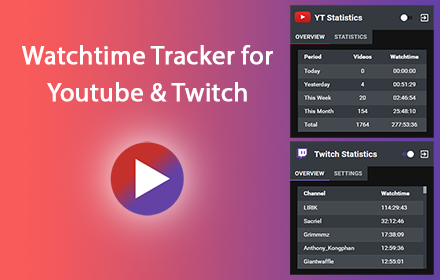
Watchtime Tracker
Track your activity on Youtube and Twitch
10.0K
★ 4.3

Pulse - Social Intelligence
Track and analyze posts from LinkedIn and Twitter/X with AI-powered insights
9

StreamPod
Enhance live content with Stream! Boost X Spaces, YouTube Live, and Twitch with overlays, gamified interactions, and web3 rewards.
1.0K
★ 5.0
Data sourced from the Chrome Web Store · last verified Jun 7, 2026.