
GraphThat
Quickly graph data by selecting text on a webpage.
As of May 2026, GraphThat has 18 users and a 5.00/5 rating from 1 reviews in the Workflow & Planning category.
Usersup 12.5 percent+12.5%
18
18
Ratingno change0%
5.00
1 reviews
Reviewsno change0%
1
Version
0.1.0.0
Manifest V3
History
2 snapshotsTracking since May 2, 2026.
View as table
| Date | Users | Rating | Reviews | Version |
|---|---|---|---|---|
| May 2, 2026 | 16 | 5.00 | 1 | 0.1.0.0 |
| May 31, 2026 | 14 | 5.00 | 1 | 0.1.0.0 |
| Now | 18 | 5.00 | 1 | 0.1.0.0 |
Permissions & access
- Permissions
- storageactiveTabscripting
- Host access
- None declared
Screenshots


About
GraphThat allows the user to generate graphs from numerical data found on the web quickly and easily. Simply select the text and graph! It supports datasets in columns or rows, and graphs scatter plots, line charts, and bar charts.

How to Use:
1. Select the numerical data on the webpage that you would like to graph.
2. Click on the extension icon in the toolbar.
3. In the popup choose the options:
    a. Is the data in columns (default) or rows?
    b. Is the first row (or col) the names of datasets?
    c. Is the first col (or row) the x-axis labels for the datasets?
4. Click on the icon for the type of graph desired. If valid data was selected, a new window will open with the desired graph.
5. Hide or show datasets by clicking on their name in the legend.
6. Add titles for graph and axes by entering text in the box and clicking the appropriate button to add the title.
7. Optionally save the graph as a PNG file by right-clicking on the graph and selecting "Save Image As...".
Technical
- Version
- 0.1.0.0
- Manifest
- V3
- Size
- 118KiB
- Min Chrome
- 88
- Languages
- 1
- Featured
- No
Metadata
- ID
- bejohmjjfdmohghahhpfnlchkihoieel
- Developer ID
- u8f80877d862bbb9a1e1ef5346701ee3a
- Developer Email
- [email protected]
- Created
- Jan 15, 2022
- Last Updated (Store)
- Jan 15, 2022
- Last Scraped
- May 31, 2026
- Website
- —
- Support URL
- —
- Privacy Policy
- —
Similar extensions
Alternatives to GraphThat, ranked by description similarity.

AI Graph Maker
AI Graph Maker generates customizable graphs with AI and supports Excel and CSV file imports.
206
★ 5.0
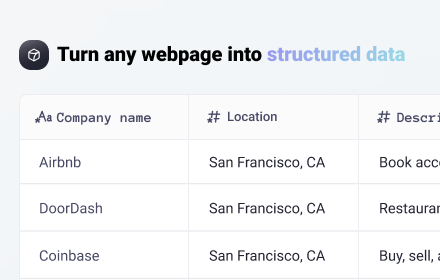
Easy web scraper by Databar
A simple, no-code extension to collect data from any website.
1.0K
★ 4.8

AI Chart Maker - Create Charts with AI
AI Chart Maker based on AI, can create impressive charts and graphs and get professional infographics in seconds.
10.0K
★ 4.5

TabGra: Tab Graph Navigator!
Transform your newtab page into a tab graph navigation tool!
15

Datastripes Lens
Superpowers for data: transform tables and numbers into interactive insights on any webpage.
17
★ 5.0

Table to CSV Exporter
Easily export HTML tables to Excel-compatible CSV files with UTF-8 support
104
★ 3.0

ChartMaker Pro
Generate beautiful charts from CSV, Excel, TSV & TXT files instantly and completely offline
27

No Limits - Web Tracker and Personal Notebook
A simple and efficient Web Activity Tracker and personal notebook for your daily needs.
8
Data sourced from the Chrome Web Store · last verified May 31, 2026.