
SaaS Screenshot Marketer
Crop any UI section and generate SaaS marketing images instantly
As of June 2026, SaaS Screenshot Marketer has 3 users in the Productivity category.
Usersno change0%
3
3
Ratingno change0%
—
— reviews
Reviewsno change0%
—
Version
1.1.0
Manifest V3
History
8 snapshotsTracking since Apr 4, 2026.
View as table
| Date | Users | Rating | Reviews | Version |
|---|---|---|---|---|
| Apr 4, 2026 | — | — | — | 1.1.0 |
| Apr 18, 2026 | — | — | — | 1.1.0 |
| Apr 23, 2026 | 2 | — | — | 1.1.0 |
| Apr 28, 2026 | 3 | — | — | 1.1.0 |
| May 16, 2026 | 3 | — | — | 1.1.0 |
| May 23, 2026 | 2 | — | — | 1.1.0 |
| May 29, 2026 | 3 | — | — | 1.1.0 |
| Jun 12, 2026 | 2 | — | — | 1.1.0 |
| Now | 3 | — | — | 1.1.0 |
Permissions & access
- Permissions
- activeTabalarmsscriptingtabsstorage
- Host access
- <all_urls>
Screenshots


About
Cutify – Turn any screen cut into beautiful, ready-to-share content

Cutify is a powerful browser extension that lets you capture any part of your screen and instantly transform it into stunning, shareable visuals.

Instead of taking full screenshots, Cutify focuses on what matters — allowing you to cut specific areas and convert them into polished content for social media, blogs, websites, and more.

🚀 Key Features

✂️ Smart Screen Cutting
Select and capture only the exact part of your screen you need — no unnecessary content.

🎨 Automatic Content Generation
Turn your cuts into professionally designed visuals in seconds.

⚡ Ready-to-Share Formats
Create content optimized for social media, blogs, and marketing use.

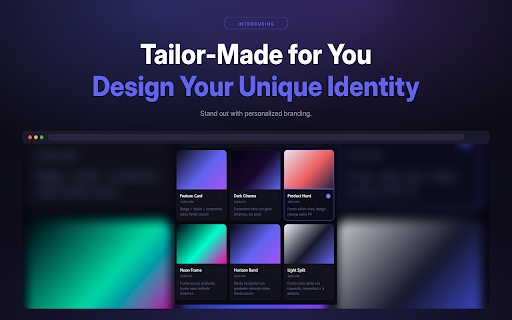
🧩 Customizable Designs
Apply styles, layouts, and formats to match your brand or personal style.

⏱️ Save Time on Content Creation
Skip manual design work — Cutify handles it for you.

💡 Perfect for
Content creators
Marketers
Social media managers
Bloggers
Founders and indie makers
Anyone who wants to turn ideas into visuals quickly
🔥 Why Cutify?

Most tools stop at capturing screenshots.
Cutify goes further — it transforms your cuts into content.

With Cutify, you can go from idea → capture → polished post in seconds.

🛠️ How it works
Select any part of your screen
Cut it with Cutify
Customize your design
Export and share instantly
🌍 Use Cases
Create social media posts from tweets, dashboards, or ideas
Turn product pages into marketing visuals
Capture insights and turn them into blog graphics
Share highlights from articles, tools, or analytics
⚡ Built for speed and simplicity

No design experience required.
No complex tools.
Just cut and create.

🚀 Start creating with Cutify today

Turn your screen into a content machine.
Technical
- Version
- 1.1.0
- Manifest
- V3
- Size
- 23.75KiB
- Min Chrome
- 88
- Languages
- 1
- Featured
- No
Metadata
- ID
- bcnljncibfaegojjemldeecejfafpmfp
- Developer ID
- u7f53f2b5fbeb83b3ca4de1365746202c
- Developer Email
- [email protected]
- Created
- Apr 4, 2026
- Last Updated (Store)
- Apr 4, 2026
- Last Scraped
- Jun 12, 2026
- Website
- https://cutify.net/
- Support URL
- —
- Privacy Policy
- https://cutify.net/privacy
Data sourced from the Chrome Web Store · last verified Jun 12, 2026.