
Inkscape editor for draws and graphics
Create or edit vector graphics such as illustrations, diagrams, line arts, charts, logos and complex paintings
As of May 2026, Inkscape editor for draws and graphics has 100,000 users and a 3.08/5 rating from 194 reviews in the art category.
Usersno change0%
100.0K
100,000
Ratingno change0%
3.08
194 reviews
Reviewsno change0%
194
Version
3.0.8
Manifest V3
History
1 snapshotsTracking since May 1, 2026.
View as table
| Date | Users | Rating | Reviews | Version |
|---|---|---|---|---|
| May 1, 2026 | 100.0K | 3.08 | 194 | 3.0.8 |
| Now | 100.0K | 3.08 | 194 | 3.0.8 |
Permissions & access
- Permissions
- storagetabs
- Host access
- None declared
Screenshots


About
Inkscape editor for draws and graphics is a web extension to create or edit vector graphics such as illustrations, diagrams, line arts, charts, logos and complex paintings. It is an integration with the Linux Desktop app Inkscape, which is an open-source vector graphics editor similar to Adobe Illustrator, Corel Draw, Freehand, or Xara X. What sets Inkscape apart is its use of Scalable Vector Graphics (SVG), an open XML-based W3C standard, as the native format. It is is a vector graphic editor integrated with our file manager to manage only graphic file types with this desktop app.

Inkscape features are:

Object creation
- Drawing: pencil tool (freehand drawing with simple paths), pen tool (creating Bézier curves and straight lines), calligraphy tool (freehand drawing using filled paths representing calligraphic strokes)
- Shape tools: rectangles (may have rounded corners), ellipses (includes circles, arcs, segments), stars/polygons (can be rounded and/or randomized), spirals
- Text tool (multi-line text, full on-canvas editing)

Object manipulation
- Transformations (moving, scaling, rotating, skewing), both interactively and by specifying exact numeric values
- Grouping objects ("select in group" without ungrouping, or "enter the group" making it a temporary layer)
- Layers (lock and/or hide individual layers, rearrange them, etc; layers can form a hierarchical tree)

Alignment and distribution
- Fill and stroke
- Color selector (RGB, HSL, CMYK, color wheel, CMS)
- Color picker tool
- Copy/paste style
- A gradient editor capable of multi-stop gradients
- Pattern fills (bitmap/vectors)
- Dashed strokes, with many predefined dash patterns
- Path markers (ending, middle and/or beginning marks, e.g. arrowheads)

Text support
- Multi-line text
- Kerning, letterspacing, linespacing adjustments
- Text on path (both text and path remain editable)
- Alpha transparency support for display and PNG export

File formats
- Perfectly compliant SVG format file generation and editing
- Live watching and editing the document tree in the XML editor

This extension uses the platform http://www.offidocs.com from which this software is served. It is an integration with Inkscape Linux desktop application. In concrete, it is a desktop app running through our OffiDocs API. It is available for free online users but it also allows the integration with premium users and on-premises OffiDocs deployments where the OffiDocs Inkscape is installed.

IMPORTANT: This extension scans the URLs browsed in order to detect image and vector graphic files. The image and vector graphic files detected appear in a file list located in the extension popup that are retrieved from our servers. The scanning is performed from our servers so your URL are reported to our system. No personal data is collected. This scan can be disabled with a checkbox that appears in the extension popup. If you disable this scanning, this functionality is not available so then the extension functionality is very limited.
Technical
- Version
- 3.0.8
- Manifest
- V3
- Size
- 423KiB
- Min Chrome
- 88
- Languages
- 18
- Featured
- Yes
Metadata
- ID
- bcapjlfjbmaijdinncieppinamjgljog
- Developer ID
- ue9deed8b46b1d6087401a43f7731745b
- Developer Email
- [email protected]
- Created
- Jan 26, 2017
- Last Updated (Store)
- Aug 26, 2024
- Last Scraped
- May 31, 2026
- Website
- offidocs.com
- Support URL
- —
- Privacy Policy
- http://www.offidocs.com/index.php/desktop-apps-policy
Similar extensions
Alternatives to Inkscape editor for draws and graphics, ranked by description similarity.
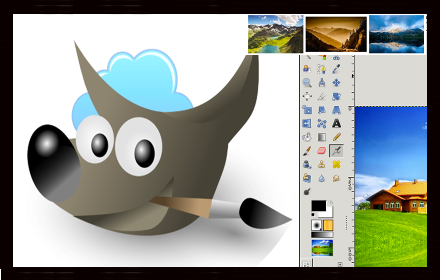
Gimp online - image editor and paint tool
Create and edit images and photos with Gimp Online
300.0K
★ 2.6

XPaint image editor and painter
Create or edit images with XPaint
5.0K
★ 3.2

MaMaMaMa
A simple drawing interface built for outsider artist Marie Bodson
14
★ 5.0

VectorDraw - Paint on Tab
Draw interactive objects (circle, rectangular, polygon) or use the brush tool to write on the current tab and capture the result
778
★ 4.0

SVG Navigator
Adds zooming and panning capabilities to SVG files
6.0K
★ 3.9

Image Tracer Overlay
Choose an image to create an overlay for tracing in your web-based drawing or sketching apps.
6.0K
★ 3.8

SVG Importer for Canva
Search and import free SVG files directly to Canva
17

Image Download
Quickly download images (including embedded SVGs) from any web page to boost your creative workflow.
192
★ 5.0
Data sourced from the Chrome Web Store · last verified May 31, 2026.