
Rapid Index Checker
One-click Google index checks for the current page or a bulk index check of pasted URLs.
As of June 2026, Rapid Index Checker has 116 users and a 5.00/5 rating from 6 reviews in the Productivity category.
Usersup 20.8 percent+20.8%
116
116
Ratingno change0%
5.00
6 reviews
Reviewsno change0%
6
Version
1.1.0
Manifest V3
History
8 snapshotsTracking since Apr 16, 2026.
View as table
| Date | Users | Rating | Reviews | Version |
|---|---|---|---|---|
| Apr 16, 2026 | 96 | 5.00 | 6 | 1.1.0 |
| Apr 24, 2026 | 150 | 5.00 | 6 | 1.1.0 |
| Apr 30, 2026 | 102 | 5.00 | 6 | 1.1.0 |
| May 7, 2026 | 137 | 5.00 | 6 | 1.1.0 |
| May 12, 2026 | 49 | 5.00 | 6 | 1.1.0 |
| May 17, 2026 | 50 | 5.00 | 6 | 1.1.0 |
| May 24, 2026 | 146 | 5.00 | 6 | 1.1.0 |
| Jun 3, 2026 | — | 5.00 | 6 | 1.1.0 |
| Now | 116 | 5.00 | 6 | 1.1.0 |
Permissions & access
- Permissions
- storageactiveTabscriptingcontextMenusnotifications
- Host access
- https://rapidindexchecker.com/*
Screenshots

About
🚀 Check Google index status + indexability for the current page or bulk URLs, linked to your Rapid Index Checker project.

Rapid Index Checker for Chrome gives you fast Google indexing checks while you browse. 🔎

Use the Rapid Index Checker extension to:

• ⚡ Check Google indexation of the current page in one click (Quick tab)
• 📦 Run bulk Google index checks from pasted URL lists (Bulk tab)
• 🧠 Include indexability analysis (noindex, robots, redirects, canonicals)
• 🕘 View recent index checks directly in the popup
• 🗂️ Select your active project from settings
• 🧭 Open the web dashboard scoped to your selected project
• 🖱️ Run index checks from the right-click context menu

What you also get in the Rapid Index Checker app:

• 🌐 Monitor indexing of your own URLs, client URLs, backlinks, and third-party pages
• 📄 Import URLs via paste, CSV, TXT, JSON, or XML sitemap sync
• 🗓️ Schedule index checks (hourly, daily, weekly, monthly)
• 📈 Check history, analytics, trend tracking, and reporting
• 📤 Export CSV/PDF reports
• 🔔 Alerts and notifications when index status changes
• 🔐 Signed webhooks + API access for automation
• 👥 Team workflows with role-based access
• 🚀 Submit indexable but not indexed URLs to external indexing provider workflows

NEW USER SETUP (FIRST TIME) ✅

1. Go to https://rapidindexchecker.com/ and click Get started.
2. Sign up and verify your account.
3. In the app, create your first project.
4. Add URLs to monitor (paste list, upload file, or sitemap sync).
5. Go to Settings -> API & Integrations and generate an Extension key.
6. Open the Chrome extension -> Settings tab.
7. Paste Extension key, choose Active project, save.
8. Open Quick tab and click Check this page.

TIPS FOR BEST RESULTS

• Keep one project per site/client for cleaner reporting.
• Enable indexability when you want blocker-level diagnostics.
• Use Bulk for page sets and Quick for live page checks.
• Use dashboard analytics for trends and change tracking over time.

SUPPORT
📧 [email protected]
🌐 https://rapidindexchecker.com/docs
Technical
- Version
- 1.1.0
- Manifest
- V3
- Size
- 31.63KiB
- Min Chrome
- 88
- Languages
- 1
- Featured
- No
Metadata
- ID
- bblmfgfpgkfegkcfjlkndpdedeknoggl
- Developer ID
- ub0592d7887e6724772a6e7162dcb472a
- Developer Email
- [email protected]
- Created
- Feb 17, 2026
- Last Updated (Store)
- Feb 17, 2026
- Last Scraped
- Jun 3, 2026
- Website
- —
- Support URL
- —
- Privacy Policy
- https://rapidindexchecker.com/privacy
Similar extensions
Alternatives to Rapid Index Checker, ranked by description similarity.

Google Index Checker and Google Indexer
Instantly check if your URLs are indexed by Google and submit them for fast indexing.
4.0K
★ 4.9

Google Index Checker Online Free
Google Index Checker Online Free — Checks the indexing of the current URL and up to 10 additional URLs
46
★ 5.0

Rapid URL Indexer
Submit single or bulk URLs to Rapid URL Indexer for Google indexing directly from Chrome.
812
★ 4.9

Smart Index Checker - Bulk & Unlimited Checking
Bulk check unlimited URLs for Google indexing status. Fast, accurate, and free tool for SEO professionals.
594
★ 4.5

Rapid Indexer - Link Indexing Service
Submit URLs to Rapid Indexer directly from Chrome. Index pages, check status, and drive viral traffic.
60

Google Index Status Checker - GISC
Checks Google index status of heading links on the current page.
21
★ 5.0
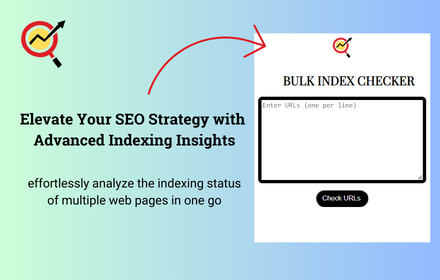
Bulk Index Checker
Instantly review the Google indexing status of multiple URLs and download indexing reports in various formats.
4.0K
★ 3.8

SpeedyIndex Link Indexing Service
The fastest way to send URLs to the SpeedyIndex link indexing service directly from your browser.
423
★ 5.0
Data sourced from the Chrome Web Store · last verified Jun 3, 2026.