
ChatGPT Translator for Messages
Use this extension to write messages in one language and then quickly translate them to another language using ChatGPT.
As of May 2026, ChatGPT Translator for Messages has 18 users and a 5.00/5 rating from 3 reviews in the Communication category.
Usersdown 5.3 percent−5.3%
18
18
Ratingno change0%
5.00
3 reviews
Reviewsno change0%
3
Version
1.0
History
3 snapshotsTracking since Apr 1, 2026.
View as table
| Date | Users | Rating | Reviews | Version |
|---|---|---|---|---|
| Apr 1, 2026 | 19 | 5.00 | 3 | 1.0 |
| May 1, 2026 | 18 | 5.00 | 3 | 1.0 |
| May 31, 2026 | 20 | 5.00 | 3 | 1.0 |
| Now | 18 | 5.00 | 3 | 1.0 |
Permissions & access
- Permissions
- None declared
- Host access
- None declared
Screenshots
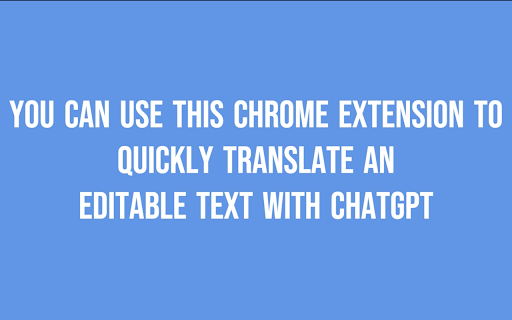


About
This is a productivity tool for quickly translating your messages from one language to another using OpenAI API.

This extension is perfect for translating messages, emails, and social media posts from one language to another seamlessly, with support for multiple translation prompts and shortcuts.

*You need a paid OpenAI Account and OpenAI API key to use this extension.*

Features
1. Translate Selected Text: Select a text, press a keyboard shortcut and instantly get the translation
2. User-Friendly Settings: Configure your own translation prompts, and shortcuts through a simple settings interface.
3. Advanced features: Run you own prompts on the selected text and instantly get the result such as:
- summarising messages
- changing the tone of voice
- rewriting emails
- rewriting social comments to make more engaging

How to get started
1. Create an OpenAI API key on the OpenAI Platform.
2. Enter your OpenAI API key in this extension's setting page
3. Configure your prompts for translation. Assign a keyboard shortcut for each of the prompt. By default, we've preconfigured Ctrl+Alt+R for English to French translation and Ctrl+Alt+S for English to Spanish translation, but you can always change that.
4. Go to GMail or another text box, select a text and press Ctrl+Alt+R, or another shortcut that you've defined.
5. Watch as your selected text gets replaced by the one returned from OpenAI.

If you LOVE the extension
Please consider leaving a 5-star review because this will encourage other people to enjoy using it and will keep us motivated.

Troubleshooting
Enable Diagnostics mode in the extension settings page. Then go to the Browser console and you'll see detailed operations (or error messages) related to the way the extension operates.

If you have issues with the extension, please write to hello at wpriders.com before submitting a negative review.
Technical
- Version
- 1.0
- Manifest
- —
- Size
- 60.18KiB
- Min Chrome
- 88
- Languages
- 1
- Featured
- No
Metadata
- ID
- bblijeefnjfbbpdfabbjiljbjhkdakje
- Developer ID
- u4f69790d2599e8ff7fdf71faafef653e
- Developer Email
- [email protected]
- Created
- Oct 2, 2024
- Last Updated (Store)
- Oct 2, 2024
- Last Scraped
- May 31, 2026
- Website
- wpriders.com
- Support URL
- —
Similar extensions
Alternatives to ChatGPT Translator for Messages, ranked by description similarity.

Free Translator Panel: Powered by chat GPT
Enhance your browsing, understand content better, and engage in enlightening conversations with Free Translator Panel
152
Smartlate
Smart translation and rephrasing with AI - translate and refine text instantly.
2

AI Responder
This extension allows you to respond to any message, anywhere with the help of an AI
28

Voice to Polished Text
Record voice, transcribe with Whisper, polish with GPT, and insert into any text field
—

AI Translate & Explain
Get translation and context-aware explanation from any text on web using OpenAI API key.
10

Language Translator LightWeight
Translates LightWeight selected text into Indian and other languages.
9
★ 5.0

AI Voice to Text
Use AI Voice to Text extension for fast speech into messages, audio transcription & dictation – perfect in Gmail, Slack, Notion.
622
★ 4.2

DocTranslator - Google Translate PDF, Large PDF Translator
Translate Large PDF Documents, Excel files, PowerPoint slides in 120+ languages with AI Document Translator.
468
★ 4.5
Data sourced from the Chrome Web Store · last verified May 31, 2026.