
Peeky
Open XRAY Partials in VS Code quickly with the context menu
As of May 2026, Peeky has 4 users in the Developer Tools category.
Usersno change0%
4
4
Ratingno change0%
—
— reviews
Reviewsno change0%
—
Version
1.2
Manifest V3
Permissions & access
- Permissions
- storagecontextMenustabs
- Host access
- <all_urls>
Screenshots

About
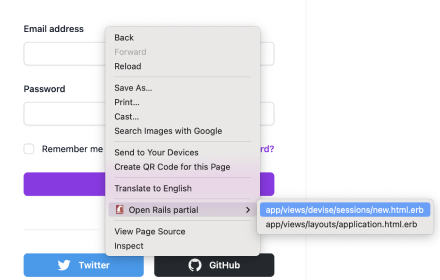
Peeky adds a "Show partial in VS Code" option to webpage context menus. This extension requires the Peeky VS Code extension to be installed, and for the site to use the xray-rails gem.
Technical
- Version
- 1.2
- Manifest
- V3
- Size
- 55.9KiB
- Min Chrome
- 88
- Languages
- 1
- Featured
- No
Metadata
- ID
- bappgkfblakjanjkbebkpkaoimfhhpkk
- Developer ID
- u9565074dc392d98636ca158e7f6685a2
- Developer Email
- [email protected]
- Created
- Feb 10, 2022
- Last Updated (Store)
- Feb 10, 2022
- Last Scraped
- May 31, 2026
- Website
- —
- Support URL
- https://github.com/ErikDombi/Peeky/issues
- Privacy Policy
- —
Similar extensions
Alternatives to Peeky, ranked by description similarity.
Open Rails Partial
Chrome extension that supports opening Rails partials found on the page in VS Code
51

XPath Peek
Hold Shift to highlight the element under the cursor and show its XPath in a tooltip on the right.
10

GitHub PR Preview
Quick access to deployment previews in GitHub Pull Requests
7

Shopify Peek
Shopify store/theme information with the click of a button.
23
★ 5.0

PixelPeek
Displays original and displayed pixel sizes of media elements when hovered.
10
★ 5.0

CSS Debugger
Allows easy viewing of html elements
2

Peek-a-Repo
Hover to preview files, folders, and images on GitHub. Fast and efficient with smart caching.
6
★ 5.0

Social Media Link Preview
Shows a sample preview of OG and twitter card content of the current page
488
★ 1.0
Data sourced from the Chrome Web Store · last verified May 31, 2026.