
cameloop
Loop Your Camera in Meetings and Show Gifs Reaction by Using AI Hand Gestures Recognition
As of June 2026, cameloop has 117 users and a 5.00/5 rating from 2 reviews in the Communication category.
Usersup 13.6 percent+13.6%
117
117
Ratingno change0%
5.00
2 reviews
Reviewsno change0%
2
Version
1.2.0
Manifest V3
History
7 snapshotsTracking since Apr 1, 2026.
View as table
| Date | Users | Rating | Reviews | Version |
|---|---|---|---|---|
| Apr 1, 2026 | 103 | 5.00 | 2 | 1.2.0 |
| Apr 18, 2026 | 106 | 5.00 | 2 | 1.2.0 |
| Apr 28, 2026 | 116 | 5.00 | 2 | 1.2.0 |
| May 8, 2026 | 112 | 5.00 | 2 | 1.2.0 |
| May 15, 2026 | 123 | 5.00 | 2 | 1.2.0 |
| May 24, 2026 | 122 | 5.00 | 2 | 1.2.0 |
| Jun 3, 2026 | 129 | 5.00 | 2 | 1.2.0 |
| Now | 117 | 5.00 | 2 | 1.2.0 |
Permissions & access
- Permissions
- storageactiveTab
- Host access
- None declared
Screenshots


About
Introducing Cameloop—the Chrome extension that redefines your virtual meeting experience. With our advanced hand gesture recognition feature, simply flash gestures like “Victory,” “Like,” “Dislike,” or “I Love You” to trigger customizable GIFs, adding a fun and engaging visual element to your calls.

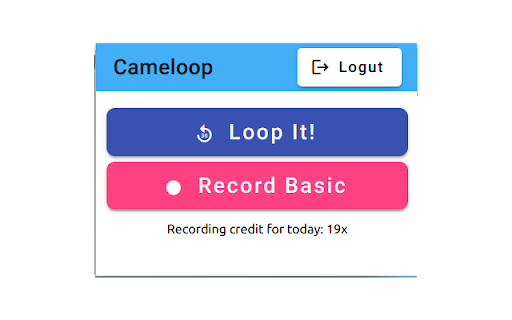
Need a quick break without the awkwardness of turning your camera off? Cameloop’s smart camera loop feature lets you maintain a continuous virtual presence by displaying a pre-recorded feed, so you can grab a drink, focus on the conversation, or take a short pause without missing a beat.

In a 2021 report in the Journal of Applied Psychology, researchers who monitored 103 virtual workers' fatigue during meetings found that when workers used their camera (versus having it turned off), they were less engaged during meetings that day and the one after as well however, in many meetings, it does not have a good sign to turn off your camera, people might think you are not there and you have left your place.

To hear better and have better attention on conversation, isn't it sometimes better to close your eyes, to focus on words, to use your imagination without giving facial expression?

Stay engaged without concerning about how you are looking and which reaction you should bring on your face, all while you comfortably take a moment to relax or increase productivity by multitasking.

Tipps:
while you do the loop, be more focus of the discussion and as soon as you need to participate, resume your real camera. So do NOT leave your desk.

Supported Websites:
- Google Meet
- Microsoft Teams
- Ome.tv
Technical
- Version
- 1.2.0
- Manifest
- V3
- Size
- 27.0MiB
- Min Chrome
- 88
- Languages
- 1
- Featured
- No
Metadata
- ID
- badabkpamdlkgbcmpnalliebpjclhpbo
- Developer ID
- u5a67128ee878ada6c527bb72a122f036
- Developer Email
- [email protected]
- Created
- Jan 7, 2024
- Last Updated (Store)
- Dec 26, 2025
- Last Scraped
- Jun 3, 2026
- Website
- cameloop.com
- Support URL
- https://cameloop.com
- Privacy Policy
- https://cameloop.com/privacy-policy
Similar extensions
Alternatives to cameloop, ranked by description similarity.

AI Webcam Effects + Recorder: Google Meet, Zoom, Discord & Other Meetings
Improves camera quality, adds 15+ visual effects and filters and allows screen or live video recording
20.0K
★ 3.8

LookGood Live
Instantly improves the way you look on video calls and streams!
5.0K
★ 3.6

Meeting Recording
Use Meeting Recording as the record app for meetings, the best conference recording software to capture audio and video in Zoom.
528
★ 3.7

Loom – Screen Recorder & Screen Capture
Record your screen and camera with one click. Share that content in an instant with a link.
7.0M
★ 4.6

Phone as Webcam
Turn your phone into a high-quality webcam for Chrome
626
★ 4.5

QBeam
QBeam is a fast and secure WebRTC-based Peer to Peer (P2P) video calling and file sharing application.
—
★ 4.5

MailVideo
Guide the buyer from outreach to close with personal video messages they will never forget!
28
★ 5.0

Superside AR Extension
Applies Superside virtual accessories (hats, glasses) to webcam feed as a virtual camera for video conferencing apps.
3
Data sourced from the Chrome Web Store · last verified Jun 3, 2026.