
Etsy Dark Mode
Use Etsy Dark Mode Extension to turn bright shopping pages into a comfortable dark theme and reduce eye strain while you browse and…
As of June 2026, Etsy Dark Mode has 246 users in the Accessibility category.
Usersup 127.8 percent+127.8%
246
246
Ratingno change0%
—
— reviews
Reviewsno change0%
—
Version
2.0.4
Manifest V3
History
11 snapshotsTracking since Apr 1, 2026.
View as table
| Date | Users | Rating | Reviews | Version |
|---|---|---|---|---|
| Apr 1, 2026 | 108 | — | — | 2.0.4 |
| Apr 9, 2026 | 114 | — | — | 2.0.4 |
| Apr 20, 2026 | 138 | — | — | 2.0.4 |
| Apr 25, 2026 | 158 | — | — | 2.0.4 |
| May 2, 2026 | 160 | — | — | 2.0.4 |
| May 9, 2026 | 166 | — | — | 2.0.4 |
| May 13, 2026 | 201 | — | — | 2.0.4 |
| May 19, 2026 | 218 | — | — | 2.0.4 |
| May 26, 2026 | 207 | — | — | 2.0.4 |
| Jun 2, 2026 | 234 | — | — | 2.0.4 |
| Jun 8, 2026 | 257 | — | — | 2.0.4 |
| Now | 246 | — | — | 2.0.4 |
Changelog
- Apr 20, 2026description
Use Etsy Dark Mode Extension to turn bright shopping pages into a comfortable dark theme and reduce eye strain while you browse, shop, and manage your store.

🌙 Etsy Dark Mode – Eye-Friendly Etsy in Your Browser
Etsy Dark Mode is a browser extension that lets you toggle dark mode on and off specifically for Etsy. Switch to a sleek dark interface in one click so you can browse products, read listings, and manage your shop without harsh white backgrounds.

🔆 The Problem: Bright Pages, Tired Eyes
Etsy’s bright white interface can be hard on your eyes, especially during long shopping sessions, late-night browsing, or when working on your shop listings for hours. Staring at bright pages for extended periods can lead to eye strain and visual discomfort.

✅ The Solution: Etsy Dark Mode
This extension applies a dark theme directly to Etsy. Toggle dark mode on or off anytime to make browsing products, reading reviews, messaging buyers or sellers, and managing your shop more comfortable and easier on your eyes.

✨ Key Features & Benefits
⭐ Trusted by thousands of users
• Etsy Dark Mode – Browse listings with a clean, dark, eye-friendly interface.
• Designed Only for Etsy – Optimized specifically for Etsy pages, product listings, and shop dashboards.
• Simple On/Off Toggle – Instantly switch between dark and light mode whenever you want.
• More Comfortable Browsing – Ideal for late-night shopping, product research, or long shop management sessions.

➤ Your account, orders, messages, and listings stay untouched. Only the appearance changes.

🛠️ How to Use Etsy Dark Mode
1️⃣ Install the Etsy Dark Mode browser extension.
2️⃣ Open Etsy.
3️⃣ Use the extension toggle to turn dark mode on or off.
4️⃣ Switch back to light mode anytime you prefer the default look.

💬 Frequently Asked Questions (FAQ)

Does this affect my shop, orders, or account?
No. Your products, orders, messages, favorites, and settings remain exactly the same. The extension only changes how Etsy appears in your browser.

Does it work only on Etsy?
Yes. Etsy Dark Mode is designed specifically to work on Etsy.

Can I turn dark mode off easily?
Yes. You can toggle dark mode on or off at any moment.

⚡ Make Etsy Easier on Your Eyes
If you’ve been searching for “Etsy dark mode”, “Etsy dark theme”, or a simple way to reduce eye strain while browsing and managing your shop, Etsy Dark Mode is made for you. Install the extension and enjoy a cleaner, night-friendly interface for all your Etsy activity.

Disclaimer: This extension is not affiliated, associated, authorized, endorsed by, or in any way officially connected with Etsy. “Etsy” is a trademark of Etsy, Inc.
Use Etsy Dark Mode Extension to turn bright shopping pages into a comfortable dark theme and reduce eye strain while you browse and shop, or manage your store.

🌙 Etsy Dark Mode – Eye-Friendly Etsy in Your Browser
Etsy Dark Mode is a browser extension that lets you toggle dark mode on and off specifically for Etsy. Switch to a sleek dark interface in one click so you can browse products, read listings, and manage your shop without harsh white backgrounds.

🔆 The Problem: Bright Pages, Tired Eyes
Etsy’s bright white interface can be hard on your eyes, especially during long shopping sessions, late-night browsing, or when working on your shop listings for hours. Staring at bright pages for extended periods can lead to eye strain and visual discomfort.

✅ The Solution: Etsy Dark Mode
This extension applies a dark theme directly to Etsy. Toggle dark mode on or off anytime to make browsing products, reading reviews, messaging buyers or sellers, and managing your shop more comfortable and easier on your eyes.

✨ Key Features & Benefits
⭐ Trusted by thousands of users
• Etsy Dark Mode – Browse listings with a clean, dark, eye-friendly interface.
• Designed Only for Etsy – Optimized specifically for Etsy pages, product listings, and shop dashboards.
• Simple On/Off Toggle – Instantly switch between dark and light mode whenever you want.
• More Comfortable Browsing – Ideal for late-night shopping, product research, or long shop management sessions.

➤ Your account, orders, messages, and listings stay untouched. Only the appearance changes.

🛠️ How to Use Etsy Dark Mode
1️⃣ Install the Etsy Dark Mode browser extension.
2️⃣ Open Etsy.
3️⃣ Use the extension toggle to turn dark mode on or off.
4️⃣ Switch back to light mode anytime you prefer the default look.

💬 Frequently Asked Questions (FAQ)

Does this affect my shop, orders, or account?
No. Your products, orders, messages, favorites, and settings remain exactly the same. The extension only changes how Etsy appears in your browser.

Can I turn dark mode off easily?
Yes. You can toggle dark mode on or off at any moment.

⚡ Make Etsy Easier on Your Eyes
If you’ve been searching for “Etsy dark mode”, “Etsy dark theme”, or a simple way to reduce eye strain while browsing and managing your shop, Etsy Dark Mode is made for you. Install the extension and enjoy a cleaner, night-friendly interface for all your Etsy activity.

Disclaimer: This extension is not affiliated, associated, authorized, endorsed by, or in any way officially connected with Etsy. “Etsy” is a trademark of Etsy, Inc.
- Apr 20, 2026short_description
Use Etsy Dark Mode Extension to turn bright shopping pages into a comfortable dark theme and reduce eye strain while you browse,…
Use Etsy Dark Mode Extension to turn bright shopping pages into a comfortable dark theme and reduce eye strain while you browse and…
Permissions & access
- Permissions
- scriptingstoragetabsalarms
- Host access
- <all_urls>
Screenshots


About
Use Etsy Dark Mode Extension to turn bright shopping pages into a comfortable dark theme and reduce eye strain while you browse and shop, or manage your store.

🌙 Etsy Dark Mode – Eye-Friendly Etsy in Your Browser
Etsy Dark Mode is a browser extension that lets you toggle dark mode on and off specifically for Etsy. Switch to a sleek dark interface in one click so you can browse products, read listings, and manage your shop without harsh white backgrounds.

🔆 The Problem: Bright Pages, Tired Eyes
Etsy’s bright white interface can be hard on your eyes, especially during long shopping sessions, late-night browsing, or when working on your shop listings for hours. Staring at bright pages for extended periods can lead to eye strain and visual discomfort.

✅ The Solution: Etsy Dark Mode
This extension applies a dark theme directly to Etsy. Toggle dark mode on or off anytime to make browsing products, reading reviews, messaging buyers or sellers, and managing your shop more comfortable and easier on your eyes.

✨ Key Features & Benefits
⭐ Trusted by thousands of users
• Etsy Dark Mode – Browse listings with a clean, dark, eye-friendly interface.
• Designed Only for Etsy – Optimized specifically for Etsy pages, product listings, and shop dashboards.
• Simple On/Off Toggle – Instantly switch between dark and light mode whenever you want.
• More Comfortable Browsing – Ideal for late-night shopping, product research, or long shop management sessions.

➤ Your account, orders, messages, and listings stay untouched. Only the appearance changes.

🛠️ How to Use Etsy Dark Mode
1️⃣ Install the Etsy Dark Mode browser extension.
2️⃣ Open Etsy.
3️⃣ Use the extension toggle to turn dark mode on or off.
4️⃣ Switch back to light mode anytime you prefer the default look.

💬 Frequently Asked Questions (FAQ)

Does this affect my shop, orders, or account?
No. Your products, orders, messages, favorites, and settings remain exactly the same. The extension only changes how Etsy appears in your browser.

Can I turn dark mode off easily?
Yes. You can toggle dark mode on or off at any moment.

⚡ Make Etsy Easier on Your Eyes
If you’ve been searching for “Etsy dark mode”, “Etsy dark theme”, or a simple way to reduce eye strain while browsing and managing your shop, Etsy Dark Mode is made for you. Install the extension and enjoy a cleaner, night-friendly interface for all your Etsy activity.

Disclaimer: This extension is not affiliated, associated, authorized, endorsed by, or in any way officially connected with Etsy. “Etsy” is a trademark of Etsy, Inc.
Technical
- Version
- 2.0.4
- Manifest
- V3
- Size
- 415KiB
- Min Chrome
- 88
- Languages
- 1
- Featured
- No
Metadata
- ID
- apeekoalfoibhpdeldilfkdhpllcpnkb
- Developer ID
- uda7f3542bd92a4c02b01ea0cb65cbb5d
- Developer Email
- [email protected]
- Created
- Feb 6, 2026
- Last Updated (Store)
- Apr 10, 2026
- Last Scraped
- Jun 8, 2026
- Website
- —
- Support URL
- —
Similar extensions
Alternatives to Etsy Dark Mode, ranked by description similarity.

Amazon Dark Mode
Use Amazon Dark Mode to turn bright shopping pages into a comfortable dark theme and reduce eye strain while you browse products,…
172
★ 5.0

YouTube Dark Mode
Use YouTube Dark Mode Extension to turn bright video pages into a comfortable dark theme and reduce eye strain while you watch,…
44
★ 4.5

Instagram Dark Mode
Use Instagram Dark Mode Extension to turn bright social pages into a comfortable dark theme and reduce eye strain while you scroll,…
124
★ 5.0

eBay Night Mode
Dark theme for eBay. Protect your eyes while browsing, buying, and selling on eBay.
199
★ 3.5

amazon dark mode toggle
Get amazon dark mode for website. Enable night theme extension for comfortable Chrome shopping experience.
262
★ 4.5

Salesforce Dark Mode
Use Salesforce Dark Mode to turn bright CRM pages into a comfortable dark theme and reduce eye strain while you navigate, update…
33
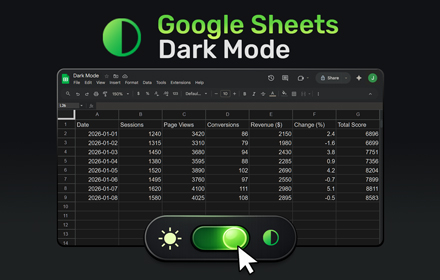
Google Sheets Dark Mode
Use Google Sheets Dark Mode to turn bright spreadsheets into a comfortable dark theme and reduce eye strain while you view, edit,…
6.0K
★ 4.4

Clickfunnels 2.0 dark mode plus
Dark mode for Clickfunnels 2.0 dashboard, editor & commonly used pages
2
★ 5.0
Data sourced from the Chrome Web Store · last verified Jun 8, 2026.