Kanji Typer
Look up and input a kanji character via keywords and component names from James Heisig's "Remembering the Kanji".
As of May 2026, Kanji Typer has 556 users and a 5.00/5 rating from 1 reviews in the Workflow & Planning category.
Usersup 5.7 percent+5.7%
556
556
Ratingno change0%
5.00
1 reviews
Reviewsno change0%
1
Version
1.1.0
Manifest V3
History
3 snapshotsTracking since Apr 1, 2026.
View as table
| Date | Users | Rating | Reviews | Version |
|---|---|---|---|---|
| Apr 1, 2026 | 526 | 5.00 | 1 | 1.1.0 |
| Apr 30, 2026 | 519 | 5.00 | 1 | 1.1.0 |
| May 28, 2026 | 547 | 5.00 | 1 | 1.1.0 |
| Now | 556 | 5.00 | 1 | 1.1.0 |
Permissions & access
- Permissions
- activeTabscripting
- Host access
- None declared
Screenshots


About
This extension allows you to quickly look up and input Japanese kanji characters into input fields on any website, or copy a character into clipboard.

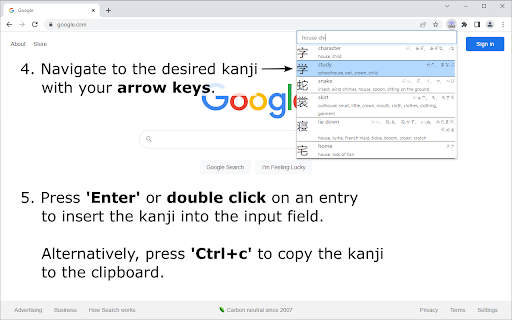
To search for a character, enter the character's keyword or a combination of its component names into the search bar, based on terms as presented in the well-known textbook series "Remembering the Kanji" by James Heisig. Fuzzy search functionality also allows you to enter only part of a keyword, or only a subset of a kanji's components, and then browse the list of matching results to find the desired kanji.

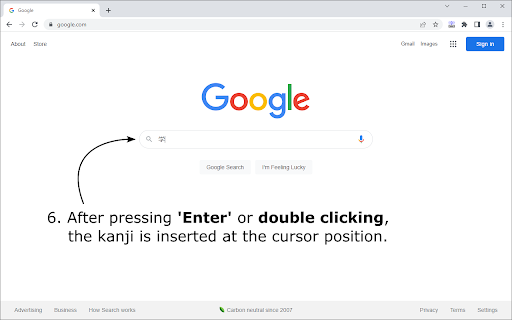
To select a kanji character, navigate to it by pressing the 'Up' and 'Down' arrow keys, or by clicking on it's entry once. Press 'Enter' to insert the selected kanji into a field on a website at the current cursor position, or press 'Ctrl+c' to copy it into your clipboard. A double click on any entry, directly inserts the respective kanji into the input field.

The keyboard shortcut 'Ctrl+Space' to open the extension popup can be changed in Google Chrome's extension management tab.
Technical
- Version
- 1.1.0
- Manifest
- V3
- Size
- 292KiB
- Min Chrome
- 88
- Languages
- 1
- Featured
- Yes
Metadata
- ID
- apcfhojdkaecfenldkjghfnhbkifkini
- Developer ID
- u944bca2fb50b2a5fe9c9e43a76d936aa
- Developer Email
- [email protected]
- Created
- Oct 27, 2016
- Last Updated (Store)
- May 30, 2022
- Last Scraped
- May 28, 2026
- Website
- —
- Support URL
- —
- Privacy Policy
- —
Similar extensions
Alternatives to Kanji Typer, ranked by description similarity.

Kanji Search
Easily search for kanji words to see their meanings, stroke order ...etc.
225
★ 5.0

Kanji Lookup
A light-weight Japanese Kanji look-up dictionary, built specifically for Japanese kanji learners.
1) Simply highlight a kanji on…
105
★ 5.0
Japanese IO
Helps you read Japanese text
10.0K
★ 4.5

KanjiSensei - Learn Kanji while browsing
Transforming web pages, this extension swaps English and French words with Japanese Kanji characters.
88
★ 5.0

KanjiThing
Learn kanji stroke order from the browser
249
★ 4.6

Special Characters: Unicode Symbols & Special Characters Picker
Find, copy, and insert Unicode symbols and special characters instantly from your browser.
8.0K
★ 3.4

Textese Search
To use, type '.' + Your Shortcut in URL bar
6
★ 5.0

Tab Ahead
Tab Ahead lets you type ahead to quickly find open tabs by title and URL.
1.0K
★ 4.7
Data sourced from the Chrome Web Store · last verified May 28, 2026.