
Redirect Path
The HTTP Header & Redirect Checker for SEO
As of June 2026, Redirect Path has 300,000 users and a 4.33/5 rating from 199 reviews in the Developer Tools category.
Usersno change0%
300.0K
300,000
Ratingdown 0.2 percent−0.2%
4.33
199 reviews
Reviewsup 0.5 percent+0.5%
199
Version
4.0.0
Manifest V3
90-day change · In the last 90 days this extension 1 version update, changed permissions.
History
3 snapshotsTracking since Apr 30, 2026.
View as table
| Date | Users | Rating | Reviews | Version |
|---|---|---|---|---|
| Apr 30, 2026 | 300.0K | 4.34 | 198 | 3 |
| May 28, 2026 | 300.0K | 4.34 | 198 | 3 |
| Jun 6, 2026 | 300.0K | 4.34 | 198 | 4.0.0 |
| Now | 300.0K | 4.33 | 199 | 4.0.0 |
Changelog
- May 28, 2026description
Redirect Path flags up 301, 302, 404 and 500 HTTP Status Codes as well as client side redirects like Meta and Javascript redirects, bringing potential issues that may not otherwise be seen to your attention immediately.

As well as flagging up redirects and errors, the plugin also displays other HTTP Headers (such as server types and caching headers) and the server IP Address at the click of a button.

All the magic happens on your computer, so it doesn’t “phone home” to anyone (except when auto-updating itself) and is instantaneous.

The redirect path logo is from the "Iconic" icon set, which can be found here: http://somerandomdude.com/work/iconic/

Please note, by using this extension you agree to our End User Licence Agreement: https://www.ayima.com/browser-extensions-eula

CHANGELOG:

3.0: Updated the extension to support Googles Manifest V3 roll out, no other major changes

2.1.0: Added a '+' to icon when multiple redirects are detected

2.0.0.6: Major rewrite - a lot of logic has been changed under the hood allowing us to display Meta and Javascript redirects for the first time.

1.0.1 Added an explanation when a 307 Redirect is reported due to chrome caching a HSTS based http > https redirect.
Redirect Path flags up 301, 302, 404 and 500 HTTP Status Codes as well as client side redirects like Meta and Javascript redirects, bringing potential issues that may not otherwise be seen to your attention immediately.

As well as flagging up redirects and errors, the plugin also displays other HTTP Headers (such as server types and caching headers) and the server IP Address at the click of a button.

All the magic happens on your computer, so it doesn’t “phone home” to anyone (except when auto-updating itself) and is instantaneous.

The redirect path logo is from the "Iconic" icon set, which can be found here: http://somerandomdude.com/work/iconic/

Please note, by using this extension you agree to our End User Licence Agreement: https://www.ayima.com/browser-extensions-eula

CHANGELOG:

4.0: Fixed runtime bugs and potential security flaws, plus added support for Ayima AI

3.0: Updated the extension to support Googles Manifest V3 roll out, no other major changes

2.1.0: Added a '+' to icon when multiple redirects are detected

2.0.0.6: Major rewrite - a lot of logic has been changed under the hood allowing us to display Meta and Javascript redirects for the first time.

1.0.1 Added an explanation when a 307 Redirect is reported due to chrome caching a HSTS based http > https redirect.
- May 28, 2026host_permissions
https://*/*, http://*/*
https://*/*, http://*/*, https://ayima.ai/*
Permissions & access
- Permissions
- webRequestwebNavigationclipboardWritestorage
- Host access
- https://*/*, http://*/*, https://ayima.ai/*
Screenshots


About
Redirect Path flags up 301, 302, 404 and 500 HTTP Status Codes as well as client side redirects like Meta and Javascript redirects, bringing potential issues that may not otherwise be seen to your attention immediately.

As well as flagging up redirects and errors, the plugin also displays other HTTP Headers (such as server types and caching headers) and the server IP Address at the click of a button.

All the magic happens on your computer, so it doesn’t “phone home” to anyone (except when auto-updating itself) and is instantaneous.

The redirect path logo is from the "Iconic" icon set, which can be found here: http://somerandomdude.com/work/iconic/

Please note, by using this extension you agree to our End User Licence Agreement: https://www.ayima.com/browser-extensions-eula

CHANGELOG:

4.0: Fixed runtime bugs and potential security flaws, plus added support for Ayima AI

3.0: Updated the extension to support Googles Manifest V3 roll out, no other major changes

2.1.0: Added a '+' to icon when multiple redirects are detected

2.0.0.6: Major rewrite - a lot of logic has been changed under the hood allowing us to display Meta and Javascript redirects for the first time.

1.0.1 Added an explanation when a 307 Redirect is reported due to chrome caching a HSTS based http > https redirect.
Technical
- Version
- 4.0.0
- Manifest
- V3
- Size
- 49.15KiB
- Min Chrome
- 114
- Languages
- 1
- Featured
- Yes
Metadata
- ID
- aomidfkchockcldhbkggjokdkkebmdll
- Developer ID
- ub9f536b7e661cfc964eba1bfb1f29b78
- Developer Email
- [email protected]
- Created
- Jul 9, 2012
- Last Updated (Store)
- May 14, 2026
- Last Scraped
- Jun 15, 2026
- Website
- ayima.com
- Support URL
- —
- Privacy Policy
- https://www.ayima.com/privacy-policy/
Similar extensions
Alternatives to Redirect Path, ranked by description similarity.

Robots Exclusion Checker
Checks robots.txt, meta robots, x-robots-tag with URL alerts. Canonical warnings, HTTP header info. An SEO extension, robots tester.
50.0K
★ 4.9

Redirect Checker
URL redirect checker that lets you check website redirection, follow a full link redirect trace, and view every HTTP status code
319
★ 5.0

Redirect Inspector
Inspect and visualize redirect chains directly in your browser.
75
★ 5.0

Domain Redirect Tracker
Tracks the number of redirects for each domain throughout the day
5

SEO META 1 COPY
This is an extension that allows you to easily check SEO-related meta information and copy it with one click.
10.0K
★ 4.8

Link Redirect Trace
The all-in-one redirect path analyzer. It also analyzes protocol headers, REL-canonicals, robots.txt, backlink power, and trust!
100.0K
★ 4.8
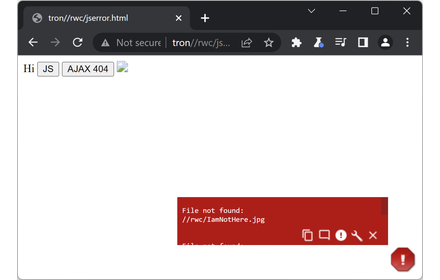
JavaScript Errors Notifier
Identifies JavaScript errors with minimal disruption by configurable pop-up icon and toolbar icon
3.0K
★ 4.8

Redirector
Redirector is a browser extension that helps you redirect URLs based on rules.
300
★ 4.5
Data sourced from the Chrome Web Store · last verified Jun 15, 2026.