
28 Days Habit Tracker
Track daily habits in your toolbar, with optional habit-related AI via ZeroGPU when you use those features.
As of June 2026, 28 Days Habit Tracker has 10 users and a 5.00/5 rating from 3 reviews in the Workflow & Planning category.
Usersup 233.3 percent+233.3%
10
10
Ratingno change0%
5.00
3 reviews
Reviewsno change0%
3
Version
1.0.6
Manifest V3
90-day change · In the last 90 days this extension 2 version updates, changed permissions.
History
9 snapshotsTracking since Apr 11, 2026.
View as table
| Date | Users | Rating | Reviews | Version |
|---|---|---|---|---|
| Apr 11, 2026 | 3 | — | — | 1.0.1 |
| Apr 21, 2026 | 2 | — | — | 1.0.1 |
| Apr 26, 2026 | 2 | — | — | 1.0.4 |
| May 3, 2026 | 7 | 5.00 | 3 | 1.0.4 |
| May 9, 2026 | 7 | 5.00 | 3 | 1.0.6 |
| May 20, 2026 | 8 | 5.00 | 3 | 1.0.6 |
| May 27, 2026 | 9 | 5.00 | 3 | 1.0.6 |
| Jun 3, 2026 | 8 | 5.00 | 3 | 1.0.6 |
| Jun 9, 2026 | 9 | 5.00 | 3 | 1.0.6 |
| Now | 10 | 5.00 | 3 | 1.0.6 |
Changelog
- May 3, 2026host_permissions
https://*.zerogpu.ai/*, https://*.workers.dev/*
(empty)
- Apr 21, 2026description
Track daily habits without leaving Chrome. ZeroGPU Habit Tracker is a minimal extension that lives in your browser toolbar—no accounts, no sync to external servers, no clutter.
28 Days Habit Tracker is one focused product: daily habit tracking in your Chrome toolbar, with optional habit-related AI powered by the bundled ZeroGPU Browser SDK when those features are used (for example, summarization or classification tied to your habits). It is not a general-purpose AI assistant for arbitrary tasks unrelated to the habit experience.

Habit tracking
• Add habits with one line each (e.g., "Drink water", "Read 10 min", "Exercise")
• Check off each habit for today with a single click
• See your current streak in days for every habit
• View how many habits you’ve completed today at a glance
• Reset today’s checkmarks anytime with one button

Optional AI (same product, habit-related)
• The ZeroGPU SDK runs in a background offscreen context so ML/runtime code can load under Manifest V3
• When habit-related AI features are used, the extension may connect to ZeroGPU over HTTPS/WebSocket to run those features

Privacy
• Your habit list and completion history are stored in Chrome extension storage by default
• If you use ZeroGPU-dependent features, habit-related content needed for those features may be sent to ZeroGPU’s services—see the privacy policy linked in the listing

Why use it
• Focused – One purpose: habits in the toolbar, with optional AI only in service of that experience
• Fast – Open the popup, tick habits, close
• Simple – No accounts required for basic habit tracking
- Apr 21, 2026short_description
Lightweight daily habit tracker that runs entirely in your browser.
Track daily habits in your toolbar, with optional habit-related AI via ZeroGPU when you use those features.
- Apr 21, 2026host_permissions
(empty)
https://*.zerogpu.ai/*, https://*.workers.dev/*
- Apr 21, 2026permissions
storage
storage, offscreen
Permissions & access
- Permissions
- storageoffscreen
- Host access
- None declared
Screenshots

About
28 Days Habit Tracker is one focused product: daily habit tracking in your Chrome toolbar, with optional habit-related AI powered by the bundled ZeroGPU Browser SDK when those features are used (for example, summarization or classification tied to your habits). It is not a general-purpose AI assistant for arbitrary tasks unrelated to the habit experience.

Habit tracking
• Add habits with one line each (e.g., "Drink water", "Read 10 min", "Exercise")
• Check off each habit for today with a single click
• See your current streak in days for every habit
• View how many habits you’ve completed today at a glance
• Reset today’s checkmarks anytime with one button

Optional AI (same product, habit-related)
• The ZeroGPU SDK runs in a background offscreen context so ML/runtime code can load under Manifest V3
• When habit-related AI features are used, the extension may connect to ZeroGPU over HTTPS/WebSocket to run those features

Privacy
• Your habit list and completion history are stored in Chrome extension storage by default
• If you use ZeroGPU-dependent features, habit-related content needed for those features may be sent to ZeroGPU’s services—see the privacy policy linked in the listing

Why use it
• Focused – One purpose: habits in the toolbar, with optional AI only in service of that experience
• Fast – Open the popup, tick habits, close
• Simple – No accounts required for basic habit tracking
Technical
- Version
- 1.0.6
- Manifest
- V3
- Size
- 5.4MiB
- Min Chrome
- 88
- Languages
- 1
- Featured
- No
Metadata
- ID
- angbpjelloieiidjjcedcnhamecflgel
- Developer ID
- u4eb64e4bbe3ae1b829c99dabc92747d6
- Developer Email
- [email protected]
- Created
- Mar 17, 2026
- Last Updated (Store)
- Apr 28, 2026
- Last Scraped
- Jun 9, 2026
- Website
- —
- Support URL
- —
Similar extensions
Alternatives to 28 Days Habit Tracker, ranked by description similarity.

Habit Tracker – Progress & Stats on New Tab
A simple habit tracker that replaces your new tab page.
13
★ 5.0
No Limits - Web Tracker and Personal Notebook
A simple and efficient Web Activity Tracker and personal notebook for your daily needs.
8

Time Tracker: Track Time Spent on Sites
Check how much time you spend on different sites to better your time management
3

Daily Time Logger
Log your daily time entries with a clean, modern Chrome extension. Track work, study, or any activity with ease.
3
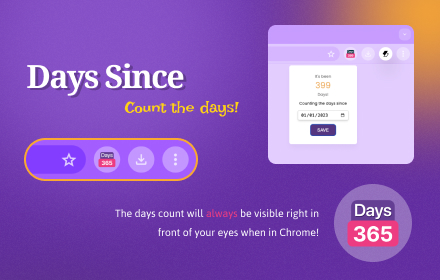
Days Since - Days Count
Counts the days since a given date.
282
★ 3.7

Habits by Brain
Track your habits in every new tab
16
★ 5.0

WebTracer - A productivity tool to track your screen time
A simple extension that tracks your screen time
18

Web Activity Tracker
Track website use & screen time. A powerful tool to manage time, understand browsing habits, and improve digital wellbeing.
153
★ 5.0
Data sourced from the Chrome Web Store · last verified Jun 9, 2026.