
NoTab - link preview assistant|translation|search
NoTab - Preview links on the current page, supports translation, search, and reading mode, greatly enhances your browsing experience
As of June 2026, NoTab - link preview assistant|translation|search has 2,000 users and a 3.71/5 rating from 17 reviews in the Productivity category.
Usersdown 33.3 percent−33.3%
2.0K
2,000
Ratingno change0%
3.71
17 reviews
Reviewsno change0%
17
Version
1.26
Manifest V3
90-day change · In the last 90 days this extension lost 1.0K users.
History
7 snapshotsTracking since Apr 1, 2026.
View as table
| Date | Users | Rating | Reviews | Version |
|---|---|---|---|---|
| Apr 1, 2026 | 3.0K | 3.71 | 17 | 1.26 |
| Apr 5, 2026 | 2.0K | 3.71 | 17 | 1.26 |
| Apr 16, 2026 | 3.0K | 3.71 | 17 | 1.26 |
| Apr 22, 2026 | 8.0K | 3.71 | 17 | 1.26 |
| Apr 26, 2026 | 9.0K | 3.71 | 17 | 1.26 |
| May 10, 2026 | 10.0K | 3.71 | 17 | 1.26 |
| May 27, 2026 | 4.0K | 3.71 | 17 | 1.26 |
| Now | 2.0K | 3.71 | 17 | 1.26 |
Permissions & access
- Permissions
- storageactiveTabcontextMenussidePaneldeclarativeNetRequest
- Host access
- <all_urls>
Screenshots


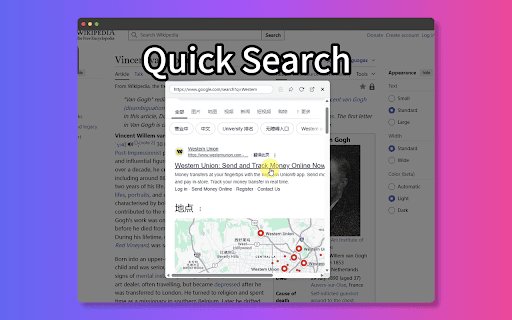

About
Preview links directly in your current tab and stay focused!

NoTab is perfect for immersive browsing of social media feeds, news articles, watching videos, and reading long-form content without cluttering your browser with tons of tabs.

It's a game-changer for students and professionals who need to stay on task.

Key Features:

1. Preview Links in the Same Window: Quickly peek at any link without leaving your current page.

2. Reader Mode: Convert previewed webpages into a clean, distraction-free format for easy reading.

3. Adjustable Preview Window Size: Customize the window size to your liking.

4. Multi-Link Preview: Preview multiple links simultaneously for easy comparison and research.

5. Quick Search: Select text, right-click, and search instantly without leaving the page – a huge time-saver for research!

6. Quick Translate: Select text, right-click, and translate instantly without leaving the page – perfect for anyone working with foreign languages.

7. Multiple Trigger Methods: Customize how you activate NoTab to perfectly match your browsing style.

8. Video Mode: Immersive video viewing, remove distractions, focus on video content.

FAQ:

* Is NoTab free to use?
 — NoTab offers a limited free plan. For unlimited access, consider upgrading to the PRO version.

* What exclusive features does the PRO version offer?
 — PRO users enjoy unlimited previews, multi-link previews, quick search, quick translate, and more.

Contact Us:

[email protected]
Technical
- Version
- 1.26
- Manifest
- V3
- Size
- 170KiB
- Min Chrome
- 88
- Languages
- 10
- Featured
- Yes
Metadata
- ID
- anfjigoimfhbhkcpggoomegmafgmnada
- Developer ID
- ud2b251fb820b6cd9c1ccc458e88c1a31
- Developer Email
- [email protected]
- Created
- Apr 17, 2025
- Last Updated (Store)
- Jan 28, 2026
- Last Scraped
- Jun 5, 2026
- Website
- notab.pro
- Support URL
- https://notab.pro/Terms
- Privacy Policy
- https://notab.pro/Terms
Similar extensions
Alternatives to NoTab - link preview assistant|translation|search, ranked by description similarity.

FocusLink Preview for Chrome
Activate this extension to preview any link in a focused popup window, no tab switching needed.
3
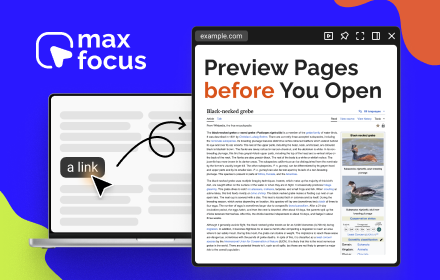
MaxFocus: Link Preview & AI Assistant
Preview links directly from your current tab and maintain your concentration.
20.0K
★ 4.6

NSP Link Preview
View link previews via Alt+Click, Drag, or Hover. Multi-window, pin to screen. All features free. Stays open during navigation.
21
★ 5.0

Quick Link Preview
Preview links without opening new tabs. Shift+Click or long press any link to see it in a popup.
5

Newtab - Proactive Tab Manager
A proactive tab management assistant.
45
★ 5.0

Tab Search Pro
Search active tabs, highlight results, save search history, switch between the last two active tabs, navigate tabs chronologically.
32
★ 2.5

NextTab
A simple and modern start interface for your browser.
10
★ 5.0

Tab Manager Pro
Professional tab management with suspension, grouping, and session management. Clean, focused, and fast.
—
Data sourced from the Chrome Web Store · last verified Jun 5, 2026.