
Z Capture Log
Captures active tab
As of May 2026, Z Capture Log has 4 users in the Developer Tools category.
Usersno change0%
4
4
Ratingno change0%
—
— reviews
Reviewsno change0%
—
Version
0.0.2
Manifest V3
History
2 snapshotsTracking since May 1, 2026.
View as table
| Date | Users | Rating | Reviews | Version |
|---|---|---|---|---|
| May 1, 2026 | 4 | — | — | 0.0.2 |
| May 30, 2026 | 2 | — | — | 0.0.2 |
| Now | 4 | — | — | 0.0.2 |
Permissions & access
- Permissions
- storage
- Host access
- <all_urls>
Screenshots
About
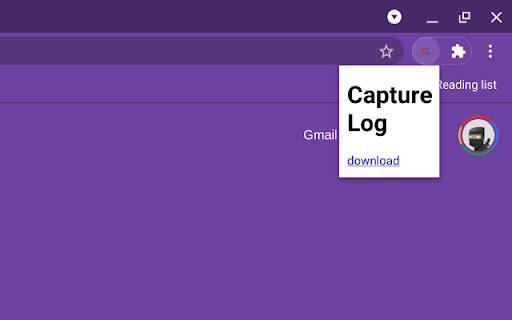
Captures the current active tab. A image capture is taken whenever the active tab completes loading and, optionally, at intervals.

This is primarily a tool to experiment with Chrome's tabs API's captureVisibleTab method. Unless you are interested in post-processing the image data or experimenting with different format, quality and delay settings, then this is probably not for you.

Due to the asynchronous nature of the JavaScript events, there is no absolute guarantee that the captured tab corresponds to the active tab that completed loading. No details about the tab (such as id, title or URL) are recorded with the captures.

The image data are timestamped, stored locally in an IndexedDB table and can be downloaded for further processing etc. At present, there is no convenient mechanism for freeing up storage, other than by removing the extension; this will be added in a future version.

The following are controllable via options:

* PNG or JPEG format captures
* JPEG quality setting
* delay between tab load completion and capture request (milliseconds)
* (minimum) interval between periodic captures (seconds)

Note that some, maybe all, internal chrome:// pages cannot be captured from a service worker context.

This extension's extensive permissions are only used to call chrome.tabs.captureVisibleTab from a service worker that runs in the background. There are no mutating API calls except to write to the IndexedDB table and no data are sent or received by the extension.

Change Log

0.0.2

Include local ISO date/time as part of the downloaded file name.
Add some missing semicolons.

0.0.1 initial revision
Technical
- Version
- 0.0.2
- Manifest
- V3
- Size
- 9.14KiB
- Min Chrome
- 88
- Languages
- 1
- Featured
- No
Metadata
- ID
- amnmdnncdfhpffcebaoaiooagpbfjoeg
- Developer ID
- u9f3dd27eba870f658d03168a001c487b
- Developer Email
- [email protected]
- Created
- Jun 4, 2021
- Last Updated (Store)
- Jun 9, 2021
- Last Scraped
- May 30, 2026
- Website
- —
- Support URL
- —
- Privacy Policy
- —
Similar extensions
Alternatives to Z Capture Log, ranked by description similarity.

AiCan Rec Extension
Record a Chrome tab (with optional audio) to WebM via MediaRecorder. Minimal permissions for Chrome Web Store compliance.
1

Error Tracker
Track and report errors on web pages with detailed information and screenshots
56

Tab Storage Snapshot Manager
🚀 Easily capture and inject localStorage, sessionStorage, and cookies from any tab with just one click!
This extension helps…
13
★ 4.0

Capture
Web page capture tool — take screenshots, record videos with audio, and create smooth auto-scroll recordings with keyframe control.
371

Style Capture
Capture computed CSS from any element and get Tailwind mappings. Ready to paste into your AI coding agent.
24
★ 5.0

Screenshot Extension
Take Screenshot
—

HTML Capture Tool
Capture HTML content from web pages or specific elements and send it to an API for processing.
24

SnapShot Pro
SnapShot Pro: Capture screenshots easily.
4
Data sourced from the Chrome Web Store · last verified May 30, 2026.