
Weekly Notepad
A simple weekly to-do list and note-taking extension.
As of May 2026, Weekly Notepad has 12 users and a 5.00/5 rating from 3 reviews in the Workflow & Planning category.
Usersup 9.1 percent+9.1%
12
12
Ratingno change0%
5.00
3 reviews
Reviewsno change0%
3
Version
1.5
Manifest V3
History
3 snapshotsTracking since Apr 1, 2026.
View as table
| Date | Users | Rating | Reviews | Version |
|---|---|---|---|---|
| Apr 1, 2026 | 11 | 5.00 | 3 | 1.5 |
| May 1, 2026 | 12 | 5.00 | 3 | 1.5 |
| May 30, 2026 | 14 | 5.00 | 3 | 1.5 |
| Now | 12 | 5.00 | 3 | 1.5 |
Permissions & access
- Permissions
- storage
- Host access
- None declared
Screenshots


About
Weekly Notepad - Organize Your Week with Ease

Are you looking for a simple yet effective tool to manage your weekly tasks and notes? The Weekly Notepad extension helps you keep your schedule under control with its user-friendly design and efficient features!

Key Features:
Full Weekly Layout: Easily navigate and manage your notes for each day of the week (Monday to Sunday) with dedicated sections.

Rich Text Formatting: Make your notes bold, italic, <u>underlined</u>, or strikethrough. Add ordered and unordered lists to keep your notes organized. Quickly format your text using the toolbar or keyboard shortcuts.

Auto-Save Functionality: Your notes are automatically saved as you type; no need to worry about losing important information.

Dark Mode Support: Switch to dark mode to reduce eye strain and enjoy a more comfortable reading experience.

Quick Note Clearing: Easily clear the notes for any day with a single click and start fresh.

Boost Productivity with Keyboard Shortcuts: Increase your efficiency with handy keyboard shortcuts:

Bold: Ctrl+B
Italic: Ctrl+I
Underline: Ctrl+U
And more!
How It Works:
Open the Extension: Click on the Weekly Notepad icon in your browser toolbar to open the extension.

Select a Day: Navigate to the day you want to add or view notes for.

Write Your Notes: Click in the note area and start typing. Use the toolbar or keyboard shortcuts to format your text as desired.

Auto-Save: Your notes are saved automatically; there's no need to save manually.

Clear Notes: Use the "Clear" button under each day to delete the notes for that day.

Customize Settings: Click on the settings icon in the top-right corner to switch to dark mode and view available keyboard shortcuts.

With Weekly Notepad, whether you're managing your work schedule, keeping track of personal tasks, or jotting down important reminders, staying organized has never been easier. Download now and take control of your week!

Feedback:
Your feedback is valuable to us! If you have any suggestions or encounter any issues, please don't hesitate to contact us. Your input helps us improve and provide you with the best possible experience.
Technical
- Version
- 1.5
- Manifest
- V3
- Size
- 2.14MiB
- Min Chrome
- 88
- Languages
- 1
- Featured
- No
Metadata
- ID
- amjlkabkndodobbpigfahkmapmbdkdih
- Developer ID
- ua00679d7655fb7752af663ed7499b2e6
- Developer Email
- [email protected]
- Created
- May 16, 2024
- Last Updated (Store)
- Sep 23, 2024
- Last Scraped
- May 30, 2026
- Website
- —
- Support URL
- —
- Privacy Policy
- —
Similar extensions
Alternatives to Weekly Notepad, ranked by description similarity.

Weeklyer - Productivity Tab
Weeklyer - A simple productivity tool
41
★ 4.8

Quick Sticky Notes and Todo List
Quick Sticky Notes is the best chrome extension for taking notes and is the best chrome todo list extension.
64

Weekly Checklist
Weekly checklist application
25
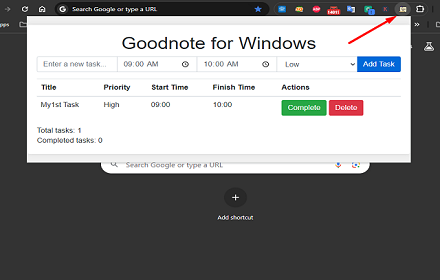
GoodNote for Windows
GoodNote for Windows - A simple Todo List Application Extension
536

Brite Daily Planner App | To do list, calendar & habits in one app
Get your life organized and achieve your goals with Daily Planner App.
534
★ 3.7

GoodPlan (no overriding of your home page)
A streamlined, user-friendly journal app for daily use! Designed to maximize your efficiency and save precious time!
3.0K
★ 4.0

ToDo List
A simple and elegant todo list application with dark/light theme support
26
★ 5.0

TaskMaster Pro
Task manager with categories, priorities, dark mode, search, deadlines, and notifications. Keep your tasks organized and tracked.
7
★ 5.0
Data sourced from the Chrome Web Store · last verified May 30, 2026.