
Middle Click To Go Back
Go back with your middle mouse button.
As of May 2026, Middle Click To Go Back has 818 users and a 4.48/5 rating from 29 reviews in the Workflow & Planning category.
Usersdown 6.2 percent−6.2%
818
818
Ratingno change0%
4.48
29 reviews
Reviewsno change0%
29
Version
2.0.0
Manifest V3
History
3 snapshotsTracking since Apr 1, 2026.
View as table
| Date | Users | Rating | Reviews | Version |
|---|---|---|---|---|
| Apr 1, 2026 | 872 | 4.48 | 29 | 2.0.0 |
| May 1, 2026 | 862 | 4.48 | 29 | 2.0.0 |
| May 30, 2026 | 835 | 4.48 | 29 | 2.0.0 |
| Now | 818 | 4.48 | 29 | 2.0.0 |
Permissions & access
- Permissions
- tabsscriptingstorage
- Host access
- https://*/*, http://*/*
Screenshots

About
Enhance your browsing experience with the Middle Click To Go Back extension! Navigate effortlessly and customize your middle mouse button for intuitive actions.

Features:
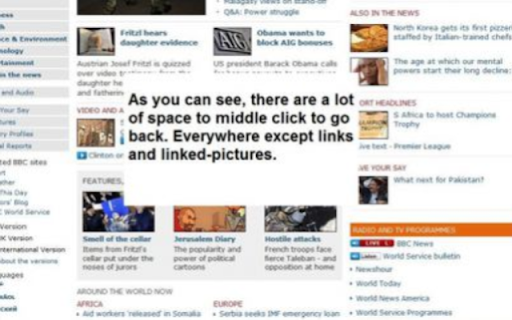
- Click the middle mouse button on an empty space on a web page to go back in your browsing history.
- Optionally, middle-clicking closes the current tab if there is no page to go back to. You have control over this behavior.
- Default actions, such as opening links in a new tab or closing a tab with middle-click, remain unaffected. On Linux, you can also paste using the middle mouse button as always.
- Seamless compatibility tested on both Windows and Linux operating systems.

Release Notes:
- Version 2: Updated to Manifest 3.
- Version 1.8: Works on "tabless windows" too.
- Version 1.7: Optional behavior for middle-click to close the current tab.
- Version 1.6.3.3: Bug fixes.
- Version 1.6.3: Improved stability by changing the onclick event to mouseup.
- Version 1.6.2: Optional feature no longer closes the browser.
- Version 1.6.1: Added options to enable/disable the feature.
- Version 1.6: Middle-click closes the current tab if no page to go back.
- Version 1.5: Now works seamlessly on Windows.
- Version 1.4: Improved responsiveness and stability.
- Version 1.3.1: Added "all_frames": true to the manifest and introduced icons.

For Firefox users, check out our extension on Mozilla Add-ons:
https://addons.mozilla.org/en-US/firefox/addon/5938

Explore a more intuitive browsing experience with Middle Click To Go Back!
Technical
- Version
- 2.0.0
- Manifest
- V3
- Size
- 15.21KiB
- Min Chrome
- 88
- Languages
- 1
- Featured
- No
Metadata
- ID
- amgokbkbhplbkpjlknhglinkhghamagm
- Developer ID
- u57326e9ddc86b74250c749081f91acb6
- Developer Email
- [email protected]
- Created
- Dec 16, 2009
- Last Updated (Store)
- Dec 20, 2023
- Last Scraped
- May 30, 2026
- Website
- —
- Support URL
- —
- Privacy Policy
- —
Similar extensions
Alternatives to Middle Click To Go Back, ranked by description similarity.

Recover Closed Tab
🚀 Recover closed tabs with one click! Works in incognito mode. Right-click icon or webpage to show history.
10.0K
★ 4.5

Mouse Gesture
Mouse gestures, super drag, image preview, link preview, and more.
7.0K
★ 4.3
Last Tab Back
Use the back key to close the tab if there are no pages to go back to. When it closes, go to the tab that created it.
868
★ 2.8
Circle Mouse Gestures (pie menu)
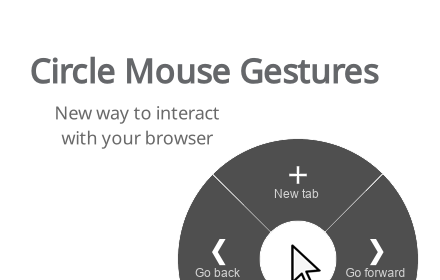
Circle menu with actions on right mouse click
1.0K
★ 4.7

Smart Back
Use the back button twice on a tab with no history to close it and return to the previous tab.
6
★ 5.0

Retroactive New Tab
Opens Link in a New Tab, after you already clicked on it.
2

Tab Scroll - Switch tabs with your scroll wheel
Scroll through your tabs with the mouse wheel. Move to the top of any page and scroll to switch tabs.
246
★ 2.9

tabtiles
Control your tabs with tiles - useful for large monitors and full screen (F11) browsing.
10.0K
★ 3.7
Data sourced from the Chrome Web Store · last verified May 30, 2026.