
AutoSpeech - ChatGPT Voice Saver
Auto input text and capture Direct MP3 Audio from ChatGPT API.
As of June 2026, AutoSpeech - ChatGPT Voice Saver has 6 users in the Productivity category.
Usersdown 33.3 percent−33.3%
6
6
Ratingno change0%
—
— reviews
Reviewsno change0%
—
Version
1.0.1
Manifest V3
History
6 snapshotsTracking since Apr 1, 2026.
View as table
| Date | Users | Rating | Reviews | Version |
|---|---|---|---|---|
| Apr 1, 2026 | 9 | — | — | 1.0.1 |
| Apr 19, 2026 | 8 | — | — | 1.0.1 |
| Apr 28, 2026 | — | — | — | 1.0.1 |
| May 8, 2026 | 4 | — | — | 1.0.1 |
| May 16, 2026 | 6 | — | — | 1.0.1 |
| Jun 4, 2026 | 5 | — | — | 1.0.1 |
| Now | 6 | — | — | 1.0.1 |
Permissions & access
- Permissions
- activeTabstoragesidePaneltabs
- Host access
- *://chatgpt.com/*
Screenshots


About
Turn ChatGPT text into lifelike audio instantly. Auto-input long text and download MP3 files with one click.

Overview: AutoSpeech is a powerful productivity tool designed for content creators, learners, and anyone who loves ChatGPT's high-quality voice synthesis. Instead of manually recording your screen or using complex setups, AutoSpeech automates the entire process of converting text to speech and capturing the direct audio file from ChatGPT.

📺 Video Tutorial & Support: Watch the step-by-step guide and get the latest updates on our official YouTube channel: 👉 https://www.youtube.com/@NDAITips/videos

🚀 Key Features:

Direct MP3 Download: Get pristine, crystal-clear audio files directly from the server (no background noise from microphone recording).

Auto-Queue System: Paste long scripts or multiple paragraphs. The extension will automatically process them one by one.

Wide Voice Selection: Support all popular voices including Juniper, Cove, Ember, Breeze, Vale, Maple, and more.

Smart Automation: Automatically handles text input, waits for generation, and triggers the download.

Customizable Delay: Adjust wait times (3s or 5s) to prevent rate limits and ensure stability for long texts.

Multi-language Interface: Easy to use with English and Vietnamese support.

✨ Why install AutoSpeech?

Save Time: No more waiting and clicking "save" for every single sentence.

Best Quality: You get the original audio file generated by the AI, ensuring the highest bitrate.

100% Free: No hidden costs, intended for personal and educational use.

How to use:

Open ChatGPT (chatgpt.com).

Click the AutoSpeech icon.

Paste your text list (separated by empty lines).

Select your preferred voice.

Click "Start" and watch the magic happen!

Disclaimer: This is an unofficial extension and is not affiliated with, associated with, or endorsed by OpenAI. "ChatGPT" is a trademark of OpenAI. This tool is intended for personal productivity and educational purposes only.
Technical
- Version
- 1.0.1
- Manifest
- V3
- Size
- 9.28MiB
- Min Chrome
- 88
- Languages
- 1
- Featured
- No
Metadata
- ID
- alooehahfkokhoeggbknolpebpnfonkk
- Developer ID
- u7c07311102ae4cfb524fdd0abbd2586c
- Developer Email
- [email protected]
- Created
- Dec 30, 2025
- Last Updated (Store)
- Dec 30, 2025
- Last Scraped
- Jun 4, 2026
- Website
- —
Similar extensions
Alternatives to AutoSpeech - ChatGPT Voice Saver, ranked by description similarity.

AudioTTS – Enter text and get automated voice
Auto-click 'Read Aloud' and download audio (Combined Stream Mode).
26

Kukarella: AI Voiceover for ChatGPT, Gemini, Claude & more
Send selected text to Kukarella for voice generation.
21
★ 5.0

ChatGPT Audio Download - Free AI Generated Voice
Download AI generated voices from ChatGPT
1.0K
★ 3.4

ChatGPT Audio Downloader
Capture and download ChatGPT speech (AAC or WAV).
496
★ 4.8

ChatGPT Voice Downloader
ChatGPT Voice Downloader: save ChatGPT conversation as audio to your computer
114
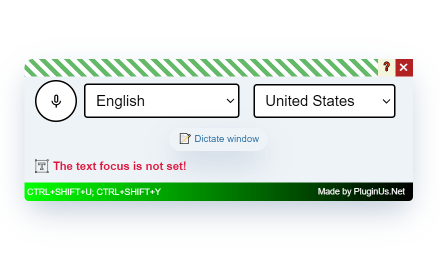
Voice Master: Voice Recognition and Speech-to-Text Converter
Enables speech (voice) recognition and its conversion into text, with the insertion of this text into the page's text elements
2.0K
★ 3.3

ChatGPT Automation - Auto ChatGPT on chatgpt.com
Auto ChatGPT for your prompts at scale. Batch generate and auto-download responses and images on ChatGPT.com.
10.0K
★ 5.0

ChatGPT Audio Saver
A simple Chrome extension to save ChatGPT voice messages
462
★ 4.9
Data sourced from the Chrome Web Store · last verified Jun 4, 2026.