
Gmail Tracking Extractor
Extract tracking numbers from Gmail emails.
As of May 2026, Gmail Tracking Extractor has 13 users in the Productivity category.
Usersup 18.2 percent+18.2%
13
13
Ratingno change0%
—
— reviews
Reviewsno change0%
—
Version
1.3
Manifest V3
History
1 snapshotsTracking since Apr 1, 2026.
View as table
| Date | Users | Rating | Reviews | Version |
|---|---|---|---|---|
| Apr 1, 2026 | 11 | — | — | 1.3 |
| Now | 13 | — | — | 1.3 |
Permissions & access
- Permissions
- identitystorage
- Host access
- https://mail.google.com/*, https://www.googleapis.com/*
Screenshots


About
The Gmail Tracking Extractor is a simple yet powerful tool designed to save you time and effort when managing online orders and shipments. It’s specifically tailored for users who frequently purchase from eBay and need a streamlined way to track shipments and order details.

Who Is It For?
	• Small Business Owners and Frequent eBay Shoppers

What Does It Do?
	1. Automated Tracking Retrieval
	• Automatically extract tracking numbers and order numbers from eBay from your email.
	2. Centralized Data Display
	• Presents the extracted data (order numbers, tracking numbers, and dates) in a easy-to-read popup interface.
	3. Clipboard Copy
	• Allows you to quickly copy any tracking number with a single click for pasting into tracking websites or logistics platforms.
	4. CSV Export for Offline Use
	• Exports all your tracking data into a CSV file for further analysis or record-keeping.

Why Should You Install It?
	1. Save Time
	• No more digging through emails to find tracking numbers. This tool does it for you instantly.
	2. Simplify Order Management
	• Get all your eBay order and tracking details in one place, organized and accessible.
	3. Improve Workflow
	• With the CSV export feature, you can integrate tracking data into spreadsheets or business systems with ease.
	4. Accurate and Reliable
	• Designed specifically for eBay users, the extension uses Gmail’s API for precise and efficient data retrieval.
	5. User-Friendly
	• A simple interface ensures that even non-technical users can extract, copy, and manage tracking data effortlessly.

How to Get Started?
	1. Install the extension from the Chrome Web Store.
	2. Sign in to your Gmail account and grant permissions.
	3. Open the popup, click “Refresh,” and see your tracking and order details appear instantly.
	4. Export the data to CSV or copy individual tracking numbers as needed.
Technical
- Version
- 1.3
- Manifest
- V3
- Size
- 14.94KiB
- Min Chrome
- 88
- Languages
- 1
- Featured
- No
Metadata
- ID
- aljpcmdnkmnfgphldeljikmgeikocndf
- Developer ID
- u2b6d20010489153993460bb82f0ec0bc
- Developer Email
- [email protected]
- Created
- Jan 21, 2025
- Last Updated (Store)
- Feb 13, 2025
- Last Scraped
- May 30, 2026
- Website
- —
- Support URL
- —
Similar extensions
Alternatives to Gmail Tracking Extractor, ranked by description similarity.

Amazon Tracking Extractor
📦 Amazon Order Tracking Extractor
The Amazon Order Tracking Extractor is a simple tool that helps sellers quickly extract…
89
★ 5.0

TrackPack - Package Tracking Dashboard
Track all your packages from Gmail in one unified dashboard
3
★ 5.0

Gmail Links Extractor
Parse and extracts urls and links from email bodies in your Gmail inbox.
153
★ 3.8

Gmail Tracker Pro
Track incoming Gmails by email address and keywords, get notifications, and receive AI recommendations.
23

SODE Shopify Order Data Extractor
Extrae datos de pedidos de Shopify y muéstralos en el panel lateral
28

AuctionData Scraper: Export Listings & Product Data
Extract auction and marketplace listings, prices, seller info and product data. Export to CSV, JSON, Excel.
195

Email Extractor Chrome Extension
Email Extractor
30
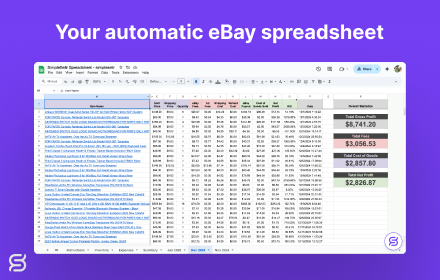
SimpleSellr - Automatic eBay Spreadsheet
Automate your eBay Spreadsheet - Track your sales, profits, and expenses all in real-time
1.0K
★ 4.4
Data sourced from the Chrome Web Store · last verified May 30, 2026.