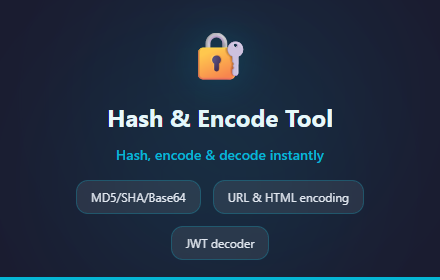
Hash & Encode Tool
Hash and encode tool for MD5, SHA-256, Base64, URL encoding, JWT. Free, instant, no account needed.
As of June 2026, Hash & Encode Tool has 4 users in the Developer Tools category.
Usersno change0%
4
4
Ratingno change0%
—
— reviews
Reviewsno change0%
—
Version
1.1.1
Manifest V3
90-day change · In the last 90 days this extension 1 version update, changed permissions.
History
8 snapshotsTracking since Apr 5, 2026.
View as table
| Date | Users | Rating | Reviews | Version |
|---|---|---|---|---|
| Apr 5, 2026 | — | — | — | 1.0.0 |
| Apr 18, 2026 | — | — | — | 1.0.0 |
| Apr 23, 2026 | 1 | — | — | 1.1.1 |
| May 12, 2026 | 3 | — | — | 1.1.1 |
| May 17, 2026 | 5 | — | — | 1.1.1 |
| May 24, 2026 | 6 | — | — | 1.1.1 |
| Jun 5, 2026 | 5 | — | — | 1.1.1 |
| Jun 14, 2026 | 6 | — | — | 1.1.1 |
| Now | 4 | — | — | 1.1.1 |
Changelog
- Apr 18, 2026short_description
Hash and encode text in your browser. Supports common algorithms and formats. Zero network requests.
Hash and encode tool for MD5, SHA-256, Base64, URL encoding, JWT. Free, instant, no account needed.
- Apr 18, 2026permissions
activeTab, contextMenus, storage
contextMenus, storage
Permissions & access
- Permissions
- contextMenusstorage
- Host access
- None declared
Screenshots

About
Hash & Encode Tool — A Developer Utility for Hashing and Encoding

A lightweight browser tool for developers who need to quickly hash, encode, or decode text. Everything runs locally — no data leaves your browser.

WHAT IT DOES:
This extension provides common hashing algorithms (such as MD5, SHA-1, SHA-256, and SHA-512) alongside encoding and decoding tools (Base64, URL encoding, HTML entities) and a JWT token decoder — all in one popup.

HOW TO USE:
1. Click the extension icon or right-click selected text on any page
2. Enter or paste the text you want to process
3. Choose the operation you need
4. Copy the result with one click

PRIVACY & SECURITY:
All processing happens locally using the Web Crypto API and built-in browser functions. This extension makes zero network requests and never transmits your data anywhere.

Built for developers, DevOps engineers, and security professionals who want a fast, private utility always one click away.
Technical
- Version
- 1.1.1
- Manifest
- V3
- Size
- 177KiB
- Min Chrome
- 88
- Languages
- 1
- Featured
- No
Metadata
- ID
- aljmmhpknnmokmmpbimbmhiffcaedpef
- Developer ID
- u1d347782d4439e6ec94f2306e907f2c0
- Developer Email
- [email protected]
- Created
- Apr 5, 2026
- Last Updated (Store)
- Apr 12, 2026
- Last Scraped
- Jun 14, 2026
- Website
- —
- Support URL
- —
- Privacy Policy
- https://hash-encode-tool-privacy.t-mizuno27.workers.dev
Data sourced from the Chrome Web Store · last verified Jun 14, 2026.