WebOutLoud - Text to Speech Web Reader
Listen to the web using text to speech. Perfect for dyslexia, low vision, students, researchers, kids, learning to read.
As of June 2026, WebOutLoud - Text to Speech Web Reader has 3,000 users and a 3.41/5 rating from 34 reviews in the Education category.
Usersno change0%
3.0K
3,000
Ratingno change0%
3.41
34 reviews
Reviewsup 6.3 percent+6.3%
34
Version
2025.9.25.1
Manifest V3
History
3 snapshotsTracking since Apr 19, 2026.
View as table
| Date | Users | Rating | Reviews | Version |
|---|---|---|---|---|
| Apr 19, 2026 | 3.0K | 3.41 | 32 | 2025.9.25.1 |
| May 4, 2026 | 4.0K | 3.41 | 32 | 2025.9.25.1 |
| Jun 7, 2026 | 3.0K | 3.41 | 32 | 2025.9.25.1 |
| Now | 3.0K | 3.41 | 34 | 2025.9.25.1 |
Permissions & access
- Permissions
- storageactiveTabcontextMenus
- Host access
- https://weboutloud.io/, https://wol.io.dev.weboutloud.io/
Screenshots



About
Listen to the web using text to speech to assist with comprehension--to give your eyes a break.

New in 2024 - AI-Powered website summaries (otherwise known as TLDR). This feature allows you to generate a concise summary of any webpage with a click.

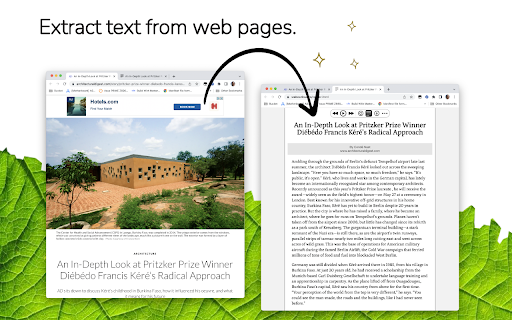
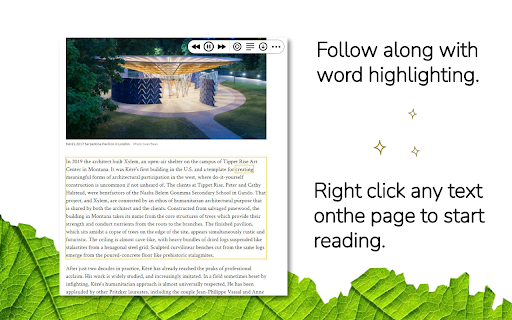
WebOutLoud reads websites out loud using the free voices that are already available in your web browser with the option to upgrade your experience to include Premium voices. No text selection is required. It will automatically continue reading paragraph after paragraph. Not only that, it will highlight words as it reads them and remember where you left off.

Give your eyes a break! Just navigate to any web page and hit play. WebOutLoud will read web pages using text to speech.

* It reads pretty much any webpage you can throw at it.
* Highlights words and paragraphs as it reads.
* Summarize websites with AI (requires premium subscription).
* Tell the app where to begin reading using Touch Assist, or enable the powerful Reader Mode to isolate readable content automatically.
* Dozens of voices to choose from (selection of free voices is dependent on operating system and extensions.)

The WebOutLoud browser extension for Chrome is free to use with the voices that are built-in to your browser. Premium voices and the AI website summary feature require a premium subscription.

A premium subscription also gives you access to all features of WebOutLoud's iOS and Mac apps and the browser extension for Safari (available on both desktop and mobile).
Technical
- Version
- 2025.9.25.1
- Manifest
- V3
- Size
- 639KiB
- Min Chrome
- 88
- Languages
- 1
- Featured
- Yes
Metadata
- ID
- akmlgdbkdgmgjoobidmmkknmlblhjomj
- Developer ID
- u341ed556d395ec00ba9ca40fe9ae4227
- Developer Email
- [email protected]
- Created
- Nov 24, 2014
- Last Updated (Store)
- Aug 27, 2025
- Last Scraped
- Jun 7, 2026
- Website
- weboutloud.io
- Support URL
- https://weboutloud.io/contact
- Privacy Policy
- http://wol.bretlester.com/privacy_policy.html
Similar extensions
Alternatives to WebOutLoud - Text to Speech Web Reader, ranked by description similarity.

Human Voice Text Reader
AI-powered text-to-speech reader with floating widget, read text on web out loud
4

USETHEVOICE
Overview
Usethevoice is an extension that brings a personal narrator to your browser. Now you can turn any webpage into audiobook…
3
★ 5.0

Alexandria - Read Aloud & Text to Speech
Listen to any webpage read aloud with word-by-word highlighting. Stay focused, absorb more, remember what you read.
120
★ 5.0

ReadThis - Text to Speech Reader
Read any webpage aloud with natural TTS. Skip citations, focus mode, bookmarks, timer, highlighting & keyboard shortcuts.
23
★ 5.0

Read It For Me
Natural text-to-speech with smart language detection and premium voice selection for accessibility and productivity
18

Article Audio - Read Selected Text Aloud (TTS)
Read out loud selected text with a keyboard shortcut. AI-powered text to speech (TTS) with natural voices
—
★ 4.7

Web Page Reader TTS Text To Speech
100% Free. No registration. No ads. No data sharing. Reads with no selection required. Highlights one sentence at a time.
3.0K
★ 3.0

Text to Speech (TTS) Read Aloud Voice Reader by Audeus
Read aloud using text-to-speech (TTS) to convert webpages, PDF, emails, & text to audio. Text-to-speech extension with AI voices
2.0K
★ 3.7
Data sourced from the Chrome Web Store · last verified Jun 7, 2026.