
PicTools
Edit images easily. Right click and send to PicTools!
As of June 2026, PicTools has 380 users and a 4.00/5 rating from 2 reviews in the Productivity category.
Usersup 3.8 percent+3.8%
380
380
Ratingno change0%
4.00
2 reviews
Reviewsno change0%
2
Version
7.3.0
Manifest V3
90-day change · In the last 90 days this extension 1 version update.
History
10 snapshotsTracking since Apr 7, 2026.
View as table
| Date | Users | Rating | Reviews | Version |
|---|---|---|---|---|
| Apr 7, 2026 | 366 | 4.00 | 2 | 7.2.0 |
| Apr 19, 2026 | 350 | 4.00 | 2 | 7.2.0 |
| Apr 24, 2026 | 372 | 4.00 | 2 | 7.2.0 |
| May 1, 2026 | 388 | 4.00 | 2 | 7.2.0 |
| May 8, 2026 | 389 | 4.00 | 2 | 7.2.0 |
| May 12, 2026 | 374 | 4.00 | 2 | 7.2.0 |
| May 18, 2026 | 371 | 4.00 | 2 | 7.2.0 |
| May 24, 2026 | 367 | 4.00 | 2 | 7.2.0 |
| May 31, 2026 | 373 | 4.00 | 2 | 7.2.0 |
| Jun 6, 2026 | 364 | 4.00 | 2 | 7.3.0 |
| Now | 380 | 4.00 | 2 | 7.3.0 |
Permissions & access
- Permissions
- contextMenus
- Host access
- https://pictools.online/*
Screenshots

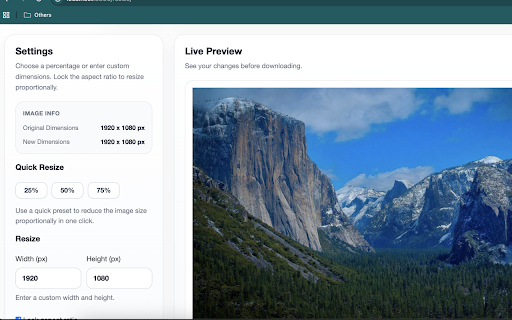


About
Transform Images in One Click

Stop downloading images just to edit them.

With PicTools, you can resize, crop, split, remove backgrounds directly from your browser, and more. Just right-click on any image and select the tool you need.

✔ No extra software
✔ No complicated workflows
✔ Instant results
✔ Secure processing

Built for creators who value speed and simplicity.
Technical
- Version
- 7.3.0
- Manifest
- V3
- Size
- 17.41KiB
- Min Chrome
- 88
- Languages
- 1
- Featured
- No
Metadata
- ID
- akfobbhionndhmcmdlelmfgapdghknmh
- Developer ID
- ub250ec19d3c77836cc9ec5ec247c01f2
- Developer Email
- [email protected]
- Created
- Jan 9, 2017
- Last Updated (Store)
- May 26, 2026
- Last Scraped
- Jun 6, 2026
- Website
- pictools.online
- Support URL
- —
- Privacy Policy
- https://pictools.online/privacypolicy/
Similar extensions
Alternatives to PicTools, ranked by description similarity.

Image Sidebar Studio
Resize, compress, convert and edit images instantly from any webpage. 100% local processing, blazing fast, one-click access.
—

Image Tools
Convert, resize, and compress images easily. All processing happens locally in your browser.
12

Pixlit - Image Resizer in KB, MB, Custom Dimensions
All in one extension to resize, crop, and optimize images with full control over format, quality, and file size.
7

Quick Image Resizer and Cropping
Quickly resize and crop images in your browser. Free & Pro versions available.
7

Easy Image Editor
Local image compression and editing tool
5

Image resize
Quickly resize images. Maintain aspect ratio or set custom width and height.
49

Image Resizer – Resize, Convert & Optimize by UnifyBrowse
Resize, convert and compress images locally. Target sizes, focal-point crop, multi-preset packs, profiles. No uploads. No tracking.
13
★ 5.0

RegiAI - Free Image Tools
Free image tools: convert, compress, resize, crop, rotate & watermark images. Works offline. By RegiAI.
1
Data sourced from the Chrome Web Store · last verified Jun 6, 2026.