
WooCapture
Capture & annotate screen area, record with webcam overlay, add notes, copy to clipboard
As of June 2026, WooCapture has — users in the Productivity category.
Usersno change0%
—
—
Ratingno change0%
—
— reviews
Reviewsno change0%
—
Version
2.14.0
Manifest V3
History
1 snapshotsTracking since Jun 24, 2026.
Not enough history yet for this metric — the chart fills in as we collect more snapshots.
View as table
| Date | Users | Rating | Reviews | Version |
|---|---|---|---|---|
| Jun 24, 2026 | — | — | — | 2.14.0 |
| Now | — | — | — | 2.14.0 |
Permissions & access
- Permissions
- activeTabscriptingstoragenotifications
- Host access
- https://capture.wooand.com/*
Screenshots



About
🚀 WooCapture — The Fastest Way to Capture, Record & Share

Capture screenshots, record your screen, and share instantly with a single click. Perfect for bug reporting, tutorials, feedback, documentation, and team collaboration.

📸 Screenshots

Capture any part of a page or your entire tab
🎯 Drag to select any area with live dimensions
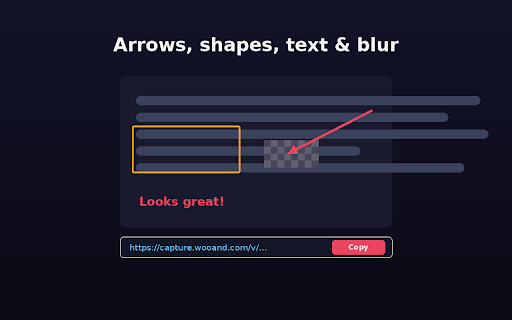
✏️ Annotate before sharing: Arrows, Rectangles, Text, Blur & Mosaic (hide sensitive information)
🔗 Copy a shareable link instantly
💾 Save PNG files locally
🎥 Screen Recording

Create quick demos, tutorials, and walkthroughs in seconds.
🖥️ Record a browser tab or your entire screen
🎙️ Capture microphone and system audio
🎯 Record a specific area with a live red capture outline
📹 Circular webcam overlay (picture-in-picture)
⏯️ Pause and resume recordings anytime
⚡ Up to 4K resolution and 60 FPS
🎞️ Convert short recordings into shareable GIFs
🌐 Share & Collaborate

Every capture gets its own beautiful share page.
🔗 Instant shareable links
👀 View counts
💬 Comments and feedback
🔍 Full-size image and video lightbox
📋 Copy direct media URLs
📊 Video watch-completion analytics
🔒 Optional password protection
⏳ Auto-expiring links
Technical
- Version
- 2.14.0
- Manifest
- V3
- Size
- 45.94KiB
- Min Chrome
- 88
- Languages
- 1
- Featured
- No
Metadata
- ID
- akcaipiobeldpmjcnolkcjbphnfbmjkl
- Developer ID
- u54532d1c4f746618743acab525c0925d
- Developer Email
- [email protected]
- Created
- Jun 23, 2026
- Last Updated (Store)
- Jun 23, 2026
- Last Scraped
- Jun 24, 2026
- Website
- —
- Support URL
- —
- Privacy Policy
- https://capture.wooand.com/privacy
Data sourced from the Chrome Web Store · last verified Jun 24, 2026.