
UI Debugger
This extension will help you debug your website UI.
As of May 2026, UI Debugger has 112 users and a 5.00/5 rating from 1 reviews in the Developer Tools category.
Usersup 6.7 percent+6.7%
112
112
Ratingno change0%
5.00
1 reviews
Reviewsno change0%
1
Version
1.0.0
Manifest V3
History
2 snapshotsTracking since Apr 25, 2026.
View as table
| Date | Users | Rating | Reviews | Version |
|---|---|---|---|---|
| Apr 25, 2026 | 105 | 5.00 | 1 | 1.0.0 |
| May 22, 2026 | 114 | 5.00 | 1 | 1.0.0 |
| Now | 112 | 5.00 | 1 | 1.0.0 |
Permissions & access
- Permissions
- storage
- Host access
- None declared
Screenshots
About
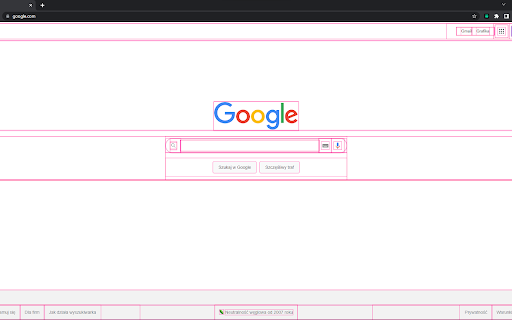
The UI Debugger allows you to easily debug your website DOM by adding colored outlines to all elements.
Technical
- Version
- 1.0.0
- Manifest
- V3
- Size
- 44.21KiB
- Min Chrome
- 88
- Languages
- 1
- Featured
- Yes
Metadata
- ID
- akbjigoegcnmcfadioepogpkoeolnfam
- Developer ID
- u0eed790114c499009e3ab318d5201399
- Developer Email
- [email protected]
- Created
- Jul 29, 2022
- Last Updated (Store)
- Jul 29, 2022
- Last Scraped
- May 22, 2026
- Website
- —
- Support URL
- —
- Privacy Policy
- —
Similar extensions
Alternatives to UI Debugger, ranked by description similarity.

Diver
Adds colorful outlines to all DOM elements for easy page structure visualization and debugging.
35
★ 5.0

DOM Outliner
Outline elements within a webpage. Activate the extension and watch as DOM elements are highlighted with different colors.
454
★ 5.0

Outliner - HTML Element Inspector
Professional HTML element inspector with custom outlines. Perfect for web developers to visualize page structure.
55
★ 5.0

ElementSnap
Select DOM elements and capture their details for debugging, documentation, or AI-assisted development
18

Outliner CSS
A totally awesome structure and layout debugger that inserts CSS outlines to all elements.
10.0K
★ 4.5

DOM Scanner Pro
Visualize and debug page layouts with colored outlines and smart tooltips. Perfect for developers and designers.
7

CSS Debugger
DevTools-like CSS debugger with Box Model tooltip
37

Focused Element
Highlight the focusing element and log it in console.
388
★ 5.0
Data sourced from the Chrome Web Store · last verified May 22, 2026.