
Ad Transparency Center - Images & Videos
Download product images and videos directly from Google Transparency Center with one click
As of June 2026, Ad Transparency Center - Images & Videos has 186 users in the Productivity category.
Usersup 244.4 percent+244.4%
186
186
Ratingno change0%
—
— reviews
Reviewsno change0%
—
Version
1.0.0
Manifest V3
History
7 snapshotsTracking since Apr 19, 2026.
View as table
| Date | Users | Rating | Reviews | Version |
|---|---|---|---|---|
| Apr 19, 2026 | 54 | — | — | 1.0.0 |
| May 4, 2026 | 98 | — | — | 1.0.0 |
| May 13, 2026 | 111 | — | — | 1.0.0 |
| May 19, 2026 | 127 | — | — | 1.0.0 |
| May 25, 2026 | 152 | — | — | 1.0.0 |
| Jun 1, 2026 | 167 | — | — | 1.0.0 |
| Jun 7, 2026 | 174 | — | — | 1.0.0 |
| Now | 186 | — | — | 1.0.0 |
Permissions & access
- Permissions
- webRequestdownloadsnotifications
- Host access
- <all_urls>
Screenshots


About
Are you looking for an easy way to download ad creatives? Still searching for a tool that lets you save images and videos directly from Google’s Ad Transparency Center? This extension is designed to make your work faster and simpler. With just one click, you can download high-quality product images and ad videos without the need for complex steps or third-party tools. Whether you are into marketing, competitor research, or content study, this tool helps you get the ad creatives you need instantly.


Key Features

1. One-Click Download

Quickly save ad images and videos from Google Transparency Center without extra steps.

2. High-Quality Files

Download creatives in original resolution for better clarity and reuse.

3. Fast & Lightweight

The extension is simple, fast, and doesn’t slow down your browser.

4. Free to Use

Get all the benefits without any hidden costs or subscriptions.


How to Use (4 Steps)

Step 1: Install the Extension

Add the “Ad Transparency Center - Images & Videos” extension to your browser.

Step 2: Open Google Transparency Center

Visit the Transparency Center and browse ads you want to analyze.

Step 3: Select the Ad Creative

Choose the image or video you want to download.

Step 4: Click to Download

Hit the extension button, and your ad creative will be saved instantly.


Why It Is Useful

This extension saves time by allowing you to directly download images and videos from Google Transparency Center without taking screenshots or using complicated tools.


Who Can Use It

It is especially useful for marketers, advertisers, content creators, and researchers who need to study or repurpose ad creatives for analysis, competitive research, or inspiration.
Technical
- Version
- 1.0.0
- Manifest
- V3
- Size
- 15.15KiB
- Min Chrome
- 88
- Languages
- 1
- Featured
- No
Metadata
- ID
- ajnfhbmmicgagnpkojmbkipjonlmoggb
- Developer ID
- ua7bfcc6bc2d3ba3579601273a059fef1
- Developer Email
- [email protected]
- Created
- Sep 26, 2025
- Last Updated (Store)
- May 11, 2026
- Last Scraped
- Jun 7, 2026
- Website
- —
- Support URL
- —
Similar extensions
Alternatives to Ad Transparency Center - Images & Videos, ranked by description similarity.

Google Ads Transparency Data Exporter
Export, download and analyze Google Ads Transparency Center data with this privacy-focused tool for marketers and researchers.
2.0K
★ 3.7

TikTok Ads Video Downloader
Activate this extension to easily download TikTok ads videos from Creative Center in one click
43

Adastra Studio AI – Ads Library Research Tool
Research and collect advertising examples from public ad libraries like Facebook, LinkedIn, and Google Ads Transparency Center.
5
★ 5.0

Google Ads Competitor Analysis
Discover Google Ads Competitor Analysis - your intelligence tool to find competitor campaigns using Transparency tool.
477
★ 5.0

Ad Library Downloader
Save ad creatives from official ad transparency libraries. Download, screenshot, copy text & bulk ZIP.
109
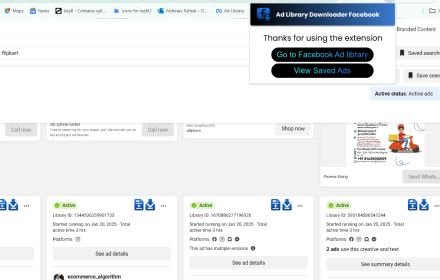
Facebook Ad Library Downloader
Install this extension to quickly grab ads from the Facebook Ads Library with just one click. Store and manage ad videos easily
31

Ad Library: Save to Twitter
Save high-quality Twitter ad content, exchange ideas with the team, and add inspiration to creation!
14
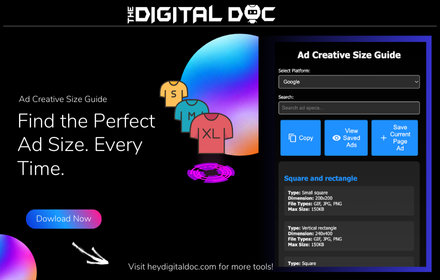
Ad Creative Size Guide
Quickly find recommended image & video ad sizes for multiple platforms. Save ads instantly for inspiration.
—
Data sourced from the Chrome Web Store · last verified Jun 7, 2026.