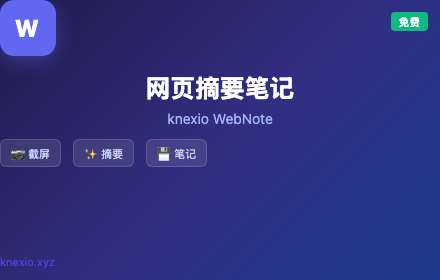
knexio WebNote 网页摘要笔记
knexio官方网页摘要笔记插件 - 标签页管理、截屏、文章摘要提取与笔记保存,一键整理网页内容
As of June 2026, knexio WebNote 网页摘要笔记 has — users in the Developer Tools category.
Usersno change0%
—
—
Ratingno change0%
—
— reviews
Reviewsno change0%
—
Version
1.3.2
Manifest V3
90-day change · In the last 90 days this extension 1 version update, changed permissions.
History
2 snapshotsTracking since May 11, 2026.
Not enough history yet for this metric — the chart fills in as we collect more snapshots.
View as table
| Date | Users | Rating | Reviews | Version |
|---|---|---|---|---|
| May 11, 2026 | — | — | — | 1.3.0 |
| May 16, 2026 | — | — | — | 1.3.0 |
| Now | — | — | — | 1.3.2 |
Changelog
- May 16, 2026description
功能特性
1. 标签页管理
查看所有打开的标签页,一键切换
关闭其他标签,保持当前页面
按网站域名分组显示
2. 截屏工具
截取当前可见区域
自动滚动截取完整页面(Full Page Screenshot)
下载为 PNG 或复制到剪贴板
3. 文章摘要与全文提取
提取当前页面的完整文章内容
基于 TextRank 算法生成智能摘要
一键复制全文或摘要
将摘要保存到笔记
4. 笔记管理
本地存储,不怕关闭丢失
自动保存(输入防丢失)
导入/导出为 Markdown 文件
历史记录管理,查看、复制、导出、删除
5. 导出与收藏
导出文章/摘要为 Markdown 文件
Features

1. Tab Management

* View all open tabs and switch with one click
* Close other tabs while keeping the current page
* Group tabs by website domain

2. Screenshot Tools

* Capture the currently visible area
* Automatically scroll and capture the entire page (Full Page Screenshot)
* Download as PNG or copy directly to the clipboard

3. Article Summary & Full Content Extraction

* Extract the full article content from the current page
* Generate intelligent summaries based on the TextRank algorithm
* Copy the full text or summary with one click
* Save summaries to notes

4. Notes Management

* Local storage to prevent data loss after closing the browser
* Auto-save to avoid losing input content
* Import/export notes as Markdown files
* History management: view, copy, export, and delete records

5. Export & Bookmarking

* Export articles or summaries as Markdown files
功能特性
1. 标签页管理
查看所有打开的标签页,一键切换
关闭其他标签,保持当前页面
按网站域名分组显示
2. 截屏工具
截取当前可见区域
自动滚动截取完整页面(Full Page Screenshot)
下载为 PNG 或复制到剪贴板
3. 文章摘要与全文提取
提取当前页面的完整文章内容
基于 TextRank 算法生成智能摘要
一键复制全文或摘要
将摘要保存到笔记
4. 笔记管理
本地存储,不怕关闭丢失
自动保存(输入防丢失)
导入/导出为 Markdown 文件
历史记录管理,查看、复制、导出、删除
5. 导出与收藏
导出文章/摘要为 Markdown 文件
- May 16, 2026permissions
tabs, storage, activeTab, clipboardWrite, downloads, contextMenus, sidePanel
tabs, storage, activeTab, clipboardWrite, downloads, contextMenus, sidePanel, scripting
Permissions & access
- Permissions
- tabsstorageactiveTabclipboardWritedownloadscontextMenussidePanelscripting
- Host access
- <all_urls>
Screenshots


About
Features

1. Tab Management

* View all open tabs and switch with one click
* Close other tabs while keeping the current page
* Group tabs by website domain

2. Screenshot Tools

* Capture the currently visible area
* Automatically scroll and capture the entire page (Full Page Screenshot)
* Download as PNG or copy directly to the clipboard

3. Article Summary & Full Content Extraction

* Extract the full article content from the current page
* Generate intelligent summaries based on the TextRank algorithm
* Copy the full text or summary with one click
* Save summaries to notes

4. Notes Management

* Local storage to prevent data loss after closing the browser
* Auto-save to avoid losing input content
* Import/export notes as Markdown files
* History management: view, copy, export, and delete records

5. Export & Bookmarking

* Export articles or summaries as Markdown files
功能特性
1. 标签页管理
查看所有打开的标签页,一键切换
关闭其他标签,保持当前页面
按网站域名分组显示
2. 截屏工具
截取当前可见区域
自动滚动截取完整页面(Full Page Screenshot)
下载为 PNG 或复制到剪贴板
3. 文章摘要与全文提取
提取当前页面的完整文章内容
基于 TextRank 算法生成智能摘要
一键复制全文或摘要
将摘要保存到笔记
4. 笔记管理
本地存储,不怕关闭丢失
自动保存(输入防丢失)
导入/导出为 Markdown 文件
历史记录管理,查看、复制、导出、删除
5. 导出与收藏
导出文章/摘要为 Markdown 文件
Technical
- Version
- 1.3.2
- Manifest
- V3
- Size
- 39.85KiB
- Min Chrome
- 88
- Languages
- 2
- Featured
- No
Metadata
- ID
- aiknacboiebiikclimlgidipefmccfjj
- Developer ID
- u2d09818d1e64999ad544017ff739fb5d
- Developer Email
- [email protected]
- Created
- May 10, 2026
- Last Updated (Store)
- May 13, 2026
- Last Scraped
- Jun 11, 2026
- Website
- knexio.xyz
- Support URL
- https://knexio.xyz/privacy/
- Privacy Policy
- https://knexio.xyz/privacy/
Data sourced from the Chrome Web Store · last verified Jun 11, 2026.