YouiDraw Drawing
Online Vector Graphic Design on html5 canvas. Drawing online tools is a powerful vector SVG design solution, like illustrator.
As of May 2026, YouiDraw Drawing has 20,000 users and a 3.12/5 rating from 246 reviews.
Usersno change0%
20.0K
20,000
Ratingno change0%
3.12
246 reviews
Reviewsno change0%
246
Version
1.0.2
Manifest V2
History
1 snapshotsTracking since Apr 25, 2026.
View as table
| Date | Users | Rating | Reviews | Version |
|---|---|---|---|---|
| Apr 25, 2026 | 20.0K | 3.12 | 246 | 1.0.2 |
| Now | 20.0K | 3.12 | 246 | 1.0.2 |
Permissions & access
- Permissions
- unlimitedStorage
- Host access
- None declared
Screenshots

About
Create stunning vector graphic design with YouiDraw. It’s like Adobe Illustrator or CorelDraw but it works on the cloud with Google Drive. So there’s no software to download and you can access your work anytime, anywhere. Suddenly, your creativity is unleashed!
Whether you’re getting started or an experienced designer, Drawing tool is a powerful graphic design solution on web. With vector graphic design in various environment, you have everything you need to express your style and creativity.

Highlight Function:
1. Template & Style
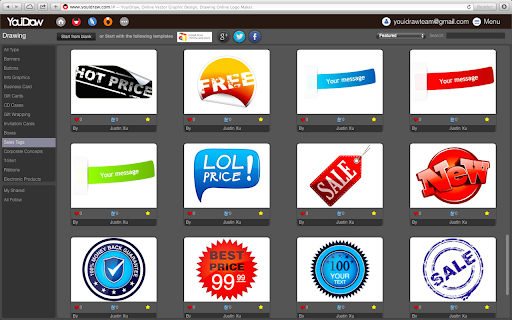
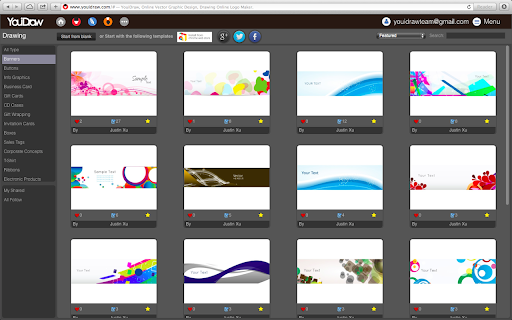
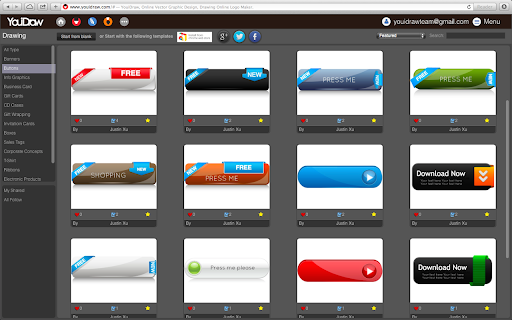
You have hundreds of different style to apply, include gradient, simple and artistic styles. Many different kinds of shapes and basic icons you can use to create your work quickly. Templates graphic will improve your work and help you to get high efficiency!

2. Many different kinds of Tools you can use, such as: Pen, Pencil, Brush, Switch elements to point edit mode, straight line, curve arc, etc,.

3. Easy create text & shapes:
Use shapes and text button create a shape into canvas: rectangle, round-corner rectangle, ellipse, convex, concave, gear.

4. Text & Shape Effects
Fill: Set color, gradient or pattern for your design;
Stroke: The Solid, Dotted, Dashed, DashDoted four types stroke;
Opacity;
Drop Shadow / Inner Shadow;
Outer Glow / Inner Glow;
Reflection & Blur effect;
Light Effect: 3 different light onto your shape or text to get more amazing artistic effect.

5. SVG insert & edit:
Change to edit mode, you can see some point on it, Click and drag the point to change position, or double click to change the point to curve. Use the assist point to change curve, or hold “command” or “control” key to adjust one of two assist point.

6. Transform:
Change Size, Position, Scale, Skew and Rotate for your shape or text.
Align for multiple shapes at once.
Adjust order for shapes, take it forward or backward, to top or bottom.

7. Shape combine
Five different combine mode: Union / Subtract / Intersect / Exclude / Divide

8. Share and Download
Export your design to PDF, SVG, PNG, JPG, etc,. Share to our template library to get high rank and followers.
Technical
- Version
- 1.0.2
- Manifest
- V2
- Size
- 17.16KiB
- Min Chrome
- —
- Languages
- 1
- Featured
- No
Metadata
- ID
- aikhfheacnblpdjdkmhcpmoijiafinpd
- Developer ID
- u9063bfd9f206e3b602e9cd7ec6cdc78b
- Developer Email
- —
- Created
- Jul 2, 2014
- Last Updated (Store)
- Dec 4, 2019
- Last Scraped
- May 22, 2026
- Website
- youidraw.com
- Privacy Policy
- —
Similar extensions
Alternatives to YouiDraw Drawing, ranked by description similarity.

YouiDraw Logo Creator
Online Logo Maker for create high quality vector logo, headings, icons, web elements and buttons on html5 canvas.
40.0K
★ 3.2

Vector Ink
The Vector Ink Chrome Extension
744
★ 3.0

Pictographr Graphic Designer for Drive
Design visual content for presentations and marketing campaigns. Search images, drag/drop to layout graphics and text.
1.0K
★ 4.0

Best AI Art Generator (Free) - DiffusionDraw
A free AI art generator, unleash artistic brilliance without any cost, turning your ideas into captivating visual wonders!
10.0K
★ 4.8

Shape Canvas Tool
Design and export SVG/PNG icons directly in the browser
6

Vector Artist
Edit SVG files online
202
★ 1.3

PosterMyWall
Create amazing Posters and Flyers in minutes. Thousands of templates, free downloads and easy tools.
10.0K
★ 4.4

Designapp Graphic Design
Designapp is an easy to use graphic design tool with many free design elements.
2.0K
★ 2.4
Data sourced from the Chrome Web Store · last verified May 22, 2026.