
VPN CX Net
Configure and toggle HTTP/SOCKS proxy for Chrome and Firefox
As of June 2026, VPN CX Net has 13 users in the Productivity category.
Usersup 333.3 percent+333.3%
13
13
Ratingno change0%
—
— reviews
Reviewsno change0%
—
Version
1.0.5
Manifest V3
History
9 snapshotsTracking since Apr 1, 2026.
View as table
| Date | Users | Rating | Reviews | Version |
|---|---|---|---|---|
| Apr 1, 2026 | 3 | — | — | 1.0.5 |
| Apr 17, 2026 | 3 | — | — | 1.0.5 |
| Apr 22, 2026 | 12 | — | — | 1.0.5 |
| Apr 27, 2026 | 9 | — | — | 1.0.5 |
| May 10, 2026 | 10 | — | — | 1.0.5 |
| May 22, 2026 | 11 | — | — | 1.0.5 |
| May 28, 2026 | 8 | — | — | 1.0.5 |
| Jun 4, 2026 | 7 | — | — | 1.0.5 |
| Jun 10, 2026 | 9 | — | — | 1.0.5 |
| Now | 13 | — | — | 1.0.5 |
Permissions & access
- Permissions
- proxystoragenativeMessagingwebRequestwebRequestAuthProviderdeclarativeNetRequestWithHostAccess
- Host access
- <all_urls>
Screenshots
About
VPN CX Net is a small tool VPN browser.

If you have "Firefox: enable Private Browsing access for this extension." go watch this : https://www.youtube.com/watch?v=yRkpfEjUQU8

What it does :
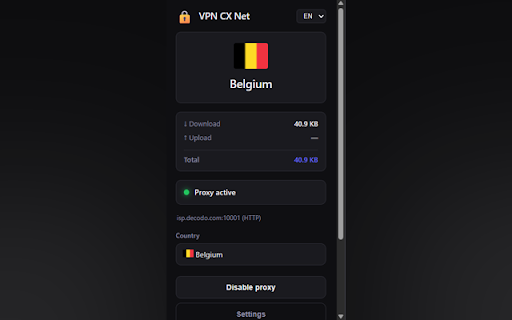
Sometimes you want the internet to go a different way—like taking another road. This add-on lets you turn that on or off with one click.

What you see :
You can pick a country from a list (like choosing where you want to “pretend” to be). There is also a “Random” choice if you don’t want to choose yourself.

Settings :
If you like, you can add a special key from a service called Decodo to get more places in the list. You don’t have to—there is already a normal list.

Important on Firefox :
Firefox may ask you to allow this add-on in private windows. If it does, follow the little steps in the settings page. It’s just so the add-on is allowed to change how Firefox connects.

Privacy in simple words :
The add-on needs permission to change how your browser connects and to remember your choices on your computer. It does not read your passwords on websites. Extra online lists only work if you put in a key.
Technical
- Version
- 1.0.5
- Manifest
- V3
- Size
- 44.67KiB
- Min Chrome
- 88
- Languages
- 1
- Featured
- No
Metadata
- ID
- aibpfjedhffejagfakdaicncdiojahjg
- Developer ID
- uf478831a0bf970ba8f6fb559e6d82589
- Developer Email
- [email protected]
- Created
- Mar 23, 2026
- Last Updated (Store)
- Mar 31, 2026
- Last Scraped
- Jun 10, 2026
- Website
- —
Data sourced from the Chrome Web Store · last verified Jun 10, 2026.