
autoPath
A Chrome extension that lets QA engineers hover, click, and instantly copy any element’s CSS selector or XPath.
As of May 2026, autoPath has 37 users in the Developer Tools category.
Usersup 37.0 percent+37.0%
37
37
Ratingno change0%
—
— reviews
Reviewsno change0%
—
Version
1.1
Manifest V3
History
4 snapshotsTracking since Apr 19, 2026.
View as table
| Date | Users | Rating | Reviews | Version |
|---|---|---|---|---|
| Apr 19, 2026 | 27 | — | — | 1.1 |
| May 4, 2026 | 33 | — | — | 1.1 |
| May 13, 2026 | 36 | — | — | 1.1 |
| May 25, 2026 | 33 | — | — | 1.1 |
| Now | 37 | — | — | 1.1 |
Permissions & access
- Permissions
- activeTabscriptingclipboardWritestoragecontextMenus
- Host access
- <all_urls>
Screenshots


About
autoPath - Precision Element Selectors Made Simple

Overview
autoPath is a Manifest V3 Chrome extension designed for QA engineers and front-end developers, making it easy to capture and manage robust CSS selectors and XPath values. With a focus on speed and simplicity, autoPath helps you build reliable test scripts without hassle.


Key Features
🖱️ Live Selector Preview: Hover over any element to instantly view its CSS selector and XPath in a tooltip.
📋 One-Click Capture: Click any element to capture its selector or XPath with a single tap.
📝 Recent History: Automatically saves your last five captures for quick reuse.
🔗 LinkedIn Button: If you encounter any issues, you can report them directly to the developer for quick assistance.
🎯 Minimal UI: Clean, straightforward design for fast workflows, featuring read-only fields and responsive copy buttons.
🚀 Zero Setup: Just load the extension in Developer Mode – no external dependencies required.
🔐 Lightweight and Secure: Built with vanilla JavaScript, HTML, and CSS, following Chrome Extension best practices.


How to Use
Install autoPath from the Chrome Web Store.
Hover over any web element to preview its selector.
Click the element to capture its CSS or XPath.
Open the popup to view your captured selectors, including your recent history.
Use the LinkedIn button to share your issues directly to the developer.
Technical
- Version
- 1.1
- Manifest
- V3
- Size
- 34.45KiB
- Min Chrome
- 88
- Languages
- 1
- Featured
- No
Metadata
- ID
- ahnnnalmdcgnijmnjfhgaickghbdfbjm
- Developer ID
- uf3e48c625ac727c9a609a8ca45d92cd2
- Developer Email
- [email protected]
- Created
- May 18, 2025
- Last Updated (Store)
- May 21, 2025
- Last Scraped
- May 25, 2026
- Website
- —
- Support URL
- —
- Privacy Policy
- https://sundayproduct.com/privacy-policy
Similar extensions
Alternatives to autoPath, ranked by description similarity.

xPath Helper PRO
Easily test XPath queries on web pages
602
★ 5.0

YZ-Path
A free tool to capture XPath of web elements from a webpage
12
★ 5.0

AutoLocatr
Generate automation locators from any webpage for different languages & frameworks.
—
★ 5.0

AutoMate – CSS Selector XPath Locator Finder
Generate & validate CSS/XPath locators for web automation. Works with Selenium, Playwright & Cypress. Highlight elements too.
200
★ 5.0
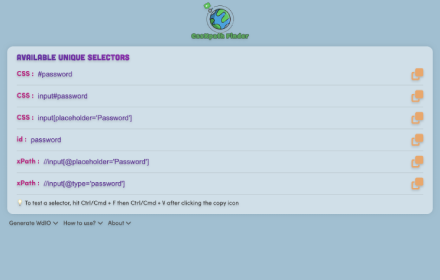
CssXpath Finder
The best CSS & Xpath finder for your web automation!
210
★ 5.0

Web Element Selector Generator
Generate XPath and CSS selectors for web elements.
60
★ 5.0

Xpather
Find, generate and test XPath expressions. Smart variants, element picker, zero telemetry.
52

XPath Finder Pro
Streamline automation with instant unique XPath/CSS generation, smart verification, and a premium draggable UI.
20
★ 5.0
Data sourced from the Chrome Web Store · last verified May 25, 2026.