
YouTube Russian Content Filter
Filters out Russian content from YouTube listings.
As of June 2026, YouTube Russian Content Filter has 580 users and a 3.65/5 rating from 17 reviews in the Social & Communication category.
Usersdown 15.5 percent−15.5%
580
580
Ratingno change0%
3.65
17 reviews
Reviewsno change0%
17
Version
1.1.4
Manifest V3
History
7 snapshotsTracking since Apr 6, 2026.
View as table
| Date | Users | Rating | Reviews | Version |
|---|---|---|---|---|
| Apr 6, 2026 | 686 | 3.65 | 17 | 1.1.4 |
| Apr 20, 2026 | 649 | 3.65 | 17 | 1.1.4 |
| Apr 30, 2026 | 574 | 3.65 | 17 | 1.1.4 |
| May 9, 2026 | 570 | 3.65 | 17 | 1.1.4 |
| May 17, 2026 | 574 | 3.65 | 17 | 1.1.4 |
| May 26, 2026 | 577 | 3.65 | 17 | 1.1.4 |
| Jun 5, 2026 | 567 | 3.65 | 17 | 1.1.4 |
| Now | 580 | 3.65 | 17 | 1.1.4 |
Permissions & access
- Permissions
- activeTabstorage
- Host access
- https://www.youtube.com/*, https://translate.googleapis.com/*
Screenshots

About
Antirus (YouTube Russian Content Filter) is a powerful and user-friendly Chrome extension designed to help users stay safe from Russian propaganda and misinformation by automatically detecting and removing Russian content from YouTube. With the increasing number of cyber attacks and disinformation campaigns, it's more important than ever to protect yourself from exposure to potentially harmful content.

Key Features:

Automatic detection and removal of Russian content: Antirus uses advanced language detection algorithms to identify Russian content on YouTube and instantly removes it from your view. The plugin works seamlessly on the YouTube main page, search results page, and subscriptions page.

Real-time protection: The plugin constantly monitors your YouTube browsing experience and removes Russian content as soon as it is detected. You can enjoy a cleaner and safer browsing experience without any manual intervention.

Easy-to-use controls: Antirus provides simple ON/OFF controls to enable or disable the plugin as per your preference. You can easily switch between the modes with just a click.

Efficient and lightweight: The plugin is optimized for performance and consumes minimal system resources, ensuring a smooth and uninterrupted browsing experience.

How to Use:

Install the Antirus extension from the Chrome Web Store.
The plugin is active by default. Browse YouTube, and Russian content will be automatically removed from your view.
To disable the plugin, click the extension icon in the toolbar, and then click the OFF button. To re-enable, click the ON button.
Stay informed and protect yourself from disinformation with Antirus, the ultimate Russian content blocker for YouTube. Download and install the extension now to enjoy a safer and cleaner browsing experience.

Note: Antirus is not affiliated with or endorsed by YouTube or Google. It is an independent extension developed to help users stay safe from exposure to Russian propaganda and misinformation.

Disclaimer: This plugin relies on third-party translation services for language detection. While the plugin is designed to be accurate in detecting and removing Russian content, there may be occasional false positives or negatives. The developer is not responsible for any unintended consequences resulting from the use of this plugin.
Technical
- Version
- 1.1.4
- Manifest
- V3
- Size
- 9.54MiB
- Min Chrome
- 88
- Languages
- 1
- Featured
- Yes
Metadata
- ID
- ahmpjonfeelmnhcnhgjelijjjcikgfao
- Developer ID
- u576f81048c29f5ff2edac5a7db668450
- Developer Email
- [email protected]
- Created
- Apr 16, 2023
- Last Updated (Store)
- Jan 3, 2026
- Last Scraped
- Jun 5, 2026
- Website
- https://whileweb.com/
- Support URL
- https://www.antirus.org/
- Privacy Policy
- https://www.antirus.org/privacy-policy/
Similar extensions
Alternatives to YouTube Russian Content Filter, ranked by description similarity.

Offensive Language Filter
This extension filters offensive language on web pages.
—
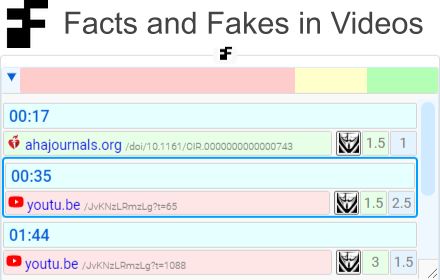
Facts and Fakes in video
Fact check in video for Youtube and Rutube
135
★ 5.0

YouTube Channels Blacklist
Hide videos from blacklisted YouTube channels.
12

YouTube Adblocker
Instantly block all YouTube™ ads for faster, cleaner, ad‑free videos.
10.0K
★ 4.8

Reddit Untranslate
Automatically redirects Reddit URLs by removing ?tl=xx from the query string + optional toggle for Google query modification
20.0K
★ 4.8

Adblock Youtube NoADS
Adblock Youtube For Chrome. Ad Block & Skip Ad.
3.0K
★ 4.0
Hate Speech Blocker
Block offensive language and hate speech on popular social media sites.
43
★ 2.0

Channel Blocker
Allows you to block YouTube™ videos and comments by blacklisting users and/or by using regular expressions.
100.0K
★ 3.4
Data sourced from the Chrome Web Store · last verified Jun 5, 2026.