
My Extension
Redirect to a webpage
As of June 2026, My Extension has 2 users in the Education category.
Usersno change0%
2
2
Ratingno change0%
—
— reviews
Reviewsno change0%
—
Version
1.0
Manifest V3
History
1 snapshotsTracking since Jun 2, 2026.
Not enough history yet for this metric — the chart fills in as we collect more snapshots.
View as table
| Date | Users | Rating | Reviews | Version |
|---|---|---|---|---|
| Jun 2, 2026 | — | — | — | 1.0 |
| Now | 2 | — | — | 1.0 |
Permissions & access
- Permissions
- activeTab
- Host access
- None declared
Screenshots
About
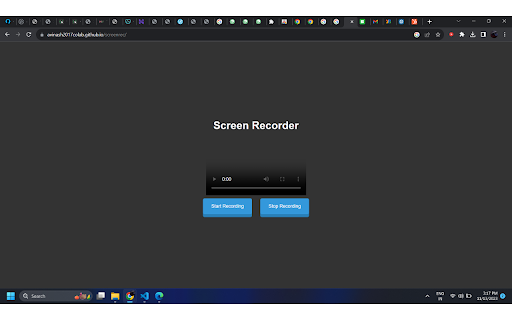
Screen recording is the process of capturing the visual content of a computer or mobile device screen, along with any accompanying audio. This technology has various uses across different contexts:

1. Tutorials and How-To Guides:
   - Screen recording is commonly used to create tutorials and how-to guides. It allows individuals to demonstrate a process or explain a concept by recording their actions on a computer or mobile device.

2. Software Demonstrations:
   - Developers and software companies often use screen recording to create demonstrations of their software or applications. This can be useful for marketing purposes or for providing users with a preview of the software's features.

3. Bug Reporting:
   - When users encounter software bugs or issues, they can use screen recording to capture the problem as it occurs. This helps developers understand the issue more effectively than written descriptions alone.

4. Remote Collaboration:
   - Screen recording can be a valuable tool for remote collaboration. Team members can record their screens to show progress, share ideas, or provide feedback on a project.

5. Gaming and Streaming:
   - Gamers often use screen recording to capture their gameplay and share it with others. Additionally, live streaming platforms use screen recording to broadcast live gameplay to audiences.

6. Educational Purposes:
   - Teachers and educators can use screen recording to create educational content, record lectures, or demonstrate concepts to students. This is particularly useful in remote or online learning environments.

7. Content Creation:
   - Content creators, such as YouTubers or social media influencers, use screen recording to capture and share content creation processes, software reviews, or any digital activity they want to showcase.

8. Customer Support:
   - Customer support teams can use screen recording to guide users through troubleshooting processes. This can be more effective than written instructions, as users can visually see the steps being taken.

9. Documentation:
   - Screen recording is valuable for creating documentation, especially for software or technical processes. It provides a visual guide that can complement written instructions.

10. Quality Assurance:
    - In software development, quality assurance teams use screen recording to document and communicate issues, errors, or unexpected behavior encountered during testing.

When using screen recording, it's important to consider privacy and legal implications, ensuring that you have the right to record the content and that sensitive information is handled appropriately. Additionally, there are various screen recording tools available, ranging from built-in features in operating systems to third-party applications with advanced features.
Technical
- Version
- 1.0
- Manifest
- V3
- Size
- 19.11KiB
- Min Chrome
- 88
- Languages
- 1
- Featured
- No
Metadata
- ID
- ahjpkkffpemcpnlckblaiglghmbpbbog
- Developer ID
- u7660b0123bb65e9b79dc91d01beedbed
- Developer Email
- [email protected]
- Created
- Nov 18, 2023
- Last Updated (Store)
- Nov 18, 2023
- Last Scraped
- Jun 2, 2026
- Website
- —
- Support URL
- —
Similar extensions
Alternatives to My Extension, ranked by description similarity.

Recorder
Screen Recording with Simple Setup
281
★ 5.0

Edu Capture Pro
Capture and record your screen in high-quality 720p resolution. Become a KOFIKLUB Member Today!
2

FUNiX Recorder
Support recording screen videos of online classes by FUNiX on Google Meet.
16

ScreenShot Snap
Capture a ScreenShot of a video and Convert it to Pdf or download it as Image
290
★ 4.1

Learn Capture Lite
Capture and record your screen in high-quality 480p resolution with ease. Become a KOFIKLUB Member Today!
—

CourseForge Capture
Record web interactions to generate AI videos, simulations, walkthroughs, and PDF job aids in CourseForge.
1

edpuzzle
Import your favorite educational YouTube video into Edpuzzle with a click!
500.0K
★ 4.2

GuideToDocs: Record step-by-step → Share as Google Docs, PDF, Word, Image
GuideToDocs generates user manuals and SOPs with auto-screenshots. Get perfect step-by-step instructions & how-to guides in seconds!
1.0K
★ 5.0
Data sourced from the Chrome Web Store · last verified Jun 2, 2026.