
OCW Expander
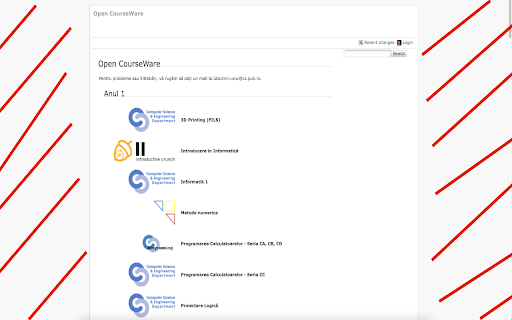
Chrome extension that makes ocw.cs.pub.ro full width!
As of June 2026, OCW Expander has 12 users and a 5.00/5 rating from 2 reviews in the Developer Tools category.
Usersdown 7.7 percent−7.7%
12
12
Ratingno change0%
5.00
2 reviews
Reviewsno change0%
2
Version
1.0
Manifest V3
History
3 snapshotsTracking since Apr 1, 2026.
View as table
| Date | Users | Rating | Reviews | Version |
|---|---|---|---|---|
| Apr 1, 2026 | 13 | 5.00 | 2 | 1.0 |
| May 3, 2026 | 14 | 5.00 | 2 | 1.0 |
| Jun 2, 2026 | 13 | 5.00 | 2 | 1.0 |
| Now | 12 | 5.00 | 2 | 1.0 |
Permissions & access
- Permissions
- None declared
- Host access
- None declared
Screenshots
About
Chrome extension that makes ocw.cs.pub.ro full width!
It inserts 2 lines of css at page load, for every page on the website.
This way we can benefit the full width of our screens when browsing through OCW.
Technical
- Version
- 1.0
- Manifest
- V3
- Size
- 14.76KiB
- Min Chrome
- 88
- Languages
- 1
- Featured
- Yes
Metadata
- ID
- ahebijmdaijbamimcgagkfnjmebedbhp
- Developer ID
- udb660a3fc6433df6b5744cd3a15b8da4
- Developer Email
- [email protected]
- Created
- Oct 14, 2021
- Last Updated (Store)
- Oct 14, 2021
- Last Scraped
- Jun 2, 2026
- Website
- —
- Support URL
- —
- Privacy Policy
- —
Similar extensions
Alternatives to OCW Expander, ranked by description similarity.

StackOverflow widener
Remove width limitations of stackoverflow.com
7

CSS Injector
Upload CSS on websites without even refreshing! (Client-Side)
291

Device Simulator
Simulate mobile and tablet devices on any webpage with realistic device metrics and visual frames.
—

Widet3
Make the narrow chat window wider in t3chat.
7

Html Css Online
With html css online, you can directly edit HTML, CSS and JavaScript... Editor left is code and right is preview
232
★ 3.5

Codesubmit widener
Makes Codesubmit.io use the full browser width. Not affiliated with Codesubmit.io in any way.
—

Web EditorConfig
Customize tab-width rendering on GitHub
34

CSS Debugger
Instantly debug CSS layouts by adding colorful outlines to HTML elements. Easily identify and inspect elements with a simple click.
617
★ 5.0
Data sourced from the Chrome Web Store · last verified Jun 2, 2026.