
Superdense
Manage your bookmarks with ease. Linked to your Superdense account.
As of June 2026, Superdense has 480 users and a 5.00/5 rating from 6 reviews in the Workflow & Planning category.
Usersdown 5.1 percent−5.1%
480
480
Ratingno change0%
5.00
6 reviews
Reviewsno change0%
6
Version
0.11.0
Manifest V3
History
3 snapshotsTracking since Apr 1, 2026.
View as table
| Date | Users | Rating | Reviews | Version |
|---|---|---|---|---|
| Apr 1, 2026 | 506 | 5.00 | 6 | 0.11.0 |
| May 3, 2026 | 494 | 5.00 | 6 | 0.11.0 |
| Jun 2, 2026 | 525 | 5.00 | 6 | 0.11.0 |
| Now | 480 | 5.00 | 6 | 0.11.0 |
Permissions & access
- Permissions
- tabstabGroups
- Host access
- https://*/*, http://*/*
Screenshots

About
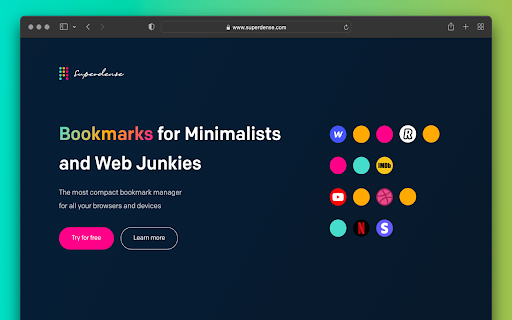
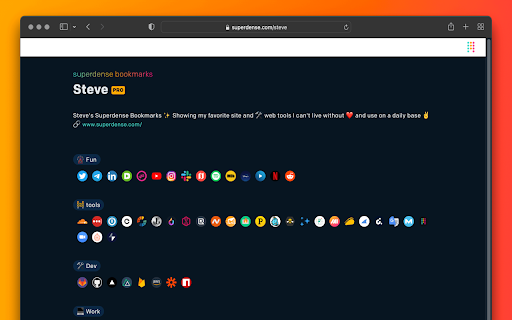
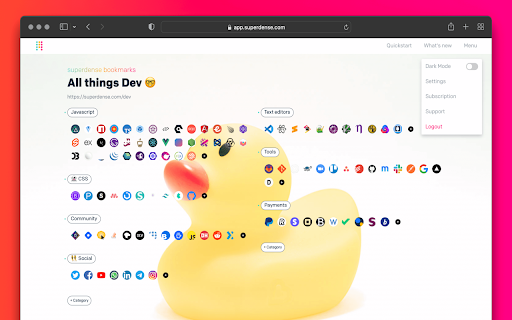
Overview No text, just icons. The most compact bookmark manager for all your browsers and devices. All your favorite sites are just 1 click away. Superdense means "of extremely great density and highly compact." That's precisely what we had in mind when building this tool to manage your web favorites. Superdense is no bookmark manager in the oldskool kind of way, as there are 99 tools available to store your long list of web URLs. Superdense is different, as it's optimized to display as many bookmarks as possible in the least amount of space by focussing on one key element: ✨ favicons ✨ If you're a bit like me, you probably have 20+ tabs open before you finished your first coffee in the morning. And how do you know what browser tab to click? That's right, the favicon. We created Superdense to bypass the limitations of the bookmarks bar with its single row of links. With Superdense, you can create multiple categories, add unlimited bookmarks, drag and drop to have the icons in your preferred order and be ready to make it another wonderful day with all your favs at the click of a button. No problem to store like 200 bookmarks and have them all above the fold. Don't mind a little scrolling: just keep adding categories and bookmarks, as many as you want. ⭐ What you can do with Superdense: ✅ Add unlimited bookmarks and categories 💻 Access your favorites in all your browsers on all devices ↔️ Drag and drop to organize bookmarks and categories 📣 Public profile: promote your portfolio sites and endorse the tools you use most often 🔐 Privacy settings: Mark categories as public or private to show or hide on your public page 👉 Upload custom icons ℹ️ Public Page bio & link 🎟 Invite team members (team plan or higher) 🎨 Themes for custom styling 🪧 Remove branding (company plan) 🌐 Custom domain (company plan) ⭐ Chrome Extension How to use the Chrome Extension to add bookmarks to your Superdense account: 1. Make sure you have your Superdense created and verified at app.superdense.com 2. Install the extension. 3. Simply pin the superdense extension and click on the icon on any page you wish to bookmark. 4. Select or create a new suitable category for your bookmark and save 5. Refresh your Superdense app page and voila! 6. With the extension installed, you can now open an entire category in a new tab group ⭐ Useful links 🧠 Support docs: https://help.superdense.com/ 💁♂️ FAQ: https://help.superdense.com/article/2/faq 🚀 roadmap: https://roadmap.superdense.com/ Happy bookmarking!
Technical
- Version
- 0.11.0
- Manifest
- V3
- Size
- 675KiB
- Min Chrome
- 88
- Languages
- 1
- Featured
- Yes
Metadata
- ID
- ahbpbcpfaojinpeibbhnnjcoglmplkfj
- Developer ID
- udc06f22586a507debd918d64a8ffd2ef
- Developer Email
- [email protected]
- Created
- May 1, 2022
- Last Updated (Store)
- Jan 8, 2023
- Last Scraped
- Jun 2, 2026
- Website
- —
- Support URL
- https://www.superdense.com/about
- Privacy Policy
- https://www.superdense.com/privacy
Similar extensions
Alternatives to Superdense, ranked by description similarity.

Bookmark manager
Optimize your browsing with Bookmark Manager extension. Easily organize and manage bookmarks for a seamless browsing experience.
1.0K
★ 2.9

BruteBookmarks Quick Save
Save pages to BruteBookmarks from any tab, with or without an account.
—

Bookmark Dock | RUPUPU
Display bookmarks on your home screen
4

Bookmark Manager + Quick Search
Search, organize, and manage your bookmarks the smart way. Instant results every time.
542
★ 3.7

Bookmark Enhancer
Enhance your bookmarks with notes, tags, search, and reminders
4
★ 5.0

SuperMark - Bookmark Manager
Browse Chrome bookmarks in a file-manager style view with sorting.
—

SortSites - Chrome Bookmarks Manager & Organizer
A personalized chrome bookmark manager and organiser
4

Simple Start
Highly customizable new tab extension with categorized bookmark groups
17
★ 5.0
Data sourced from the Chrome Web Store · last verified Jun 2, 2026.