
Image and Video Blocker
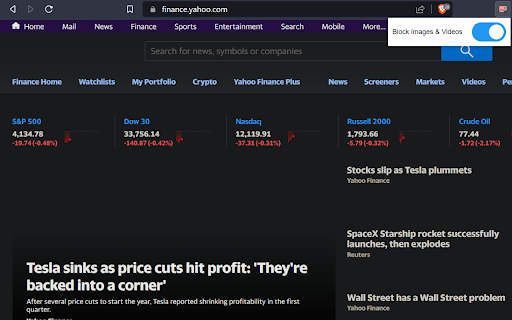
Blocks images and videos on user selected sites. Flip the toggle or use the Alt+i hotkey to turn on or off.
As of June 2026, Image and Video Blocker has 146 users and a 5.00/5 rating from 1 reviews in the Workflow & Planning category.
Usersup 8.1 percent+8.1%
146
146
Ratingno change0%
5.00
1 reviews
Reviewsno change0%
1
Version
1.0
Manifest V3
History
3 snapshotsTracking since Apr 1, 2026.
View as table
| Date | Users | Rating | Reviews | Version |
|---|---|---|---|---|
| Apr 1, 2026 | 135 | 5.00 | 1 | 1.0 |
| May 3, 2026 | 136 | 5.00 | 1 | 1.0 |
| Jun 2, 2026 | 132 | 5.00 | 1 | 1.0 |
| Now | 146 | 5.00 | 1 | 1.0 |
Permissions & access
- Permissions
- storagetabsactiveTab
- Host access
- None declared
Screenshots


About
The "Image and Video Blocker" hides images and videos on selected sites. Add and remove sites via the options page (right click on the extension, click options). Adding sites also has the option to match on subdomains or not. Flip the extension toggle or use the Alt+i hotkey to turn the extension on or off.

Hide distracting images!

Built with the help of ChatGPT.
Technical
- Version
- 1.0
- Manifest
- V3
- Size
- 22.76KiB
- Min Chrome
- 88
- Languages
- 1
- Featured
- No
Metadata
- ID
- agnlmjdmbiklbnjpcnbdlceafaodegnb
- Developer ID
- u418e6210b112d1aa67827ed35b24b5e2
- Developer Email
- [email protected]
- Created
- Sep 15, 2023
- Last Updated (Store)
- Sep 15, 2023
- Last Scraped
- Jun 2, 2026
- Website
- —
- Support URL
- —
- Privacy Policy
- —
Similar extensions
Alternatives to Image and Video Blocker, ranked by description similarity.

Hide Images/Videos
This extension hides images and videos for less distractions.
3.0K
★ 4.0

Image Blocker
An extension that simplifies browsing by letting you easily hide or show images with a single click.
336
★ 5.0

Sophrosyne
Fully blocks distracting media content, including downloads.
2
★ 5.0

Eclipse Image blocker
Base Level Extension to block these pesky images
3
★ 5.0

BlurImage
This extension will blur all images in img tags on the page. Can whitelist by domains
250
★ 4.4

Unseen - The best protection for your eyes!
Keep your eyes holy while browsing the web. Blurs images & videos, allows for revealing on hover, custom site settings, and more!
101
★ 5.0

Bhai Kya Kar Raha Hai Tu
This extension shows 'bhai kya kar raha hai tu' meme when user opens a block-listed website.
120
★ 5.0

CCBlock - Block Sites
Block any page and youtube titles
8
★ 5.0
Data sourced from the Chrome Web Store · last verified Jun 2, 2026.