
Hide n' Seek: Hide Promoted Jobs & Companies
View the jobs you seek. Hide the ones you don't. Easily hide promoted jobs, companies, and more on LinkedIn, Indeed, and Glassdoor.
As of June 2026, Hide n' Seek: Hide Promoted Jobs & Companies has 6,000 users and a 4.75/5 rating from 68 reviews in the Social & Communication category.
Usersno change0%
6.0K
6,000
Ratingup 0.2 percent+0.2%
4.75
68 reviews
Reviewsup 4.6 percent+4.6%
68
Version
9.0.2
Manifest V3
90-day change · In the last 90 days this extension 4 version updates.
History
9 snapshotsTracking since Apr 16, 2026.
View as table
| Date | Users | Rating | Reviews | Version |
|---|---|---|---|---|
| Apr 16, 2026 | 6.0K | 4.74 | 65 | 8.2.2 |
| Apr 22, 2026 | 6.0K | 4.74 | 65 | 8.2.2 |
| Apr 27, 2026 | 6.0K | 4.74 | 65 | 8.3.1 |
| May 11, 2026 | 6.0K | 4.74 | 65 | 8.3.2 |
| May 23, 2026 | 7.0K | 4.74 | 65 | 8.3.2 |
| May 28, 2026 | 8.0K | 4.70 | 67 | 9.0.1 |
| Jun 2, 2026 | 9.0K | 4.70 | 67 | 9.0.2 |
| Jun 10, 2026 | 9.0K | 4.75 | 67 | 9.0.2 |
| Jun 22, 2026 | 9.0K | 4.75 | 68 | 9.0.2 |
| Now | 6.0K | 4.75 | 68 | 9.0.2 |
Permissions & access
- Permissions
- scriptingstoragetabs
- Host access
- None declared
Screenshots


About
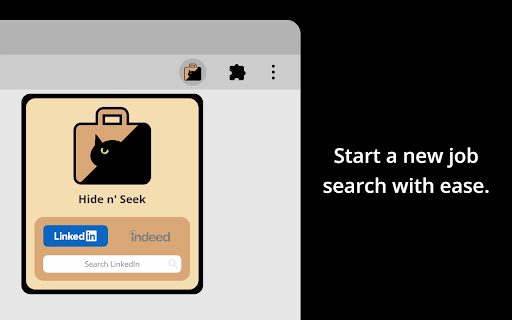
Hide n' Seek lets you easily remove promoted job postings and companies from your search results on LinkedIn, Indeed, and Glassdoor. You can also block job listings by keyword.

⭐ Usage
❗IMPORTANT: The first time you use Hide n' Seek on a job board you'll need to grant permissions in order for it to work, otherwise you won't see the block buttons on the listings. You'll know if you need to grant permissions if you see a yellow alert notification bubble next to the Hide n' Seek button on your browser's toolbar. You can grant permissions by clicking the Hide n' Seek button and then clicking the "Enable Hide n' Seek on {Job Board}" button.

You can search for a job by clicking the Hide n' Seek button on the browser's toolbar or you can go directly to a supported job board's website to perform your search if you prefer.

“Block” buttons are added next to every listing. If you see a listing you don’t like, simply click the button to hide it. By default, the listing will be hidden under an overlay. Alternatively, you can completely eliminate it from search results by enabling the “Do not display hidden jobs” option.

To hide promoted jobs, click the “block” button on any promoted listing and then activate the “Promoted” toggle.

To hide jobs by keyword, visit one of the supported job boards, click the Hide n' Seek button on your browser's toolbar, and then add keywords using the "Block by keyword" field.

You can also view a list of everything you've hidden, and backup and restore your data by clicking the Hide n’ Seek button on your browser’s toolbar.

📋Supported Job Boards
Glassdoor
Indeed
LinkedIn

🔒 Privacy
Your data remains completely private and is never shared. All data is stored locally on your device and may sync across your devices if browser synchronization is enabled.

🔑 Permissions
Hide n' Seek requires browser permissions to function. When you first try to use it on a job board, you'll be asked to grant permissions.

"Read and change your data on all {Job Board} sites"
This permission allows the addition of "Block" buttons and other UI elements to listings.

"Read your browsing history"
This permission enables the detection of LinkedIn, Indeed, and Glassdoor so the extension knows when to look for listings.

Permissions are granted for a specific job board, so if you use multiple job boards, such as LinkedIn and Indeed, you'll need to grant permissions for each one individually.

Some job boards, such as Glassdoor, use many country-specific domains (for example glassdoor.com, glassdoor.co.uk, glassdoor.ca), and in these cases Hide n' Seek will ask for permissions for all the domains used by the job board.
Technical
- Version
- 9.0.2
- Manifest
- V3
- Size
- 365KiB
- Min Chrome
- 88
- Languages
- 1
- Featured
- Yes
Metadata
- ID
- agghbaheofcoecndkbflbnggdjcmiaml
- Developer ID
- ucdb3a9f6278b0d023bca4a1af4f839aa
- Developer Email
- [email protected]
- Created
- Jan 2, 2023
- Last Updated (Store)
- May 25, 2026
- Last Scraped
- Jun 22, 2026
- Website
- damianmgarcia.com
- Privacy Policy
- https://github.com/damianmgarcia/Hide-n-Seek
Similar extensions
Alternatives to Hide n' Seek: Hide Promoted Jobs & Companies, ranked by description similarity.

Job Search Filter — Hide Applied, Reposted Jobs, Companies, and Keywords
Save time and focus on better opportunities — organize your job search on popular platforms, build resumes, and track applications.
2.0K
★ 4.0

LINKEDIN JOBS Cleaner
Hide sponsored, duplicate, applied, saved, and unwanted LinkedIn Jobs results with local filters.
6
★ 5.0

LinkedIn Jobs Blocker
Easily hide job listings on LinkedIn based on companies or status.
53
★ 5.0

FeedJobs - Find Jobs from LinkedIn Feeds
Extracts job posts from LinkedIn Feed. Catch startup & local roles that never hit job boards. Manage and Export in Excel/CSV/JSON.
60
★ 5.0

LinkedIn Job Hider
Hides job listings from specified companies on LinkedIn.
—

LinkedIn Job Metrics Overlay
See real applies and views on LinkedIn job posts, with quick pills in the feed.
1
★ 5.0

Hide Suggested & Sponsored Posts for LinkedIn
Hide sponsored & suggested LinkedIn posts. 20+ languages, dark mode, whitelist & shortcuts.
28
★ 1.0

Jobs Filterer for LinkedIn
Filter jobs you don't want to see from LinkedIn search results and recommended jobs.
215
★ 5.0
Data sourced from the Chrome Web Store · last verified Jun 22, 2026.