
New Tab: Custom URL
Set your new tab to a custom URL, local file, browser page, or quiet blank page.
As of June 2026, New Tab: Custom URL has — users in the Functionality & UI category.
Usersno change0%
—
—
Ratingno change0%
—
— reviews
Reviewsno change0%
—
Version
1.0.0
Manifest V3
History
1 snapshotsTracking since Jun 19, 2026.
Not enough history yet for this metric — the chart fills in as we collect more snapshots.
View as table
| Date | Users | Rating | Reviews | Version |
|---|---|---|---|---|
| Jun 19, 2026 | — | — | — | 1.0.0 |
| Now | — | — | — | 1.0.0 |
Permissions & access
- Permissions
- storage
- Host access
- None declared
Screenshots



About
New Tab: Custom URL lets you choose what opens when you create a new tab.

Use a website, local HTML file, browser page, or a quiet blank page. The extension is intentionally small and does not include analytics, ads, content scripts, search changes, background scripts, or broad site permissions.

Popular choices:

1. https://google.com
2. https://chat.openai.com
3. https://www.bing.com
4. about:blank
5. file:///C:/Documents/start.html

Features:

Custom URL or local file
Address-bar workflow mode
Page-focus mode
Dark, light, or system blank page
Custom blank/redirect background color
Optional Chrome sync
Toolbar popup for quick changes
Reset button
No tracking

Notes:

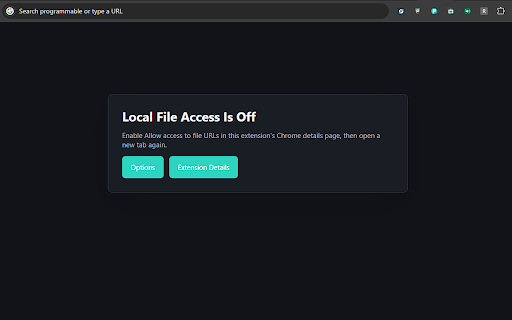
Local files require Chrome's separate "Allow access to file URLs" toggle.
Incognito use requires Chrome's separate "Allow in incognito" toggle.
Browser-controlled address-bar behavior can vary across Chrome and Chromium versions.
Technical
- Version
- 1.0.0
- Manifest
- V3
- Size
- 15.86KiB
- Min Chrome
- 88
- Languages
- 1
- Featured
- No
Metadata
- ID
- agdlledcbbecekajeeapdaklfkpbpbli
- Developer ID
- ua9bd7b9cb524c3d81c259f4392177b76
- Developer Email
- [email protected]
- Created
- Jun 18, 2026
- Last Updated (Store)
- Jun 18, 2026
- Last Scraped
- Jun 19, 2026
- Website
- —
Data sourced from the Chrome Web Store · last verified Jun 19, 2026.