
Keep Overview: Google Search Console Analytics
Google Search Console analytics for the current page. Google OAuth sign-in; optional rank tracking sync via app.k-o.pro.
As of June 2026, Keep Overview: Google Search Console Analytics has 4 users in the Productivity category.
Usersup 33.3 percent+33.3%
4
4
Ratingno change0%
—
— reviews
Reviewsno change0%
—
Version
2.5
Manifest V3
90-day change · In the last 90 days this extension 1 version update, changed permissions.
History
4 snapshotsTracking since Apr 24, 2026.
View as table
| Date | Users | Rating | Reviews | Version |
|---|---|---|---|---|
| Apr 24, 2026 | 3 | — | — | 2.4 |
| May 12, 2026 | 3 | — | — | 2.5 |
| May 18, 2026 | — | — | — | 2.5 |
| May 24, 2026 | 3 | — | — | 2.5 |
| Now | 4 | — | — | 2.5 |
Changelog
- Apr 24, 2026description
Keep Overview: Instant Google Search Console Analytics for Chrome

Keep Overview is a Chrome extension that brings Google Search Console analytics directly to your browser, giving you instant insights into any webpage's search performance without leaving the page you're viewing.

With just one click, you'll see exactly how your current webpage performs in Google Search—no need to navigate to Google Search Console or remember complex URLs.

🔍 How It Works:

 • Click the extension icon while browsing any webpage on your domain
 • Instantly see search performance metrics and trends right in your browser
 • View detailed analytics data with beautiful, interactive charts
 • Get actionable insights to improve your search visibility

✅ Key Features:

 • Real-Time Search Performance Data:
Instantly access clicks, impressions, click-through rates (CTR), and average search position for the current webpage directly from Google Search Console.

 • Interactive Performance Charts:
Visualize your search performance trends with beautiful, responsive charts that show data over time, helping you spot patterns and improvements.

 • Flexible Date Ranges:
Choose from 7 days, 28 days, 3 months, or 1 year periods to analyze both short-term fluctuations and long-term trends.

 • Top Search Queries Analysis:
See which search terms are driving traffic to your current page, helping you understand what users are looking for.

 • Page-Specific Analytics:
Get focused insights for the exact page you're viewing, making it easy to assess individual page performance without filtering through site-wide data.

 • Smart Authentication:
Secure Google OAuth integration that keeps you signed in and automatically validates your access to Search Console data.

 • Theme Customization:
Switch between light, dark, or auto themes to match your browsing preferences and reduce eye strain.

 • Export & Data Management:
Export chart data for reporting, clear cache for fresh data, and access debug information for troubleshooting.

 • Performance Optimized:
Intelligent caching system reduces API calls and ensures fast loading times without compromising data freshness.

🎯 Why Install Keep Overview?

 • Instant Access: No more switching between tabs or logging into Google Search Console
 • Context-Aware: Get analytics for the specific page you're viewing, not your entire site
 • Visual Insights: Beautiful charts make it easy to spot trends and performance patterns
 • Time-Saving: Quick access to essential search metrics without complex navigation
 • Professional: Clean, intuitive interface designed for daily use by SEO professionals
 • Secure: Uses official Google APIs with proper OAuth authentication

Perfect for:

 • SEO specialists tracking page performance
 • Content creators monitoring search visibility
 • Digital marketers analyzing search trends
 • Website owners checking page rankings
 • Anyone who wants quick access to Google Search Console data

Requirements:

 • Access to Google Search Console for your domain
 • Valid Google account with Search Console permissions

👉 Install Keep Overview now and get instant search performance insights for any webpage—right from your browser toolbar.

Transform how you monitor your search performance with Keep Overview's streamlined, page-focused analytics experience.

What’s new in 2.4:

- New insights: Country + device breakdowns for the current page (top countries, desktop/mobile/tablet).
- Query trends: Track how top queries move over time (position/clicks/impressions).
- Theme toggle: Switch between light/dark (charts + UI adapt).
- UI upgrades: Quick Links, position distribution, and copy queries to clipboard.
- Faster + more reliable: Fonts are bundled locally (no Google Fonts request), improved sign-in cancel handling, and cleaner empty/error chart states.
Keep Overview: Instant Google Search Console Analytics for Chrome

Keep Overview is a Chrome extension that brings Google Search Console analytics directly to your browser, giving you instant insights into any webpage's search performance without leaving the page you're viewing.

With just one click, you'll see exactly how your current webpage performs in Google Search—no need to navigate to Google Search Console or remember complex URLs.

🔍 How It Works:

 • Click the extension icon while browsing any webpage on your domain
 • Instantly see search performance metrics and trends right in your browser
 • View detailed analytics data with beautiful, interactive charts
 • Get actionable insights to improve your search visibility

✅ Key Features:

 • Real-Time Search Performance Data:
Instantly access clicks, impressions, click-through rates (CTR), and average search position for the current webpage directly from Google Search Console.

 • Interactive Performance Charts:
Visualize your search performance trends with beautiful, responsive charts that show data over time, helping you spot patterns and improvements.

 • Flexible Date Ranges:
Choose from 7 days, 28 days, 3 months, or 1 year periods to analyze both short-term fluctuations and long-term trends.

 • Top Search Queries Analysis:
See which search terms are driving traffic to your current page, helping you understand what users are looking for.

 • Page-Specific Analytics:
Get focused insights for the exact page you're viewing, making it easy to assess individual page performance without filtering through site-wide data.

 • Smart Authentication:
Secure Google OAuth integration that keeps you signed in and automatically validates your access to Search Console data.

 • Theme Customization:
Switch between light, dark, or auto themes to match your browsing preferences and reduce eye strain.

 • Export & Data Management:
Export chart data for reporting, clear cache for fresh data, and access debug information for troubleshooting.

 • Performance Optimized:
Intelligent caching system reduces API calls and ensures fast loading times without compromising data freshness.

🎯 Why Install Keep Overview?

 • Instant Access: No more switching between tabs or logging into Google Search Console
 • Context-Aware: Get analytics for the specific page you're viewing, not your entire site
 • Visual Insights: Beautiful charts make it easy to spot trends and performance patterns
 • Time-Saving: Quick access to essential search metrics without complex navigation
 • Professional: Clean, intuitive interface designed for daily use by SEO professionals
 • Secure: Uses official Google APIs with proper OAuth authentication

Perfect for:

 • SEO specialists tracking page performance
 • Content creators monitoring search visibility
 • Digital marketers analyzing search trends
 • Website owners checking page rankings
 • Anyone who wants quick access to Google Search Console data

Requirements:

 • Access to Google Search Console for your domain
 • Valid Google account with Search Console permissions

👉 Install Keep Overview now and get instant search performance insights for any webpage—right from your browser toolbar.

Transform how you monitor your search performance with Keep Overview's streamlined, page-focused analytics experience.

What’s new in 2.5:

Keep Overview v2.5 is a reliability, security, and accessibility release. The extension is faster on cold opens, no longer leaks OAuth tokens to unauthorized extensions, handles Search Console timezone edges correctly, and is now usable with a screen reader. No breaking changes — users upgrade in place.

---

## Highlights

- **Secure cross-extension messaging.** OAuth token handoff is now allowlisted to Keep Indexed only.
- **Dark mode works end-to-end**, with no flash of light theme on popup open.
- **Screen-reader support** for the analytics chart, debug panel, and header buttons.
- **Faster popup loads** via in-flight request deduplication and a trimmed auth hot path.
- **Smaller release bundle** — production JS is minified (terser), vendored Chart.js is pulled from npm at build time, and `.DS_Store` files are excluded from the zip.

---

## What's new

### Security

- Rejected external messages from unauthorized extensions (`chrome.runtime.onMessageExternal` + `externally_connectable` allowlist).
- Migrated the chart's error / empty-state overlay from `innerHTML` to DOM APIs. Untrusted GSC strings can no longer parse as markup.
- Hardened quick-link buttons: URLs flow through `dataset.url`, validated against `^https?://` before opening.
- Removed user email, query text, and connection-failure payloads from `console.log`. They now route through a debug-gated logger.
- URL-encoded the access token on `oauth2.googleapis.com/revoke` to handle tokens containing reserved characters.

### Reliability

- Fixed a service-worker cold-wake race: all event handlers now wait on a memoized `ensureInitialized()` promise before reading auth state.
- Added the missing `alarms` permission. The periodic token-validation and cache-cleanup jobs no longer crash.
- Silenced the "receiving end does not exist" warning when the service worker broadcasts while the popup is closed.
- Corrected a GSC timezone edge where rows landing on day boundaries were silently dropped. `processGSCData` now uses a ±1 day buffer and folds off-range rows into the nearest in-range edge.
- Added `Utils.safeToFixed()` and applied it in the sparkline, comparison delta, and rank-tracker renders so non-finite numbers display as `—` instead of `NaN` or throwing.

### Performance

- In-flight request deduplication for `getSearchConsoleData` and `getTopQueries`. Identical concurrent callers share a single network round-trip.
- Removed a proactive `tokeninfo` network call from `makeAuthenticatedRequest`. Token health is enforced by the periodic alarm and the 401/403 refresh fallback instead.
- Chart.js is now loaded with `defer`, keeping the 208 KB vendor bundle off the first-paint critical path.
- Production builds minify own JS via terser (`console.log`/`info`/`debug` stripped, `warn`/`error` preserved), ~30 % smaller than v2.4.

### Accessibility & UX

- **No more theme FOUC.** A synchronous `theme-hydrate.js` sets `data-theme` on `<html>` before `popup.css` loads. Dark/auto users no longer see a flash of light chrome.
- **Dark mode fix.** `applyTheme()` resolves the `"auto"` preference against `prefers-color-scheme` before writing `data-theme`, so Tailwind's `[data-theme="dark"]` selector matches.
- **Chart is screen-reader accessible.** The canvas gets `role="img"`, `aria-labelledby`, and `aria-describedby` pointing at a visually-hidden `<table>` mirroring the current time series on every render.
- **Debug panel is a proper dialog.** Adds `role="dialog"`, `aria-modal`, `aria-labelledby`, focus trap, Escape-to-close, and focus restore to the opener.
- **Header icon buttons** (theme toggle, refresh, account menu, debug) now carry `aria-label` / `aria-expanded` / `aria-haspopup` attributes; decorative SVGs are marked `aria-hidden="true"`.
- Apr 24, 2026short_description
Get instant Google Search Console insights with Keep Overview – view search performance for any page directly in your browser.
Google Search Console analytics for the current page. Google OAuth sign-in; optional rank tracking sync via app.k-o.pro.
- Apr 24, 2026permissions
activeTab, identity, storage
activeTab, alarms, identity, storage
Permissions & access
- Permissions
- activeTabalarmsidentitystorage
- Host access
- https://www.googleapis.com/*, https://searchconsole.googleapis.com/*, https://app.k-o.pro/*, https://oauth2.googleapis.com/*
Screenshots


About
Keep Overview: Instant Google Search Console Analytics for Chrome

Keep Overview is a Chrome extension that brings Google Search Console analytics directly to your browser, giving you instant insights into any webpage's search performance without leaving the page you're viewing.

With just one click, you'll see exactly how your current webpage performs in Google Search—no need to navigate to Google Search Console or remember complex URLs.

🔍 How It Works:

 • Click the extension icon while browsing any webpage on your domain
 • Instantly see search performance metrics and trends right in your browser
 • View detailed analytics data with beautiful, interactive charts
 • Get actionable insights to improve your search visibility

✅ Key Features:

 • Real-Time Search Performance Data:
Instantly access clicks, impressions, click-through rates (CTR), and average search position for the current webpage directly from Google Search Console.

 • Interactive Performance Charts:
Visualize your search performance trends with beautiful, responsive charts that show data over time, helping you spot patterns and improvements.

 • Flexible Date Ranges:
Choose from 7 days, 28 days, 3 months, or 1 year periods to analyze both short-term fluctuations and long-term trends.

 • Top Search Queries Analysis:
See which search terms are driving traffic to your current page, helping you understand what users are looking for.

 • Page-Specific Analytics:
Get focused insights for the exact page you're viewing, making it easy to assess individual page performance without filtering through site-wide data.

 • Smart Authentication:
Secure Google OAuth integration that keeps you signed in and automatically validates your access to Search Console data.

 • Theme Customization:
Switch between light, dark, or auto themes to match your browsing preferences and reduce eye strain.

 • Export & Data Management:
Export chart data for reporting, clear cache for fresh data, and access debug information for troubleshooting.

 • Performance Optimized:
Intelligent caching system reduces API calls and ensures fast loading times without compromising data freshness.

🎯 Why Install Keep Overview?

 • Instant Access: No more switching between tabs or logging into Google Search Console
 • Context-Aware: Get analytics for the specific page you're viewing, not your entire site
 • Visual Insights: Beautiful charts make it easy to spot trends and performance patterns
 • Time-Saving: Quick access to essential search metrics without complex navigation
 • Professional: Clean, intuitive interface designed for daily use by SEO professionals
 • Secure: Uses official Google APIs with proper OAuth authentication

Perfect for:

 • SEO specialists tracking page performance
 • Content creators monitoring search visibility
 • Digital marketers analyzing search trends
 • Website owners checking page rankings
 • Anyone who wants quick access to Google Search Console data

Requirements:

 • Access to Google Search Console for your domain
 • Valid Google account with Search Console permissions

👉 Install Keep Overview now and get instant search performance insights for any webpage—right from your browser toolbar.

Transform how you monitor your search performance with Keep Overview's streamlined, page-focused analytics experience.

What’s new in 2.5:

Keep Overview v2.5 is a reliability, security, and accessibility release. The extension is faster on cold opens, no longer leaks OAuth tokens to unauthorized extensions, handles Search Console timezone edges correctly, and is now usable with a screen reader. No breaking changes — users upgrade in place.

---

## Highlights

- **Secure cross-extension messaging.** OAuth token handoff is now allowlisted to Keep Indexed only.
- **Dark mode works end-to-end**, with no flash of light theme on popup open.
- **Screen-reader support** for the analytics chart, debug panel, and header buttons.
- **Faster popup loads** via in-flight request deduplication and a trimmed auth hot path.
- **Smaller release bundle** — production JS is minified (terser), vendored Chart.js is pulled from npm at build time, and `.DS_Store` files are excluded from the zip.

---

## What's new

### Security

- Rejected external messages from unauthorized extensions (`chrome.runtime.onMessageExternal` + `externally_connectable` allowlist).
- Migrated the chart's error / empty-state overlay from `innerHTML` to DOM APIs. Untrusted GSC strings can no longer parse as markup.
- Hardened quick-link buttons: URLs flow through `dataset.url`, validated against `^https?://` before opening.
- Removed user email, query text, and connection-failure payloads from `console.log`. They now route through a debug-gated logger.
- URL-encoded the access token on `oauth2.googleapis.com/revoke` to handle tokens containing reserved characters.

### Reliability

- Fixed a service-worker cold-wake race: all event handlers now wait on a memoized `ensureInitialized()` promise before reading auth state.
- Added the missing `alarms` permission. The periodic token-validation and cache-cleanup jobs no longer crash.
- Silenced the "receiving end does not exist" warning when the service worker broadcasts while the popup is closed.
- Corrected a GSC timezone edge where rows landing on day boundaries were silently dropped. `processGSCData` now uses a ±1 day buffer and folds off-range rows into the nearest in-range edge.
- Added `Utils.safeToFixed()` and applied it in the sparkline, comparison delta, and rank-tracker renders so non-finite numbers display as `—` instead of `NaN` or throwing.

### Performance

- In-flight request deduplication for `getSearchConsoleData` and `getTopQueries`. Identical concurrent callers share a single network round-trip.
- Removed a proactive `tokeninfo` network call from `makeAuthenticatedRequest`. Token health is enforced by the periodic alarm and the 401/403 refresh fallback instead.
- Chart.js is now loaded with `defer`, keeping the 208 KB vendor bundle off the first-paint critical path.
- Production builds minify own JS via terser (`console.log`/`info`/`debug` stripped, `warn`/`error` preserved), ~30 % smaller than v2.4.

### Accessibility & UX

- **No more theme FOUC.** A synchronous `theme-hydrate.js` sets `data-theme` on `<html>` before `popup.css` loads. Dark/auto users no longer see a flash of light chrome.
- **Dark mode fix.** `applyTheme()` resolves the `"auto"` preference against `prefers-color-scheme` before writing `data-theme`, so Tailwind's `[data-theme="dark"]` selector matches.
- **Chart is screen-reader accessible.** The canvas gets `role="img"`, `aria-labelledby`, and `aria-describedby` pointing at a visually-hidden `<table>` mirroring the current time series on every render.
- **Debug panel is a proper dialog.** Adds `role="dialog"`, `aria-modal`, `aria-labelledby`, focus trap, Escape-to-close, and focus restore to the opener.
- **Header icon buttons** (theme toggle, refresh, account menu, debug) now carry `aria-label` / `aria-expanded` / `aria-haspopup` attributes; decorative SVGs are marked `aria-hidden="true"`.
Technical
- Version
- 2.5
- Manifest
- V3
- Size
- 270KiB
- Min Chrome
- 88
- Languages
- 1
- Featured
- No
Metadata
- ID
- agdehngaenaieggponccgpaekppfholf
- Developer ID
- u7daf349d3dd1b01eb72cf85a611c333e
- Developer Email
- [email protected]
- Created
- Jul 18, 2025
- Last Updated (Store)
- Apr 22, 2026
- Last Scraped
- Jun 6, 2026
- Website
- k-o.pro
- Support URL
- https://k-o.pro
- Privacy Policy
- https://k-o.pro/privacy-policy/
Similar extensions
Alternatives to Keep Overview: Google Search Console Analytics, ranked by description similarity.

Advanced GSC Visualizer
Advanced charting with annotations & AI assistant for Google Search Console. One-click API access for data visualization.
10.0K
★ 4.5

Webpage Sherlock - Page insights in one click
Explore Title, Meta Description, Social Preview, Word Count, Favicons, Schema, Links, Speed, Social Previews, and more in one click.
172
★ 5.0
Page Analytics: on-page SEO insights from GA4
Get Google Analytics (GA4) and Google Search analytics for the current page. Works for online stores, blogs, news sites, and more.
6.0K
★ 4.5

SEO Tools
Modern SEO toolkit with indexability check, schema validation, link analysis. Integrates Google Search Console, Ahrefs, Archive.org.
83

Highlighter SEO
SEO tool to help visualize page structure titles, paragraphs and image alt. It also helps to verify the correct design of a web page
48
★ 5.0

SEO & Accessibility Helper
Instant on-page SEO analysis, accessibility checks, and Core Web Vitals performance tracking directly in your side panel.
8
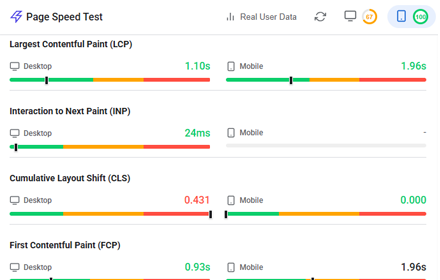
Website Page Speed Test - Core Web Vitals and Real User Data (CrUX) reports
Analyze website performance with Core Web Vitals, resource analysis, and optimization suggestions
158

GA4 Optimizer: Power Tools for Google Analytics
Fix GA4 & get the missing features you wish you had! Unlock on-the-fly custom metrics, 1-click YoY presets, Exit Reports & more.
511
★ 5.0
Data sourced from the Chrome Web Store · last verified Jun 6, 2026.