
Replix - AI Email Assistant
AI-powered Gmail reply and edit assistant.
As of June 2026, Replix - AI Email Assistant has 1 users in the Productivity category.
Usersdown 50.0 percent−50.0%
1
1
Ratingno change0%
—
— reviews
Reviewsno change0%
—
Version
1.0.1
Manifest V3
History
4 snapshotsTracking since Apr 24, 2026.
View as table
| Date | Users | Rating | Reviews | Version |
|---|---|---|---|---|
| Apr 24, 2026 | 2 | — | — | 1.0.1 |
| May 9, 2026 | 1 | — | — | 1.0.1 |
| May 26, 2026 | 3 | — | — | 1.0.1 |
| Jun 5, 2026 | 2 | — | — | 1.0.1 |
| Now | 1 | — | — | 1.0.1 |
Permissions & access
- Permissions
- None declared
- Host access
- *://mail.google.com/*
Screenshots

About
What Replix Does?
Replix is an AI-powered Chrome extension that helps users write and refine professional email replies directly inside Gmail. It saves time, improves clarity, and enhances communication quality by generating intelligent, context-aware responses in just a few clicks.

How It Works in Gmail?
Replix integrates seamlessly into Gmail by adding AI-powered controls to the compose toolbar, allowing users to select a tone, generate replies, and refine them using natural language edit prompts — all without leaving Gmail.

How to Use Replix?

Step 1: Open Gmail
Log in to your Gmail account and open any email you want to reply to, or click Compose to start a new email.

Step 2: Start a Reply or Compose
Click Reply or Compose to open the Gmail compose window. Replix automatically detects the active compose area.

Step 3: Generate an AI Reply
In the compose or reply toolbar, click the Replix “May I” button and choose a tone such as:
• Professional
• Casual
• Friendly

Replix analyzes the content of the email the user is replying to and uses this context to generate a relevant reply, which is inserted directly into the Gmail compose area.

Step 4: Edit Using AI (Optional)
After generating a reply, you can further refine it:
1. Click the Edit option
2. Enter a natural language instruction (e.g., “Make it shorter” or “Sound more polite”)
3. Apply the changes and review the updated response

Step 5: Review and Send
Review the generated content, make any manual edits if needed, and send the email as usual.

No Extra Steps Required
• No copying or pasting
• No switching tabs
• Works fully inside Gmail
• Email content is processed temporarily and not stored

Key Features
• AI-generated, context-aware email replies
• Multiple tone options (Professional, Casual, Friendly)
• Smart AI-powered edit functionality
• Native Gmail UI integration
• Automatic compose window detection

Privacy & Security
Replix accesses Gmail compose content only to analyze the email being replied to and generate responses at the user’s request. Email content is processed temporarily for AI generation and is never stored, logged, or shared.
Technical
- Version
- 1.0.1
- Manifest
- V3
- Size
- 11.94KiB
- Min Chrome
- 88
- Languages
- 1
- Featured
- No
Metadata
- ID
- agcggljbfakfmaijbgkpkhccomofkdck
- Developer ID
- u69aa565f23cfaeeeb72ac6e2cb1ea329
- Developer Email
- [email protected]
- Created
- Jan 25, 2026
- Last Updated (Store)
- Jan 25, 2026
- Last Scraped
- Jun 5, 2026
- Website
- —
- Support URL
- —
- Privacy Policy
- https://www.replixbyrenish.dev/privacy
Similar extensions
Alternatives to Replix - AI Email Assistant, ranked by description similarity.

Repl1 – AI Email Reply Assistant
Privacy-first AI email replies for Gmail. Generate smart reply suggestions with one click.
7
★ 5.0

Repli: AI Smart Replies for Gmail
AI email assistant for Gmail that generates replies, summarizes long emails, and improves your writing instantly.
6
★ 5.0

ReplaiGPT
Generate custom email replies using ChatGPT and your predefined context.
54
★ 5.0
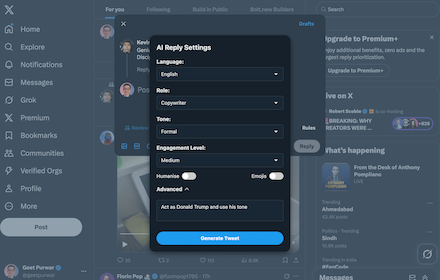
RepliX: Smart AI Replies for X.com, Tailored to Your Style
RepliX: Smart AI Replies for X.com, Tailored to Your Style
12

aireply: Your Personalized Email Writing Assistant
aireply: AI Email Reply and Writing Assistant
45
★ 5.0

Replio - AI Reddit Reply Assistant
Replio: AI-powered Reddit reply assistant. Instantly generate smart, context-aware replies to Reddit comments and posts.
12

Replix
The fastest way to reply to tweets using AI and the easiest way to boost your tweet impressions.
6

AI Email Assistant
AI-powered email reply generator for Gmail.
6
★ 5.0
Data sourced from the Chrome Web Store · last verified Jun 5, 2026.