
Gmail Message Backup
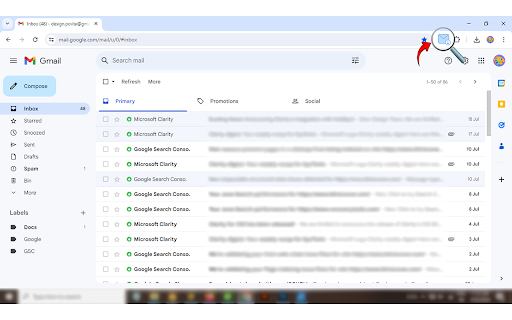
Adds a download button to each Gmail message to download the original email.
As of June 2026, Gmail Message Backup has 1,000 users and a 3.33/5 rating from 6 reviews in the Productivity category.
Usersno change0%
1.0K
1,000
Ratingdown 16.8 percent−16.8%
3.33
6 reviews
Reviewsup 50.0 percent+50.0%
6
Version
1.4.1
Manifest V3
History
2 snapshotsTracking since May 3, 2026.
View as table
| Date | Users | Rating | Reviews | Version |
|---|---|---|---|---|
| May 3, 2026 | 1.0K | 4.00 | 4 | 1.4.1 |
| Jun 2, 2026 | 1.0K | 3.40 | 5 | 1.4.1 |
| Now | 1.0K | 3.33 | 6 | 1.4.1 |
Permissions & access
- Permissions
- downloads
- Host access
- https://mail.google.com/, https://mail-attachment.googleusercontent.com/
Screenshots


About
Overview:  The Gmail Message Backup Tool allows users to access and save emails from their Gmail account. Emails can be stored in PDF or EML formats, allowing for data safety and long-term offline conservation. This tool offers an effective alternative to manual methods and provides selective backup.

The user must go through the time-consuming manual method, which takes a long time, to download emails. We take advantage of the tool for gmail message backups, which allows downloading of gmail emails, simplifying the whole process. The message can be stored offline for a long time due to the tool. This tool offers selective backup and data protection.

This tool provides the advanced feature to directly download the email in the system in the EML file format. You will find the downloading option in the inbox, social, and promotional folders as well as in the individual email folders, by using this automated method users can easily save all the emails in a few clicks.

You can migrate  the messages along with the attachment, from a particular folder by clicking on the download option at the top right corner of the email. This will save your emails in the EML format as well as in PDF format.

Some advantages of the downloading gmail emails:
●	Long-Term Storage - Backup allows storing emails for future reference.
●	Data Security - It helps in the recovery of deleted email.
●	Offline Access-  This tool provides offline access of the message and mails.
Technical
- Version
- 1.4.1
- Manifest
- V3
- Size
- 231KiB
- Min Chrome
- 88
- Languages
- 1
- Featured
- No
Metadata
- ID
- aehlagamnffidaddkndmjgmgjdafimol
- Developer ID
- u018af974ad0d8c7e5fed1a12e142e1d2
- Developer Email
- [email protected]
- Created
- Aug 2, 2024
- Last Updated (Store)
- Oct 22, 2024
- Last Scraped
- Jun 2, 2026
- Website
- —
- Support URL
- —
- Privacy Policy
- https://www.bitrecover.com/privacy-policy.html
Similar extensions
Alternatives to Gmail Message Backup, ranked by description similarity.

Email Snap
Save email templates of Gmail with one click
21
★ 5.0

Save Bulk Gmail Attachments to Drive & ZIP
Download all attachments from multiple Gmail emails at once — save to Drive or ZIP, sorted into folders automatically.
1.0K
★ 4.3

Gmail to PDF Converter
Convert Gmail emails to PDF with one click. Seamlessly integrates with Gmail's interface for easy email-to-PDF conversion.
42
★ 5.0

Gmail Thread Attachment Manager
Centralized attachment dashboard for Gmail threads - view and download all attachments from any email thread instantly.
26
★ 5.0

Online Email Viewer for EML Files
Tool to view and manage .eml files
53

Email to PDF - Privacy First
Save multiple Gmail emails as text-based PDFs with one click. Images included. No need to grant access to your entire Gmail account.
19
★ 1.0

Gmail to PDF
Export Gmail emails to PDF
6

Gmail Email Forwarder
Forward multiple emails with one click directly from Gmail.
29
★ 1.0
Data sourced from the Chrome Web Store · last verified Jun 2, 2026.