
Popcorn Discord
Minimizer Discord's Sidebar with Auto Popup
As of June 2026, Popcorn Discord has 48 users and a 5.00/5 rating from 1 reviews in the Accessibility category.
Usersdown 4.0 percent−4.0%
48
48
Ratingno change0%
5.00
1 reviews
Reviewsno change0%
1
Version
0.0.1
Manifest V3
History
3 snapshotsTracking since Apr 1, 2026.
View as table
| Date | Users | Rating | Reviews | Version |
|---|---|---|---|---|
| Apr 1, 2026 | 50 | 5.00 | 1 | 0.0.1 |
| May 3, 2026 | 54 | 5.00 | 1 | 0.0.1 |
| Jun 2, 2026 | 51 | 5.00 | 1 | 0.0.1 |
| Now | 48 | 5.00 | 1 | 0.0.1 |
Permissions & access
- Permissions
- None declared
- Host access
- None declared
Screenshots

About
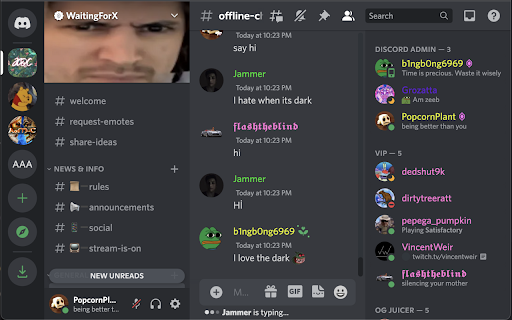
Using the Discord Browser App, users can finally reduce the clutter found on both sidebars.

This extension will minimize both the discord server list sidebar and the discord channel list sidebar by sliding to the left of the browser window. To view the sidebars, simply hover your mouse on the far left side of the browser window and they will slide back to the original position.

This feature has been highly requested by discord users since this functionality is available on the desktop app, but unavailable on the browser app. With this extension, this cosmetic feature is available to browser users.

Simple Explanation:
Popcorn Discord Chrome Extension minimizes both sidebars on the Discord Browser App and allows them to slide into view with a simple mouse hover.
Technical
- Version
- 0.0.1
- Manifest
- V3
- Size
- 13.89KiB
- Min Chrome
- 88
- Languages
- 1
- Featured
- Yes
Metadata
- ID
- aegfdbfblhoejpiklecbbfokhcjcdjcd
- Developer ID
- ub7ccc70b060dd9e24a2d3e7070ccdfd9
- Developer Email
- [email protected]
- Created
- Mar 12, 2023
- Last Updated (Store)
- Mar 12, 2023
- Last Scraped
- Jun 2, 2026
- Website
- —
- Support URL
- —
- Privacy Policy
- —
Similar extensions
Alternatives to Popcorn Discord, ranked by description similarity.

Github Sidepanel - Tabbee
Use Github visible on every page in the side panel.
14

Simple Extension Manager
Toggle extensions on demand
1

Hulu Fade Eliminator
Hulu cosmetic changes: Remove Fade Scrims and Reduce amount of Fade over Controls / Subtitles
140
★ 5.0

SidebarComments
Move the comment section to the side bar and add a scroll to recommended videos and comments
12
★ 4.0
Twitch Resizer
Move and resize chat, video, and follower boxes
153
★ 3.6

Hide/Show chat
Hides or shows the ZenDesk chat bubble
50
Amazon Sidepanel - Tabbee
Use Amazon visible on every page in the side panel.
6
Proper Menubar for Google Chrome
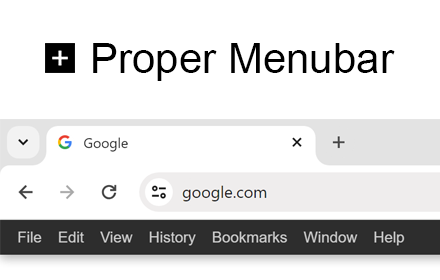
Add the best menu bar to get easy and fast access to all your useful browser options and internet products!
30.0K
★ 3.8
Data sourced from the Chrome Web Store · last verified Jun 2, 2026.