
Summ: Netflix Summarizer
This extension summarizes and reviews Netflix shows and movies. It will only summarize what you have already watched!
As of June 2026, Summ: Netflix Summarizer has 11 users and a 5.00/5 rating from 1 reviews in the Entertainment category.
Usersup 120.0 percent+120.0%
11
11
Ratingno change0%
5.00
1 reviews
Reviewsno change0%
1
Version
1.0.2
Manifest V3
90-day change · In the last 90 days this extension 1 version update.
History
7 snapshotsTracking since Apr 19, 2026.
View as table
| Date | Users | Rating | Reviews | Version |
|---|---|---|---|---|
| Apr 19, 2026 | 5 | — | — | 1.0.1 |
| Apr 29, 2026 | 7 | — | — | 1.0.1 |
| May 8, 2026 | 9 | 5.00 | 1 | 1.0.1 |
| May 13, 2026 | 11 | 5.00 | 1 | 1.0.2 |
| May 25, 2026 | 10 | 5.00 | 1 | 1.0.2 |
| Jun 1, 2026 | 8 | 5.00 | 1 | 1.0.2 |
| Jun 7, 2026 | 10 | 5.00 | 1 | 1.0.2 |
| Now | 11 | 5.00 | 1 | 1.0.2 |
Permissions & access
- Permissions
- storage
- Host access
- None declared
Screenshots


About
About:

This project is an extension for the Chrome web browser. It works when you are on Netflix in Google Chrome. This will NOT work for any app versions of Netflix.

The purpose of this extension is to be refreshed on a previously watched show/movie or help determine whether or not to watch something new.

Functionality:

The "Summary" button will only summarize what has been viewed on the current account and will not spoil any future episodes or seasons. For movies, it will summarize up to the current timestamp. If no progress has been made in the selected show or movie, a general summary will be generated.

The "Review" button will generate a review of the overall show/movie, ending it with a rating out of 5.

Downloading:

By following the instructions below, you will generate a key that allows access to external calls to Google's AI, Gemini. Following these steps will ensure that you will not be billed for using your key.

When you first load into the extension, it will ask you to enter a Gemini API key. This can be generated at: https://aistudio.google.com/app/api-keys

- After you log in, please press "Create API key" found in the top right of the webpage.
- After, it will ask you to name the key. We recommend that you name it "Netflix Summary Extension", but any name will work.
- Then, click on the "Choose an imported project" drop-down menu.
- From there, click create project and name the project "NSEE".
- After naming the project, please select it from the drop-down menu and press "Create Key" in the bottom right.
- After creating the key, please press the "copy api key" button.
- Then paste this API key in the field named "Gemini API key" and click enter!

If you are confused, please follow this YouTube tutorial: (will be added later).

Usage:

To use this extension, select a TV show or movie within Netflix that you would like information about. Then, simply select the extension from the Chrome extension selector. It will open a popup window that has two buttons, Summary and Review. From there, your request gets generated and displayed.
Technical
- Version
- 1.0.2
- Manifest
- V3
- Size
- 39.59KiB
- Min Chrome
- 88
- Languages
- 1
- Featured
- No
Metadata
- ID
- adfkhklhencgpoeehdfpopfiimchchkd
- Developer ID
- u41fc231807e1942a4c18452089319524
- Developer Email
- [email protected]
- Created
- Oct 15, 2025
- Last Updated (Store)
- May 3, 2026
- Last Scraped
- Jun 7, 2026
- Website
- —
Similar extensions
Alternatives to Summ: Netflix Summarizer, ranked by description similarity.

Netflix Summary (Beta)
Summarize Netflix titles with key details.
4
★ 1.0

Netflix™ Extended [QVI]
Extension for Netflix™ to skip intros, recaps, start next movie/episode in faster pace and many more.
60.0K
★ 4.4
Netflix IMDb Overlay
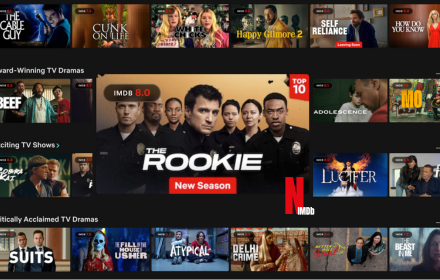
Displays live IMDb ratings on Netflix thumbnails with customizable overlays.
53
★ 4.4

GEMZ
Present IMDB rating on Netflix movies and series
1

Rateflix
Facilitate media ratings view, automatically skip intro, skip recap, and advance to the next episode.
2

NFRatings
Adds IMDb and Rotten Tomatoes ratings to Netflix titles.
8

Netflix Skipper: skip intros, recaps & more [QVI]
Automatically skip intros, recaps, 'Are you still watching?' and next episode on Netflix
30.0K
★ 4.1

Skipity
Automatically skips video intros
2
Data sourced from the Chrome Web Store · last verified Jun 7, 2026.