
FrameForge — image & thumbnail toolkit
Resize and export images to exact platform sizes (YouTube, Shorts, Twitch, Instagram) — 100% local, no upload.
As of June 2026, FrameForge — image & thumbnail toolkit has — users in the art category.
Usersno change0%
—
—
Ratingno change0%
—
— reviews
Reviewsno change0%
—
Version
1.5.3
Manifest V3
History
1 snapshotsTracking since Jun 20, 2026.
Not enough history yet for this metric — the chart fills in as we collect more snapshots.
View as table
| Date | Users | Rating | Reviews | Version |
|---|---|---|---|---|
| Jun 20, 2026 | — | — | — | 1.5.3 |
| Now | — | — | — | 1.5.3 |
Permissions & access
- Permissions
- None declared
- Host access
- None declared
Screenshots


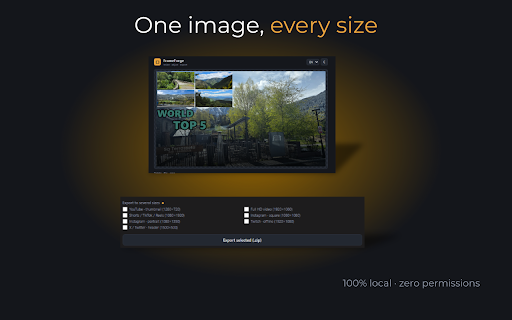
About
FrameForge — resize · adjust · export

Create thumbnails and adapt images to the exact size of every social platform in seconds. Everything is processed in your browser: your images are never uploaded to any server.
Paste an image from your clipboard, drag it in or pick a file. Choose the target size, adjust it and download. That simple.

━━━ SIZES INCLUDED ━━━

YouTube thumbnail (1280×720)
Full HD video (1920×1080)
Shorts / TikTok / Reels (1080×1920)
Instagram square (1080×1080)
Instagram portrait (1080×1350)
Twitch offline (1920×1080)
X / Twitter header (1500×500)
Custom size (up to 10,000 px)

━━━ FREE FEATURES ━━━

✓ Fill, fit or stretch the image to your chosen size

✓ Zoom and drag to reposition the crop

✓ Rotate (90°), flip horizontally and vertically

✓ Circle crop for avatars

✓ 4 effects: bottom gradient, vignette, cinematic bars, black & white

✓ Export as JPEG, PNG or WebP with adjustable quality

✓ Copy to clipboard with one click

✓ Live file size estimation

✓ EXIF metadata automatically stripped

✓ Light / dark / auto theme

✓ Available in English and Spanish

━━━ PRO FEATURES (one-time payment of €9.99) ━━━

★ 8 extra effects: warm, cool, dramatic, vintage, glow, frame, duotone, blurred background

★ Text layers: add multiple draggable texts with independent size and color

★ Logo/image layers: overlay logos with per-layer size, opacity and rotation controls

★ Brightness, contrast and saturation adjustments with live controls

★ Export to multiple sizes at once as a ZIP

★ Target size compression (e.g. max 2 MB)

★ Batch processing: drop multiple images and resize them all at once

━━━ FULL PRIVACY ━━━

FrameForge never uploads your images anywhere. No accounts, no sign-up, no tracking. All processing happens entirely in your browser using Canvas. The only external connection (optional) is to validate the PRO license.

━━━ WHO IS IT FOR ━━━

Content creators, community managers, streamers, designers and anyone who needs to adapt images for social media quickly without relying on online tools that upload your files to a server.
Part of the Forge family — Wendygo Studio.
Technical
- Version
- 1.5.3
- Manifest
- V3
- Size
- 26.63KiB
- Min Chrome
- 88
- Languages
- 2
- Featured
- No
Metadata
- ID
- abdmadomfnijoiklnaklmplifmljgchj
- Developer ID
- u695901792f25e37c722008805a194ee7
- Developer Email
- [email protected]
- Created
- Jun 19, 2026
- Last Updated (Store)
- Jun 19, 2026
- Last Scraped
- Jun 20, 2026
- Website
- —
- Support URL
- —
- Privacy Policy
- https://wendygostudio.com/privacy.html
Data sourced from the Chrome Web Store · last verified Jun 20, 2026.