
Image Vectorizer (Convert to SVG)
Easily vectorize an image (convert to SVG) in your browser!
As of June 2026, Image Vectorizer (Convert to SVG) has 3,000 users and a 5.00/5 rating from 2 reviews in the Productivity category.
Usersno change0%
3.0K
3,000
Ratingno change0%
5.00
2 reviews
Reviewsno change0%
2
Version
0.1.5
Manifest V3
History
2 snapshotsTracking since Apr 5, 2026.
View as table
| Date | Users | Rating | Reviews | Version |
|---|---|---|---|---|
| Apr 5, 2026 | 3.0K | 5.00 | 2 | 0.1.5 |
| Apr 16, 2026 | 2.0K | 5.00 | 2 | 0.1.5 |
| Now | 3.0K | 5.00 | 2 | 0.1.5 |
Permissions & access
- Permissions
- storage
- Host access
- None declared
Screenshots

About
Image Vectorizer is a browser extension that helps you vectorize any image.

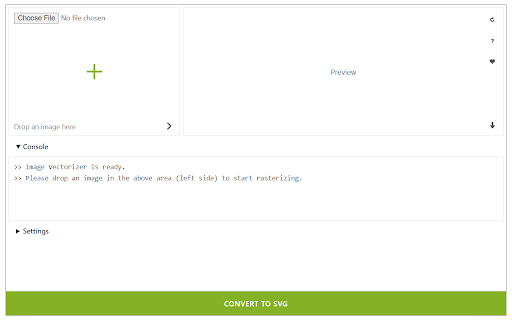
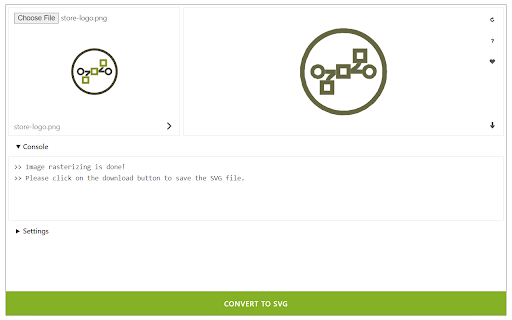
It accepts a wide variety of input images including ".png", ".jpg", ".bmp", and many more. Simply drag & drop an image in the addon (top-left corner of the interface) and then click on the - Convert to SVG - button at the bottom. The vectorized image will be rendered at the result box (top-right corner). You can also choose your desired serializing method from the drop-down list within the UI. The pre-set method is the - default - method. There are 15 other methods to choose from the list. There is also a - live preview - checkbox to make the vectorizing process on the fly. As you change any method, the result will be rendered in the top right section without pressing the convert button. Once a rasterizing process is done, the vectorized image will be displayed in the top-right corner with a download button attached to it. Click on this button to download the image to your machine. Please note that the download location is the default download folder in your browser.

Note: Dark mode functionality is added in version 0.1.4. Please press the moon icon on the top-right toolbar to switch the theme (Dark | Light).

If you have a feature request or found a bug to report, please fill out the bug report form on the addon's homepage (https://mybrowseraddon.com/image-vectorizer.html).
Technical
- Version
- 0.1.5
- Manifest
- V3
- Size
- 54.95KiB
- Min Chrome
- 88
- Languages
- 1
- Featured
- Yes
Metadata
- ID
- abcganhipmjnjcgpeipblkhbdnibeplh
- Developer ID
- ud622040a07dfd01f85a8ff1591da667e
- Developer Email
- [email protected]
- Created
- May 15, 2019
- Last Updated (Store)
- Jan 28, 2026
- Last Scraped
- Jun 5, 2026
- Website
- —
- Privacy Policy
- https://mybrowseraddon.com/privacy-policy/keller.html
Similar extensions
Alternatives to Image Vectorizer (Convert to SVG), ranked by description similarity.

Image to SVG Converter
Convierte imágenes JPG, PNG, WEBP, BMP a formato SVG vectorizado
185
★ 5.0

VectoSolve - Image to SVG Converter
Convert, upscale, or remove backgrounds from any image. Right-click, screenshot, batch process, or use on Canva & Figma.
50

SVG to PNG
Convert SVG vector graphics to high-quality PNG images with scaling options
46

SVG to WebP
Convert SVG vector graphics to WebP format with adjustable quality and transparency support
16

SVG to AVIF
Convert SVG vector images to AVIF format with adjustable quality, scale, and transparency settings
4

SVG to Icon Converter
Transform SVG graphics to PNG icons in multiple sizes with one click. Perfect for app developers and designers.
11

SVG to JPG
Convert SVG vector graphics to JPG images with customizable quality and background
—

SVG to ICO
Convert SVG images to ICO icon format with multiple sizes for favicons and desktop icons
29
Data sourced from the Chrome Web Store · last verified Jun 5, 2026.