
Notes Station 3 Clipper (Beta)
Use the Notes Station 3 Clipper (Beta) to save things you see on the web into your Notes Station 3 account.
As of June 2026, Notes Station 3 Clipper (Beta) has 59 users in the Workflow & Planning category.
Usersno change0%
59
59
Ratingno change0%
—
— reviews
Reviewsno change0%
—
Version
1.1.0
Manifest V3
History
5 snapshotsTracking since May 14, 2026.
View as table
| Date | Users | Rating | Reviews | Version |
|---|---|---|---|---|
| May 14, 2026 | — | — | — | 1.1.0 |
| May 20, 2026 | — | — | — | 1.1.0 |
| May 26, 2026 | 14 | — | — | 1.1.0 |
| Jun 2, 2026 | 28 | — | — | 1.1.0 |
| Jun 8, 2026 | 48 | — | — | 1.1.0 |
| Now | 59 | — | — | 1.1.0 |
Permissions & access
- Permissions
- tabsstorageactiveTaboffscreennotificationsscripting
- Host access
- <all_urls>
Screenshots


About
Use the Notes Station 3 Clipper to save things you see on the web into your Notes Station 3 account.

Overview

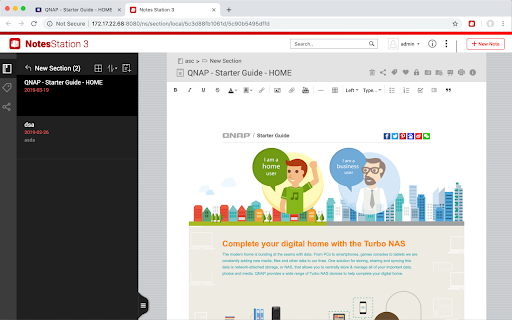
Save things from the Internet directly to notes in Notes Station 3 using Notes Station 3 Web Clipper.

Don’t worry about bookmarking things in your browser anymore. With Notes Station 3 Web Clipper, you can clip entire articles or take screenshots and save them directly to a note in Notes Station 3.

Clip web pages you want to keep. Save them in Notes Station 3. Find them easily in Qnotes3 or with any web browser by logging into your NAS.


Clip full or partial articles

- Clip a specific part of an article from any web page
- Append a note using different parts of an article
- Clip an entire article and save it to your notes
- Save text from web pages or take screenshots

Organize as you clip

- Organize notes into different sections of a notebook
- Add tags to notes
- Select the destination notebook and section when saving notes
Technical
- Version
- 1.1.0
- Manifest
- V3
- Size
- 442KiB
- Min Chrome
- 88
- Languages
- 22
- Featured
- No
Metadata
- ID
- abaonjpigibeabgnndgpobmffdcdcjno
- Developer ID
- ud70f7535b19211ecbfc0c1cc3231c2c4
- Developer Email
- [email protected]
- Created
- May 13, 2026
- Last Updated (Store)
- May 13, 2026
- Last Scraped
- Jun 8, 2026
- Website
- —
- Support URL
- —
- Privacy Policy
- https://www.qnap.com/go/legal/qnap-privacy-policy
Data sourced from the Chrome Web Store · last verified Jun 8, 2026.