
MEGA - Secure Texting
A powerful extension to share data securely across multiple popular messaging platforms.
As of June 2026, MEGA - Secure Texting has 8 users and a 5.00/5 rating from 1 reviews in the Privacy & Security category.
Usersdown 11.1 percent−11.1%
8
8
Ratingno change0%
5.00
1 reviews
Reviewsno change0%
1
Version
1.2.0
Manifest V3
History
8 snapshotsTracking since Apr 1, 2026.
View as table
| Date | Users | Rating | Reviews | Version |
|---|---|---|---|---|
| Apr 1, 2026 | 9 | 5.00 | 1 | 1.2.0 |
| Apr 16, 2026 | 7 | 5.00 | 1 | 1.2.0 |
| Apr 22, 2026 | 9 | 5.00 | 1 | 1.2.0 |
| Apr 27, 2026 | 8 | 5.00 | 1 | 1.2.0 |
| May 7, 2026 | 8 | 5.00 | 1 | 1.2.0 |
| May 14, 2026 | 10 | 5.00 | 1 | 1.2.0 |
| May 23, 2026 | 13 | 5.00 | 1 | 1.2.0 |
| Jun 2, 2026 | 11 | 5.00 | 1 | 1.2.0 |
| Now | 8 | 5.00 | 1 | 1.2.0 |
Permissions & access
- Permissions
- storage
- Host access
- https://mega-backend-liard.vercel.app/*
Screenshots


About
Add an extra layer of encryption to your messages on Facebook, WhatsApp, Messenger and Gmail.

You control your own encryption keys, ensuring no one but your intended recipient can read your messages. Double the security, double the privacy.

We're building tools that put you in control. Join us in making privacy simple – as it should be.

Currently in beta.
____________________________________________________

Instructions to get started:
1. Download the extension.
2. Click on "Settings and More" in the extension popup.
3. Click on "Generate New Credentials" to create a user.
4. Add a friend using their unique username.
5. Go on the supporting messaging platform and type "//e" to see the input.
6. Select the user your message is intended for.
7. Type a message and hit Enter to encrypt your message.
8. Send your message and click on the eye button to view encrypted messages.

____________________________________________________
Whats coming next?
- better browser experience
- improved UI
____________________________________________________

CHANGELOG:
Version 1.1.0
- updated security
- improved onboarding

Version 1.2.0
- improved support for Whatsapp and Gmail
- better UI/UX
Technical
- Version
- 1.2.0
- Manifest
- V3
- Size
- 1.94MiB
- Min Chrome
- 88
- Languages
- 1
- Featured
- No
Metadata
- ID
- aaoialoecjjhocmipcggipgmhkhanama
- Developer ID
- u6307436c87c0d2e1808a61385267ddae
- Developer Email
- [email protected]
- Created
- Feb 12, 2025
- Last Updated (Store)
- Jan 26, 2026
- Last Scraped
- Jun 10, 2026
- Website
- https://get-mega.vercel.app/
- Support URL
- —
Similar extensions
Alternatives to MEGA - Secure Texting, ranked by description similarity.

WhatsApp Privacy Shield and Locker
Protect your privacy on WhatsApp with the WhatsApp Privacy Shield and Locker Chrome extension.
573
★ 4.8

Invisible Message for Facebook™
Encode and decode invisible messages in Facebook Messenger
948
★ 5.0
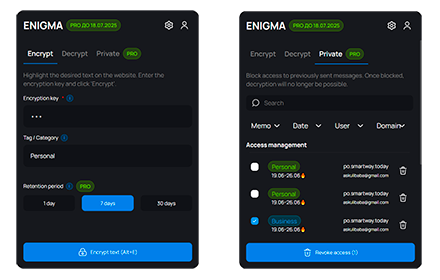
Enigma
Enigma - a revolutionary message encryption extension based on the principles of the legendary Enigma machine. Protect your…
39
★ 5.0

Twitter Crypt
Encrypt and decrypt tweets with a shared key
1

Privacy Extension for WhatsApp Web: Chat Lock & Blur & Hide | WASBB.COM
Keep your WhatsApp Web private. Lock your screen with a password and blur sensitive information like chats, names, or media.
30.0K
★ 4.7

SecureText - Share password securely
Create and share encrypted messages, passwords, secrets with client-side encryption. Messages expire automatically after viewing.
8
★ 5.0

Chatacy
Encrypt Facebook chat messages to protect your privacy in online conversations.
11
★ 5.0

WhatsApp Privacy Shield
WhatsApp Privacy Shield steps in as your digital guardian, allowing you to blur your chats and profile information seamlessly.
10.0K
★ 4.3
Data sourced from the Chrome Web Store · last verified Jun 10, 2026.