
LinkStowr
Save links and sync it to your Obsidian vault.
As of June 2026, LinkStowr has 143 users in the Productivity category.
Usersdown 10.1 percent−10.1%
143
143
Ratingno change0%
—
— reviews
Reviewsno change0%
—
Version
0.6.1
Manifest V3
History
10 snapshotsTracking since Apr 1, 2026.
View as table
| Date | Users | Rating | Reviews | Version |
|---|---|---|---|---|
| Apr 1, 2026 | 159 | — | — | 0.6.1 |
| Apr 16, 2026 | 162 | — | — | 0.6.1 |
| Apr 22, 2026 | 172 | — | — | 0.6.1 |
| Apr 27, 2026 | 170 | — | — | 0.6.1 |
| May 4, 2026 | 156 | — | — | 0.6.1 |
| May 10, 2026 | 155 | — | — | 0.6.1 |
| May 15, 2026 | 153 | — | — | 0.6.1 |
| May 21, 2026 | 157 | — | — | 0.6.1 |
| May 27, 2026 | 154 | — | — | 0.6.1 |
| Jun 9, 2026 | 152 | — | — | 0.6.1 |
| Now | 143 | — | — | 0.6.1 |
Permissions & access
- Permissions
- storagetabsscriptingactiveTab
- Host access
- None declared
Screenshots


About
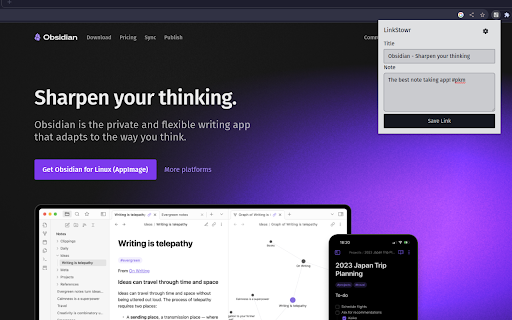
LinkStowr is a free, open source and privacy-friendly set of tools designed to make it extremely easy to capture and store your valuable online resources in a structured and meaningful way. You can think of it like using Obsidian as your bookmark manager for all your web links.

To get started:
- Create an account at https://linkstowr.com/ and generate an Access Token.
- Download this Chrome Extension and input your Access Token.
- Start saving links using the Chrome Extension.
- Install the LinkStowr Obsidian plugin and sync your saved links.

Once the links have been synced to your Obsidian vault they will be deleted from the LinkStowr database ensuring your vault is the only long term home for your links.
Technical
- Version
- 0.6.1
- Manifest
- V3
- Size
- 49.37KiB
- Min Chrome
- 88
- Languages
- 1
- Featured
- No
Metadata
- ID
- aabkobajeambdejghgegicnhcndhcjpk
- Developer ID
- u6c9d07743fef8a648cd03f3c247ac40a
- Developer Email
- [email protected]
- Created
- Sep 24, 2023
- Last Updated (Store)
- Mar 9, 2026
- Last Scraped
- Jun 9, 2026
- Website
- —
- Support URL
- —
- Privacy Policy
- https://linkstowr.com/privacy
Similar extensions
Alternatives to LinkStowr, ranked by description similarity.

Stash Links - Bookmark Manager
Save and organize bookmarks from any webpage.
2
★ 5.0

WebStash
WebStash is the ultimate solution for organizing and keeping track of all those important links you stumble upon throughout the…
—

Stashby
Chrome extension to easily save links to Stashby with right-click or keyboard shortcuts
381
★ 5.0

Link Trove
Save and organize important links with tags
3
★ 5.0

Bookmark Organizer | Smart Links
Professional bookmark management with lists, drag & drop, fast search, sync and dark mode.
5
★ 5.0

Bookmark Organizer | Smart Links
Professional bookmark management with lists, drag & drop, fast search, sync and dark mode.
1

StackLinker
Quick access to your StackLinker bookmarks
3
★ 5.0

Stashed
An open-source alternative to Pocket for saving and organizing web pages
—
Data sourced from the Chrome Web Store · last verified Jun 9, 2026.